EasyManua.ls Logo

Directed Directechs DB3 - User Manual

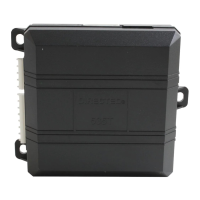
Directed Directechs DB3
24 pages
Print Icon
To Next Page IconTo Next Page
Loading...
Designed by Installers for Installers
INSTALLATION GUIDE
DB3
2020 Audi Q7 (Smart Key). 403.VW08 1.35 RSR
© 2021 Directed, Vista CA
This product is intended for installation by a professional installer only! Attempts to install this
product by a person other than a trained professional may result in severe damage to a vehicle’s
electrical system and components.

Questions and Answers

  • B
    Brandy PetersonSep 22, 2025
    What does it mean if Directed Directechs DB3 Automobile Accessories says OBDII feature not supported?
    • H
      Howard HarrisSep 22, 2025
      If the Directed Automobile Accessories system indicates 'OBDII feature not supported', the diagnostic data bus was not detected, therefore the SmartStart features will be limited.
  • Z
    zblanchardSep 22, 2025
    Why Directed Automobile Accessories Runsafe was not disabled?
    • D
      Dr. Wendy Harrison PhDSep 22, 2025
      If the Directed Automobile Accessories system indicates 'Runsafe was not disabled', no UNLOCK command was received prior to opening the door, or the 45 second timer expired in takeover mode.
  • R
    Robin WongSep 23, 2025
    Why Directed Automobile Accessories brake was not detected?
    • J
      Justin DavidsonSep 23, 2025
      If the Directed Automobile Accessories system indicates 'Brake was not detected', the brakes were not detected, which prevents the system from shutting down the vehicle.
  • J
    Juan GreeneSep 23, 2025
    Why Directed Automobile Accessories smart key was not detected?
    • D
      Devin AcevedoSep 23, 2025
      If the Directed Automobile Accessories system indicates 'Smart key was not detected', the smart key was not detected, which prevents the system from shutting down the vehicle.
  • M
    Miguel RosalesSep 23, 2025
    What to do if Directed Door locks initialization failed?
    • J
      Jordan HillSep 23, 2025
      Reset the Directed Door locks module and complete the programming again.
  • N
    Nicole HarperSep 23, 2025
    Why Directed Door locks waiting to begin the programming sequence?
    • D
      David GonzalesSep 23, 2025
      Ensure the correct programming procedure is being followed for the Directed Door locks.
  • K
    Kelli TravisSep 23, 2025
    What to do if Directed Door locks CAN bus incorrectly detected?
    • A
      aaron26Sep 23, 2025
      Verify the CAN1 and CAN2 connections.
  • A
    Anthony JonesSep 23, 2025
    What to do if Directed Automobile Accessories ISO 1 is not detected?
    • J
      Jennifer ObrienSep 23, 2025
      The Yellow/Black wire did not detect the expected signal, you need to check the connections.
  • M
    moorebrendaSep 23, 2025
    What to do if Directed Automobile Accessories ISO 2 is not detected?
    • T
      tsimonSep 23, 2025
      The Orange/Black wire did not detect the expected signal, you need to check the connections.
  • S
    Steven JonesSep 23, 2025
    What to do if Directed Automobile Accessories MUX is not detected?
    • T
      Tiffany RodriguezSep 23, 2025
      The Violet/Green or Violet/Brown wire did not detect the expected voltage value, you need to check the connections.

Summary

Introduction

Vehicle Function Compatibilities

Lists all functions compatible with the vehicle for installation.

Pre-installation and Application Warnings

Wiring Diagram

Wiring Diagram (Alternative Installation)

Presents an alternative wiring diagram for the DB3 module installation.

Locating Components in the Vehicle

Locating Components in the Vehicle (Alternative)

Shows alternative locations of key components within the vehicle for installation.

Immobilizer Interface (Alternative Installation)

OEM Immobilizer - Removing the Center Console

Vehicle Connections

SmartStart;XL202 Installation Notes

Connecting the Module

Module Programming

LED Diagnostics and Troubleshooting

Module Programming - Error Codes

Lists error codes indicated by LED flashes during module programming.

External Module Synchronization

Addresses troubleshooting for OBDII features and external module sync issues.

Active Ground When Running (Status)

Commands

Explains LED feedback for lock, unlock, trunk, and auxiliary commands received.

Shutdown Codes

Lists LED indicators for various reasons of remote start unscheduled shutdown.

RSR Error Codes

Explains LED indicators for Remote Start Ready (RSR) specific error conditions.

Parking Light Error Codes

Soft Reset

Hard Reset

Feature Programming

Feature and Option List

Limited One Year Consumer Warranty

Quick Reference Guide

Sending Commands to Your Vehicle

Describes methods to send commands like lock, unlock, and remote start.

Vehicle Takeover with Get In and Go

Explains the "Get In and Go" feature for seamless takeover after remote start.

List of Available Commands

SmartStart Compatible

What is SmartStart?

Explains the functionality and benefits of the SmartStart mobile application for vehicle control.

Directed Directechs DB3 Specifications

General IconGeneral
BrandDirected
ModelDirectechs DB3
CategoryAutomobile Accessories
LanguageEnglish

Related product manuals