Chapter 10
74
Customizing the Guide and Channel Lists
• Large. Choose this option if you would like to see video in the upper right corner and
four rows of channels per page.
3 Select Done.
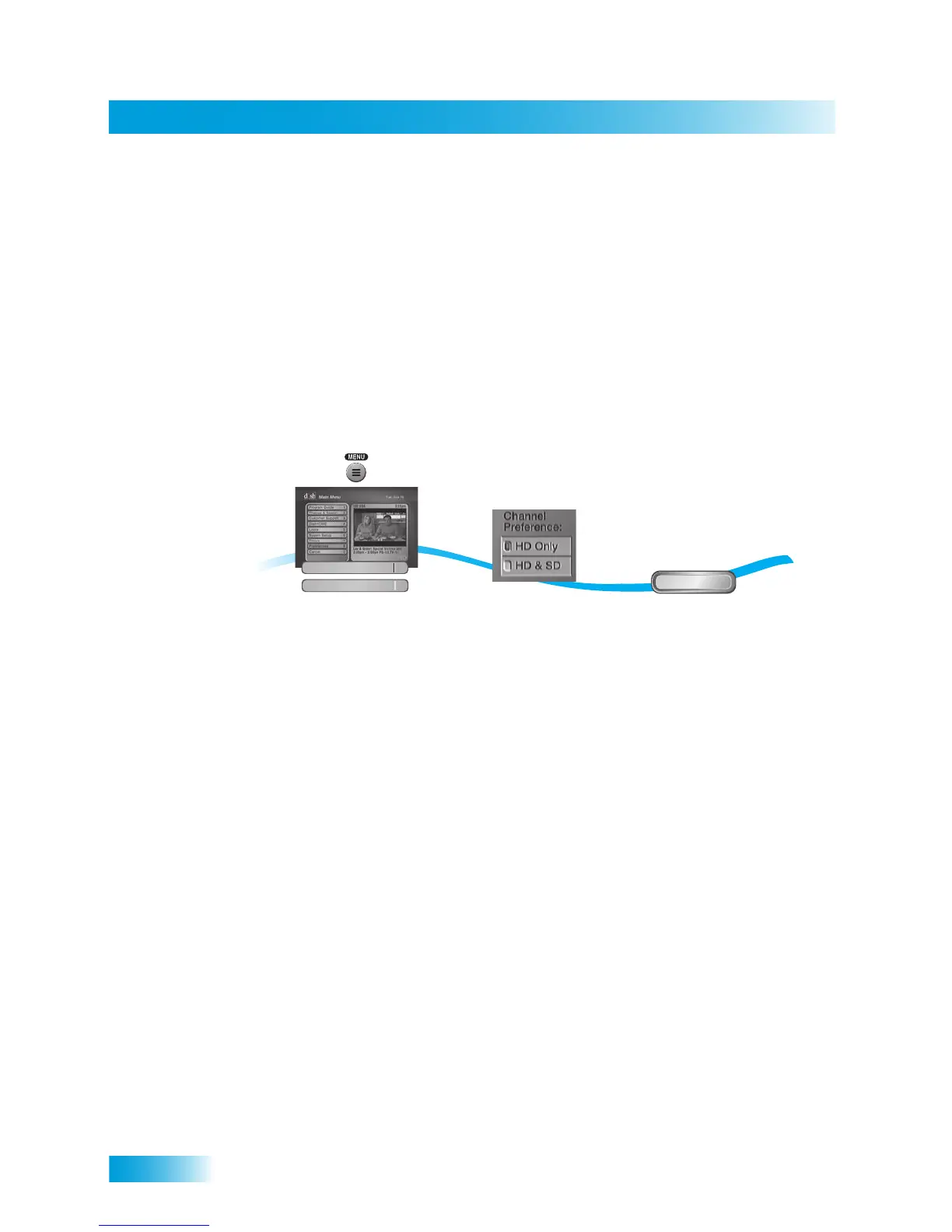
Channel Display Preferences
The Chan Preference option on the Guide Format menu allows you to customize how
your HD and SD channels display in the Program Guide.
1 Press MENU, select Preferences, and then Guide Format.
2 Choose a preference for channels display in the Program Guide and other channel lists
under Guide Format:
Note: Changing the channel display preference may cause timers on those channels to be
lost. Review your timers list after making any changes (refer to Using the Timers List on
page 48).
• HD Only—display only HD versions of the local channel below 100 at the local sta-
tion’s channel number. If an HD local channel is not available, the SD channel is listed.
• HD and SD (default)—display both HD and SD local channels at the local station’s
channel number.
3 Select Done.
2
3
Select from the
Channel Preferences
in the the guide
display options
Done
Select Done
1
Press MENU and
select Preferences,
then Guide Format
Guide Format
1
Preferences
8













 To Next Page