Connections and Setup
89
Connecting the Phone Line
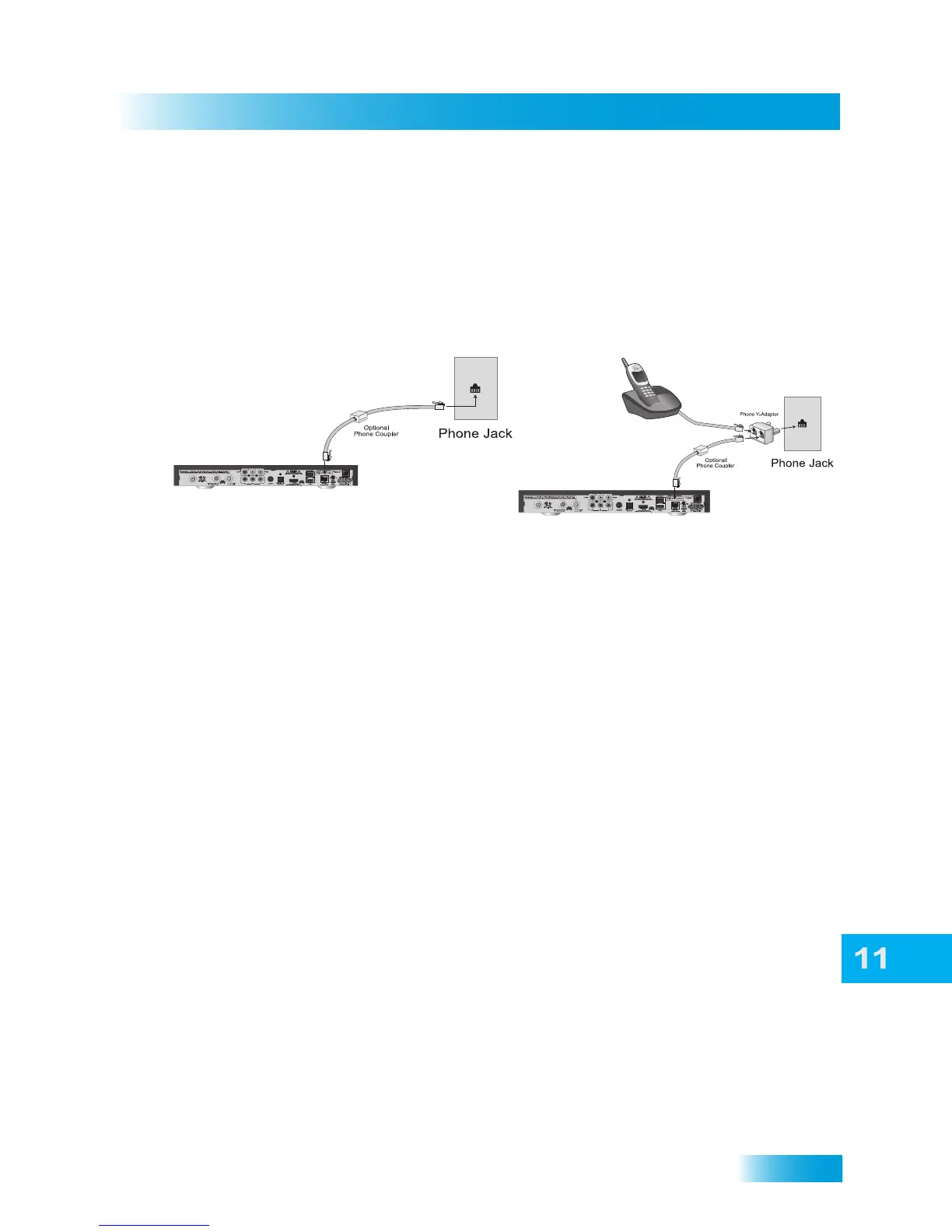
Phone Line Connection
Connect a telephone cable with a standard RJ-11 connector between the receiver’s back
panel PHONE connection and an active telephone connection as shown below.
Note: Do not connect the phone line to the ETHERNET connection. If you accidentally
connect the phone line to the ETHERNET port, all phones in your home may stop
functioning.
Phone Connection Recommendations for VoIP
If you have a VoIP (Voice over Internet Protocol) phone service, the following tips may
help improve the chances of the satellite receiver successfully connecting to DISH using
the VoIP phone service.
Note: Not all VoIP services will function with the receiver.
• Manually set the VoIP equipment for the proper bandwidth, to the highest bandwidth
possible, using the VoIP equipment’s instructions.
• Use other settings or connections suitable for modems or fax machines.
• For Vonage VoIP customers only, using the phone prefix *99 in the phone systems
setup can allow the VoIP connection to switch to its highest possible bandwidth.
Follow the steps in Phone System Setup, below, to enter a phone prefix.













 To Next Page