Page 14
Chapter 2
The Parts of the System
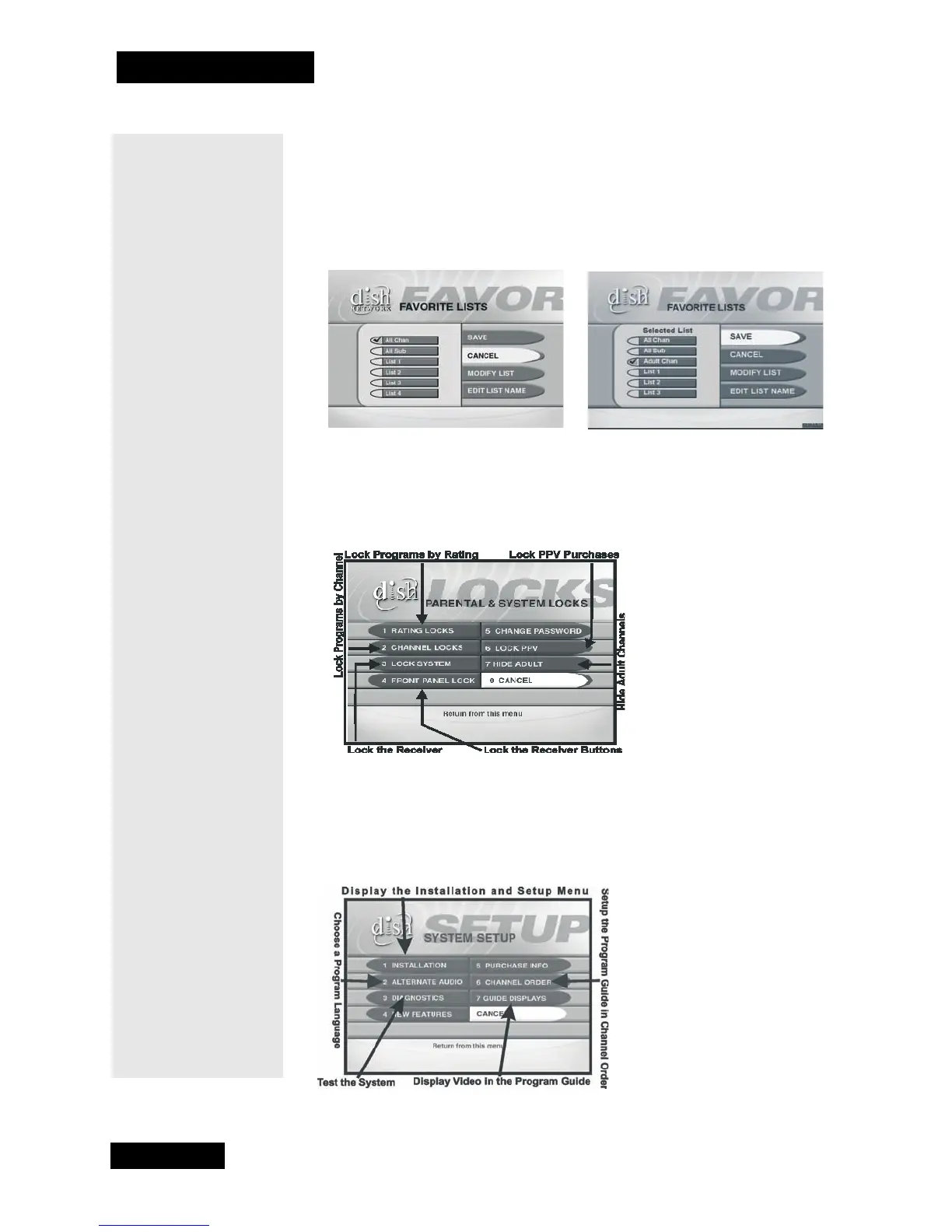
FAVORITE LISTS MENU
The Favorite Lists menu allows you to create, change, and activate lists of
favorite channels.
Note: Your Favorite Lists menu will look like one of the two shown here.
PARENTAL AND SYSTEM LOCKS MENU
The Parental and System Locks menu allows you to set and use locks.
SYSTEM SETUP MENU
The System Setup menu provides several features that help you set up and
maintain the system.
Tip: This menu is
where you start to
set up lists of your
favorite channels.
For details on set-
ting up these lists,
see page 32.
Tip: Want to keep
your kids from
watching certain
channels or
programs? Here’s
where you can set
locks to keep them
out. For complete
details, see
page 42.



 To Next Page