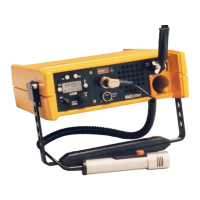
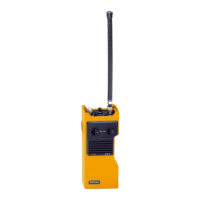
FSG 7016
4 Operation
November 2009 25
4.6 Matching an External Microphone
IMPORTANT!
• This does not apply for a speaker/microphone!
• This adjustment is most important particularly when the FSG 7016 is
used in noisy environment or is operated in the Voice Activated
Transmission Mode (VOX).
• Match the microphone in that environment where the transceiver is
usually used.
• During this adjustment the transmitter is keyed. Carry out
adjustment quickly!
• Internal microphone sensitivity is not affected by the external
microphone sensitivity setting. For silent communication, internal
microphone and loudspeaker are disabled as long as an external
microphone is connected.
To match an external microphone properly to the FSG 7016, proceed as follows:
• Connect an external microphone (4 … 600 Ohm, may be part of a headset or
helmet) to the accessory socket
7
of transceiver FSG 7016. Align white dot of
the cable connector with the white dot of the chassis accessory socket
7
.
Press connector down. Rotate clockwise towards locking end position.
• The built-in speaker and microphone are automatically disabled.
• Rotate OFF-ON-SQ OFF-VOX knob
1
to 'ON' position.
• Rotate the 'CH' knob
5
to a clear (test) channel.
• Rotate the 'VOL' control knob
4
to mid position (audio volume control).
• Rotate the 'EXT MIC SENS' knob
6
to mid position.
• Place boom microphone some 5 cm/2" away from your lips in front of your
mouth.
• Press and hold the PTT key
8
, SPEAK LOUD, SLOW AND CLEAR!
• While speaking, listen carefully to the audio volume of your side tone.
• While still speaking, move slowly the microphone towards the lips, the audio
volume of the transmit side tone should significantly increase.
• Find a microphone position where the side tone audio level will not increase
anymore, although the microphone is moved closer to the lips.
• THIS IS THE MODULATION COMPRESSION POINT TO BE FOUND!
• The ideal result is obtained, when this point corresponds with the microphone
positioned right at the lips, in front of the mouth.
• If the microphone is still away from the lips, set the 'EXT MIC SENS' switch
6
one
or two steps counter-clockwise (ccw, less sensitive).
• Repeat the microphone moving procedure as above, until a position is obtained,
which brings the modulation compression point of your microphone when it is
placed right in front of the lips.
• Set the transmit side tone volume with 'VOL' control
4
to a convenient level.
This will also correspond to the receive audio level.
REMEMBER:
In extreme noisy environment, this 'EXT MIC SENS' and 'VOL' audio level setting may
have to be repeated, but the operator is strictly required to speak excessively loud,
depending on the acoustic environment noise level (helicopter, jet aircraft,
parachute, etc.).


 To Next Page