FSG 7016
3 Programming
November 2009 17
3.4 Control Window Command Information Instruction
There are helpful Windows specific information available which are hidden behind
operation-dependent fields:
On the lower status line, two different context information describe the action
needed to perform available functions depending on the field to which the cursor is
positioned.
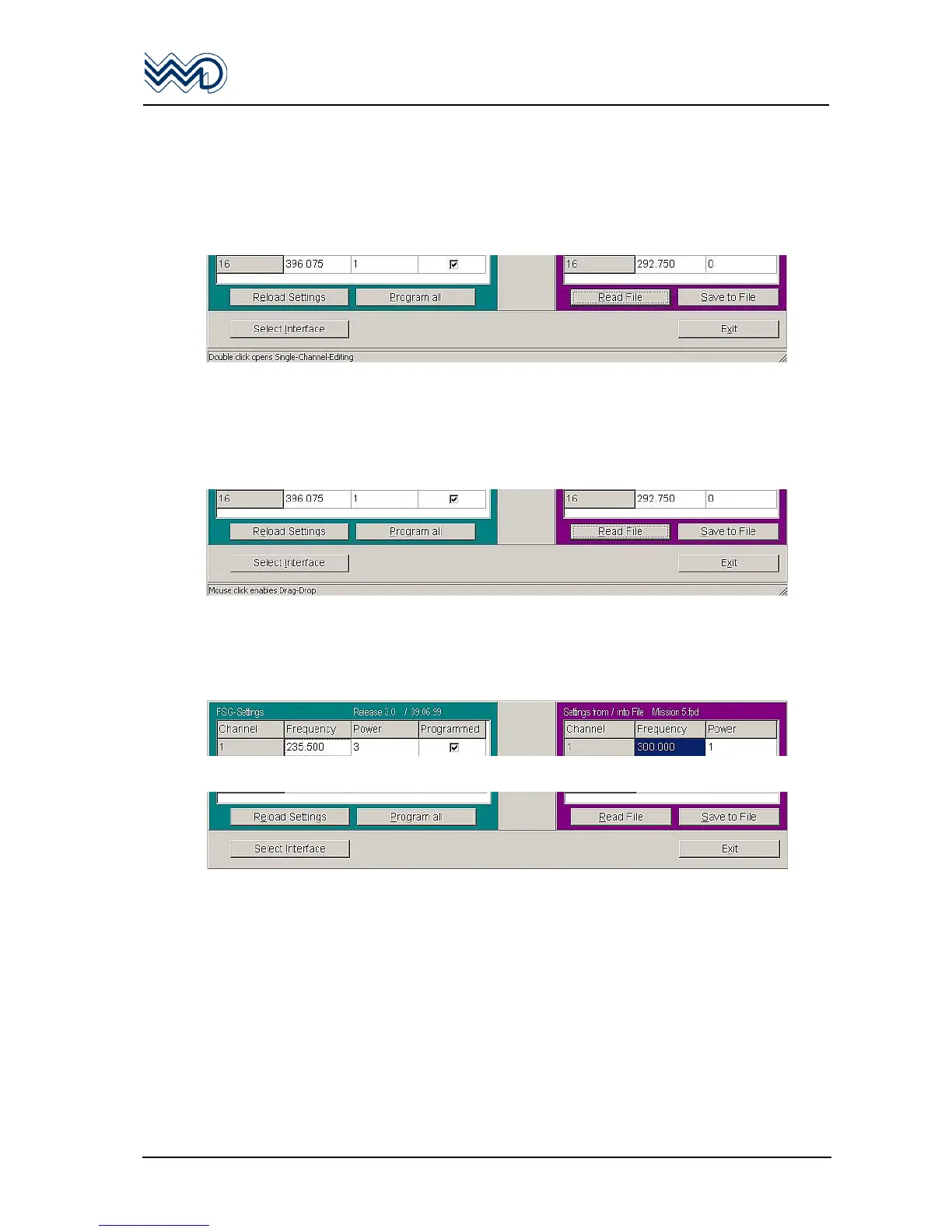
White field
“Double click opens Single Channel Editing”.
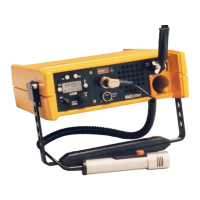
Grey field
“Mouse click opens Single-Channel Editing”, this allows drag and drop of
information associated from any grey CH No. to another grey CH.
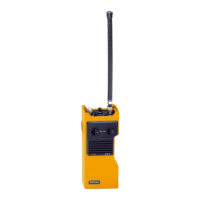
Additional Field(s) information
FSG Settings shows FSG 7016 hardware version information / date.
Settings from/into File shows file name from which the setting information is
originated.
Function Control Fields
Reload Settings Starts the unit’s setting readout again.
=> To copy the actual 16 CH information into the “edit” field.
<= To copy all 16 channel pre-determined information towards
FSG 7016.
Program all Performs all 16 channel (re-) programming.
√ Performs programming of one individual channel.
Read File Opens an already existing setting file.
Save to File Saves a new or changed setting file.
Select Interface Opens the Menu to determine / change the COM interface
number.
Exit Closes the “FSG Prog” program.


 To Next Page