CONTROLLER PROGRAMMING
21
Setting The Vender Type
When installing a service control board that has not
been installed in a vender, the control board needs
to set the vender type to recognize and perform
proper space-to-sales options and vending
operations.
To set the vender type:
1. Remove power to the vender.
2. Remove the existing control board.
3. Install the new control board.
4. Power-up the vender and the display will
scroll “Set Model Number”.
5. Press button 1 and the machine will display
the model number available “501E”.
6. Press buttons 1 and 2 simultaneously, this
will allow the user to cycle through the
available model numbers for that machine
type. Once the desired model number is
displayed “HVV”, pressing button 1 will set
this type.
Note: If the incorrect model number is set, the
machine will not have the correct default
space-to-sales arrangement. The user
should power down the unit, unplug the
battery, and reset RAM. The user should
then begin the model number set routine
again.
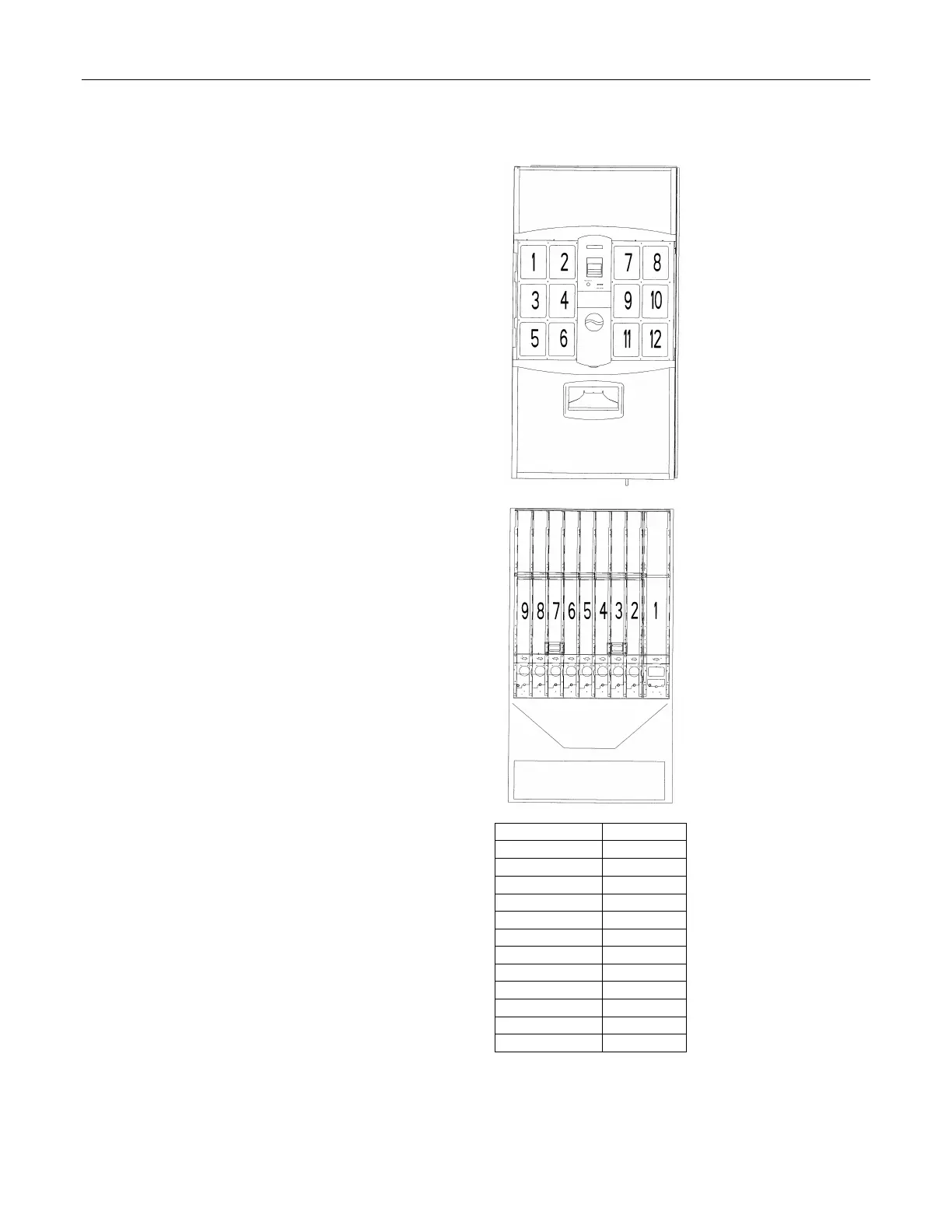
Factory Default Setting
Selection # Column #
1 1
2 1
3 2
4 3
5 4
6 4
7 5
8 6
9 7
10 8
11 9
12 9


 To Next Page