INSTALLATION & SETUP
7
PEPSI-COLA HVV
PROGRAMMING METHOD
June 2001
The controller has two modes of operation:
NORMAL and SERVICE.
NORMAL MODE:
In Normal Mode, on power up display will show software installed in
vender, then change to Ice Cold Pepsi message, Sold Out, Credit
Value, or decimal point. If decimal is flashing, this indicates an
error or problem recognized in the vender. When money is
inserted, the display indicates the total amount of the deposit. The
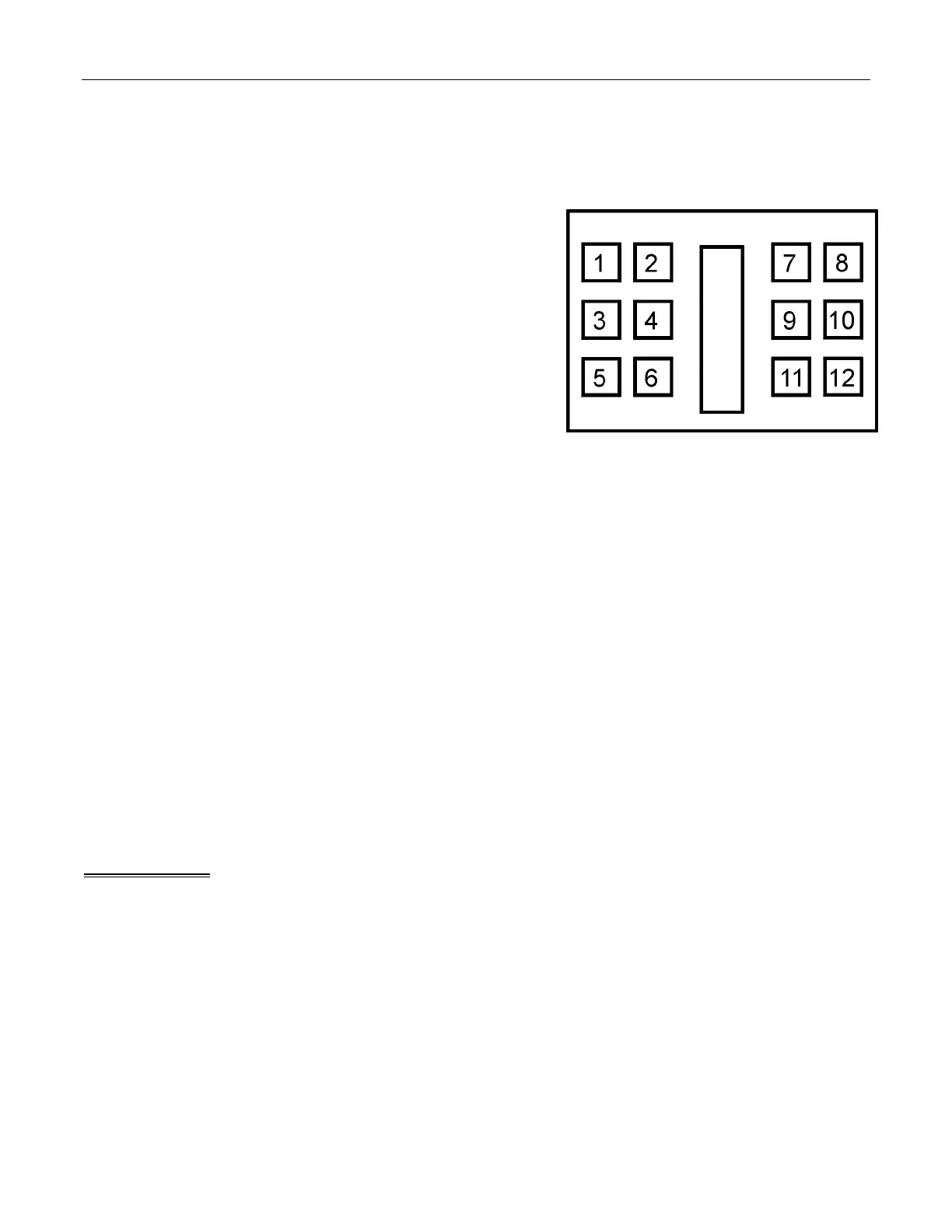
select buttons are used to select the product. In normal mode you
may access an external menu for reading historical sales total,
product total, product total by selection, and sales by price totals.
SERVICE MODE:
The Service Mode is entered when the vender door is open and the service
switch is pressed. The display will show a list of error codes for errors that have occurred since the door was last
opened. "Jammed Column #” is a vend mechanism jammed, "Select Switch #" is a select switch problem,
“Refrigeration” is a refrigeration or temp sensor problem, and “Lock Error” is a door switch open problem. To
acknowledge an error, press any select button, at this time you will enter the menu. The display will show
"Historical Data" at this time. Some of the menu items have sub-menus.
To move through the menus and sub-menus follow these instructions. To:
MOVE THROUGH MENU: Press select buttons 1 & 2 simultaneously to scroll down through the menu.
While scrolling down through menu, release, press select buttons 1 & 2
simultaneously to scroll up through menu.
ENTER SUB-MENU: Press and hold select button 1 to enter a sub-menu.
EXIT SUB-MENU: With "Return" on display, press and hold select button 1 to exit a sub-
menu.
EXIT SERVICE MODE:
Closing the inner door or a five-minute inactivity time-out will exit the service mode.
FRONT PANEL PROGRAMMING
SERVICE MENU
Historical Data
This function shows the user the vender accounting over the life of the vender. Use the following select buttons to
view the total sales in dollars, total number of vends and the total number of vends for each selection.
Press Select Button 1: Shows the historical total cash sales for the life of the vender.
Press Select Button 2: Shows the historical total number of vends.
Press Select Button 3: Shows the historical number of vends by selection. Each selection automatically scrolls
across the display.
Press & hold select buttons 1 & 2 simultaneously to move to the next item on the menu.



 To Next Page