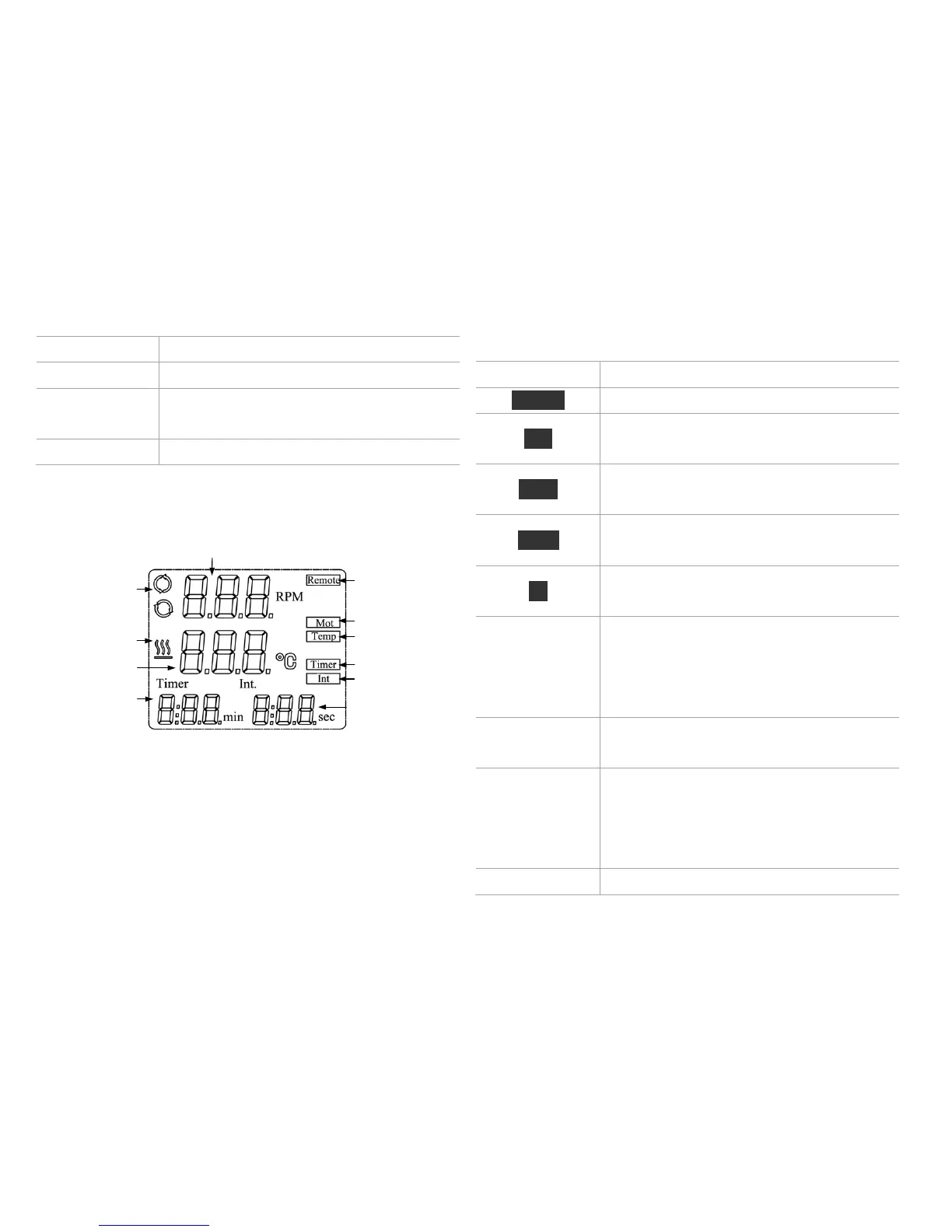
LCD displays the real working state.
Power ON, LED power flash. When the
unit running, LED power is lit.
Speed display area
Timer display
area
Interval display
area
Remote control
Rotate
Temperature
Timer
Interval
Temperature
symbol
Speed symbol
Temperature
display area
Display in case of remote control.
Display when the rotating function is
switched ON.
Display when the heating function is
switched ON.
Display when timer function is switched
ON.
Display when “Int” function is switched
ON.
When setting speed, displaying the
setting value and flashed. The setting
value does not flash until real speed
reaches the set point.
Display when the rotating function is
switched ON.
When setting temperature, displaying the
setting value. When the heating function
is switched ON, displaying the real
value.
Display when the heating function is



 To Next Page