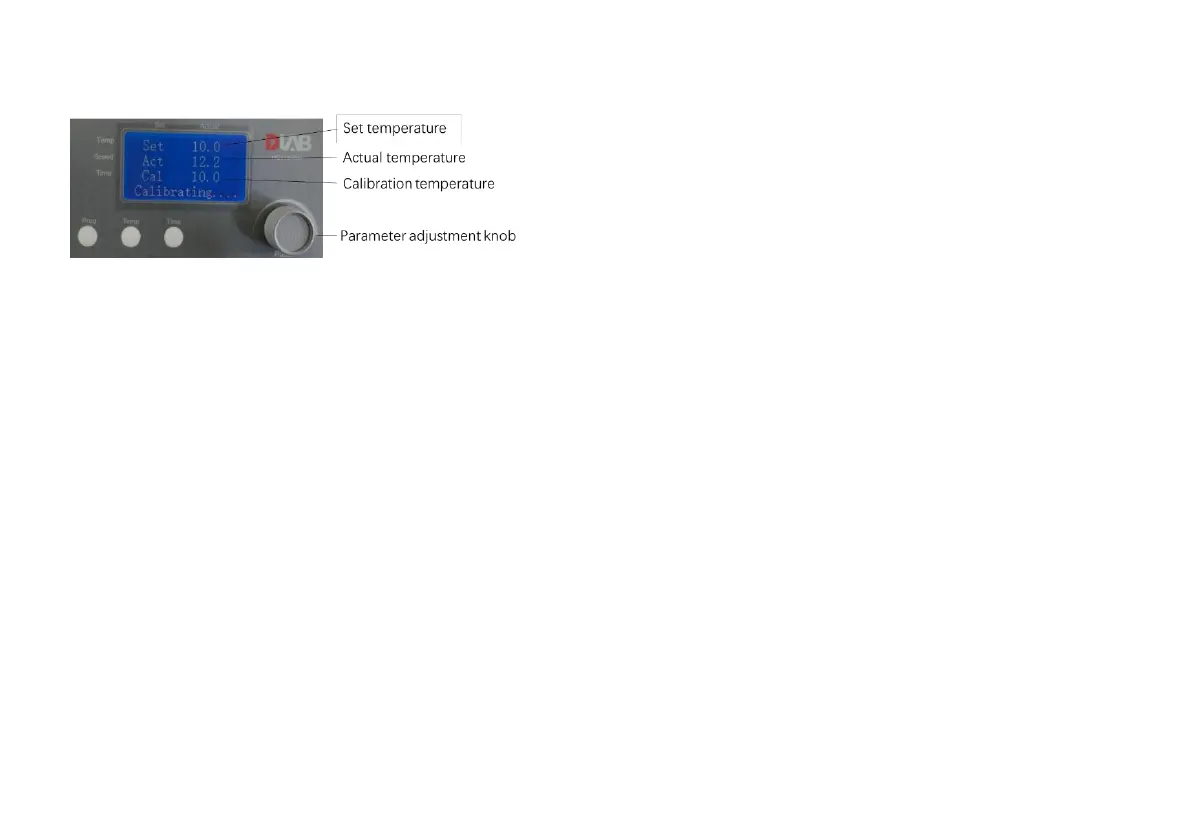
2. Rotate the parameter adjustment knob to set
target temperature for calibration. Press the
parameter adjustment knob and confirm the set
values.
3. If the actual temp. reaches the set temperature
and remains 20min-30min,and other blocks will be
stable after 5min), The calibration area will display
the corresponding temperature on display.
Record the measurement on a Thermometer,
rotate the parameter knob to adjust the calibration
Temp. to actual thermometer temp. value
(Calibration temp. adjustment range is Set
temp±5℃) and press the same knob to confirm
settings.
4. To ensure the calibration temperature adjustment
set correctly, press the push knob and the
instrument will enter the second calibration
temperature, repeat step 3, after the third
temperature calibration completed, the screen
displays “Calibration Success" on interface and the
instrument will automatically enter into the self-
check mode. Then calibration is complete.。
If the display screen shows the “Cali Failed”
interface, the input value of calibration may be
wrong. Hence restart the instrument and repeat the
calibration steps again



 To Next Page