CM170407AMA
SECTION 4 CONTROLLED UNITS, OPERATIONAL MODES, MENUS AND SCREENS
The MPS49 supports multiple operational modes, menus and screens.
• Modes are defined by the operating characteristics that are relevant during operation in
the specific mode.
• Screens refer to data that is shown on the LCD display. Some screens may be read
only, not allowing parameters to be entered or changed.
• Menus are screens that contain a list of parameters and allow their values to change.
4.1 CONTROLLING AND DISPLAYING AERONAUTICAL OR PRESSURE UNITS
The MPS49 can display and control either Aeronautical Units (Au) (altitude and airspeed)
or Engineering Units, (Eu) pressures (static and dynamic).
For rate control:
• When controlling aeronautical units, the altitude and airspeed rates are controlled.
• When controlling pressures, the Ps and Qc/Pt rates are controlled.
The display settings are independent from the control mode. For instance, it is possible to
display static pressure while controlling altitude rate.
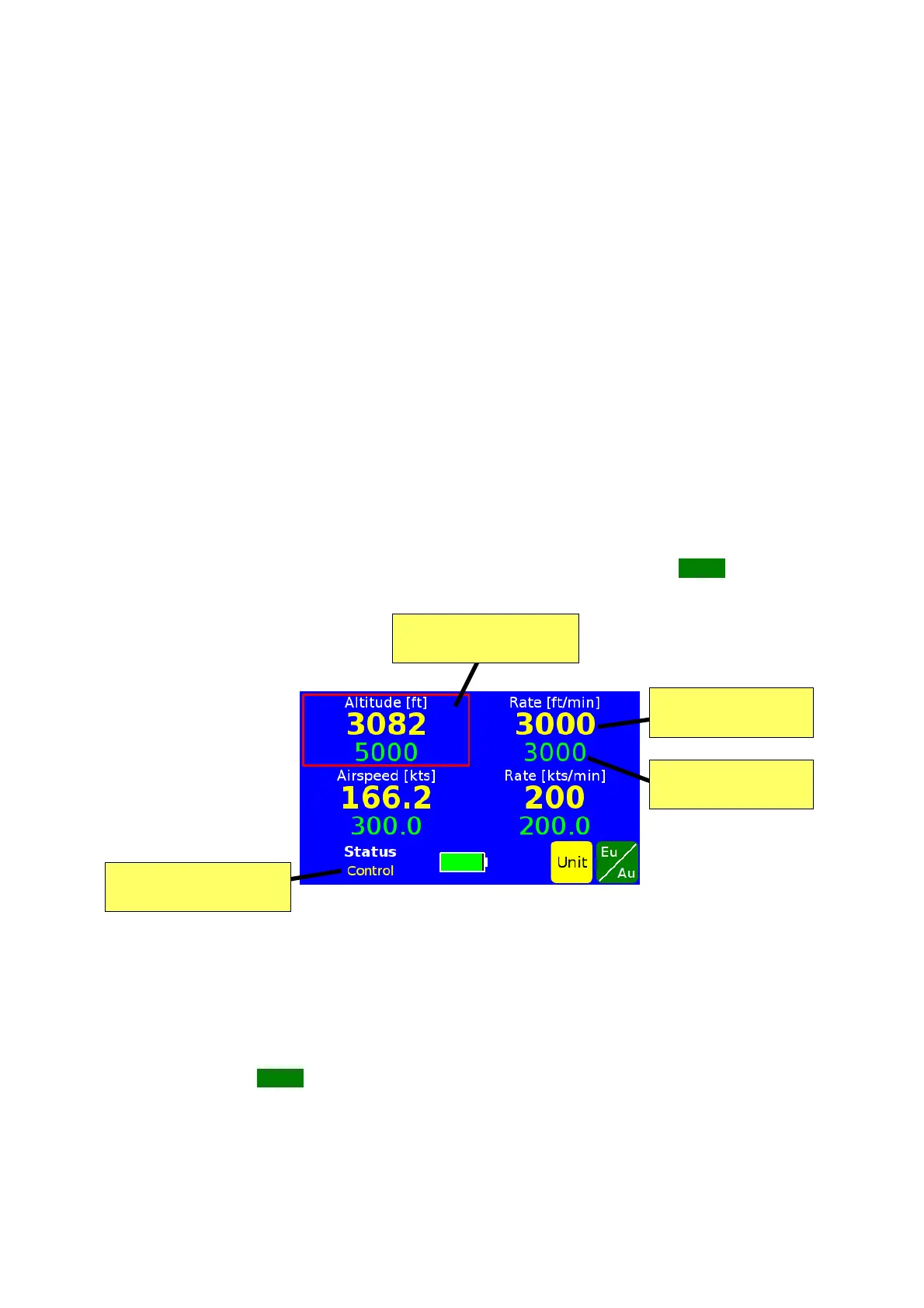
The controlled and displayed units can be changed by touching the Eu/Au button on the
status screen (FIG 5).
FIG 5 THE STATUS SCREEN (AERONAUTICAL UNITS)
• To change the display mode, select the altitude/Ps or airspeed/Pt/Qc values in the
left part of the screen;
• to change the control mode, select the altitude/Ps or airspeed/Pt/Qc rate values in
the right part of the screen;
then touch the Eu/Au button.
NOTE some automatic procedures (like returning to ambient pressure or valve mapping)
are only available in either pressure or aeronautical units. The Operator will need to
switch the MPS49 to the correct units before starting such procedures.
D.Marchiori Copyright 18


 To Next Page