CM170407AMA
At any time, the VENT function safely re-opens all ports and returns to ambient pressure.
1. Reach 1,000 feet and 150 knots;
2. Press the SHIFT + 000 keys, select the altitude and touch the button S1, then select
the airspeed and touch the button P1.
3. Press the CNTR key and reach 2,000 feet and 200 knots.
4. Press the SHIFT + 000 keys, select the altitude and touch the button S2, then select
the airspeed and touch the button P2.
5. Press the CNTR key and command 3,000 feet and 300 knots.
The target pressures are reached.
Press the VENT key (SHIFT + LEAK) or touch the orange button Vent to safely open all
ports and return to ambient pressure.
10.10 ALTITUDE AND AIRSPEED OSCILLATION (OPTION)
The MPS49 ADTS can be configured to generate oscillations on the Static and Pitot
channels.
The function can be enabled by entering the Main Menu (SHIFT + 3) and selecting
“Functions”, “Oscillation” and the desired channel. The Operator must enter the following
parameters:
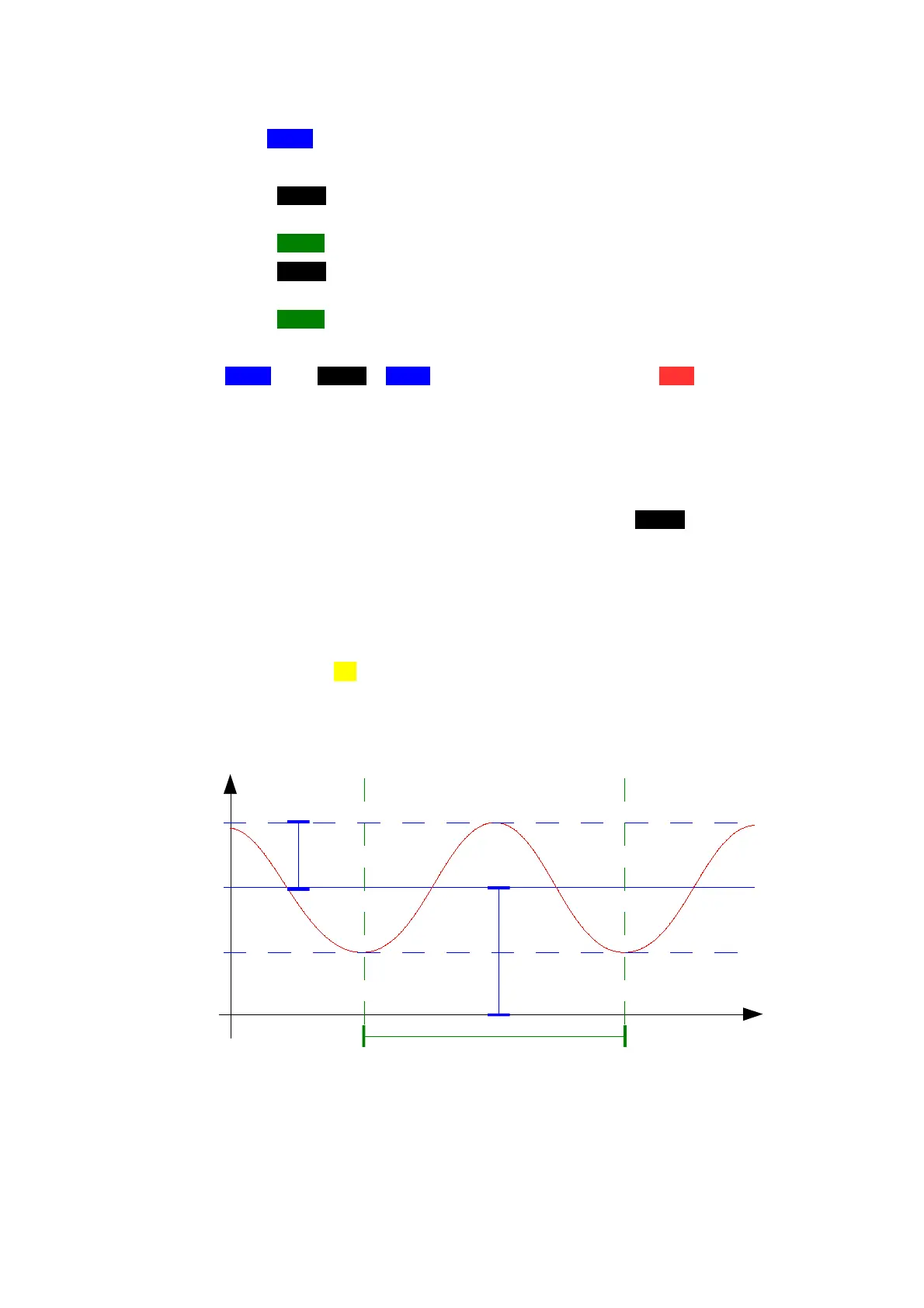
• Offset: the average altitude value;
• Amplitude: the amplitude of the oscillation;
• Period: the period of the oscillation, expressed in seconds.
Touch the green button Go to activate the function. The MPS49 will go through an initial
preparation stage, and then will start oscillating.
NOTE: the maximum amplitude and frequency of the oscillations are limited by the volume
and geometry of the pneumatic load.
FIG 21 OSCILLATION PARAMETERS
D.Marchiori Copyright 41


 To Next Page