CM170407AMA
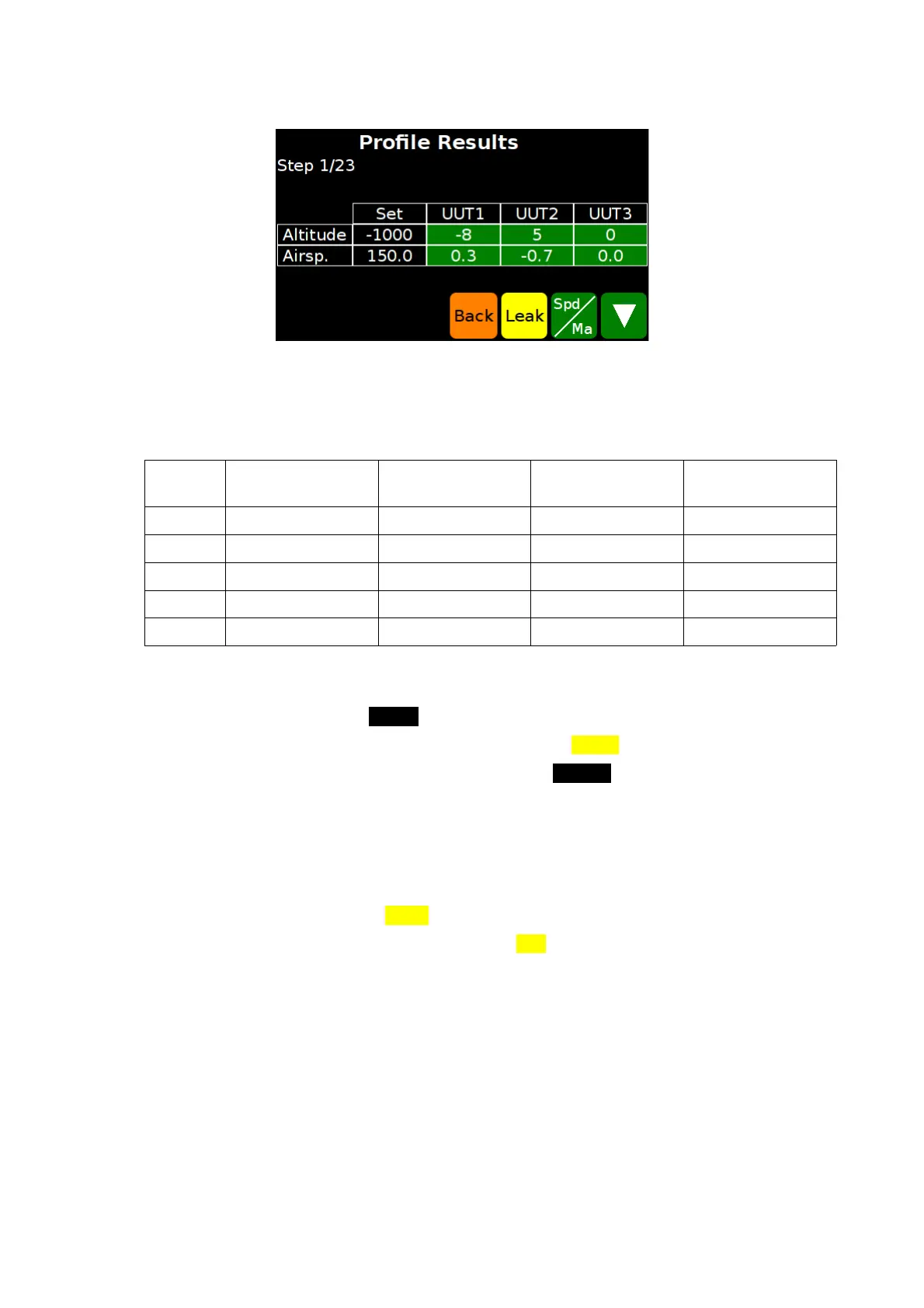
FIG 26 THE PROFILE RESULTS SCREEN
11.5 EXAMPLE
This chapter explains how to create an example test profile, with the following data:
Step no. Altitude
[ft]
Alt. rate
[ft/min]
Airspeed
[kts]
Airsp. rate
[kts/min]
1 -1,000 ± 50 3,000 150 ± 5 300
2 0 ± 50 3,000 150 ± 5 300
3 500 ± 50 3,000 150 ± 5 300
4 1,000 ± 50 3,000 150 ± 5 300
5 1,500 ± 50 3,000 150 ± 5 300
Stabilization time for each step: 90 sec.
1. From the Status Screen, check that the measure units are feet and knots;
2. Enter the Main Menu (SHIFT + 3) and select Functions → Profiles → Edit.
3. Select an empty slot and touch the yellow button Select.
4. Enter the following values (remember to press ENTER after each entry):
a) profile name (for example “test”);
b) units: aeronautical;
c) AoA control: None;
d) steps: 5.
5. Touch the yellow button Steps.
6. Select step 1 and touch the yellow button Edit.
7. Enter the data for step 1:
a) Altitude: -1,000;
b) Alt. upp. tol: 50;
c) Alt. low. tol: -10;
d) Alt. rate: 3,000;
e) Airspeed: 150;
f) Airsp. upp.tol: 5;
D.Marchiori Copyright 46


 To Next Page