12
UPnP
Step 1: Set Up Media Sharing in WMP 11
Note: After you download and install Windows Media Player 11 for Windows XP/vista/7, and connect your Radio
to the network, you need to set up media sharing so that you can share music with your Radio.
The following steps describe how to set up media sharing in Windows Media Player 11.
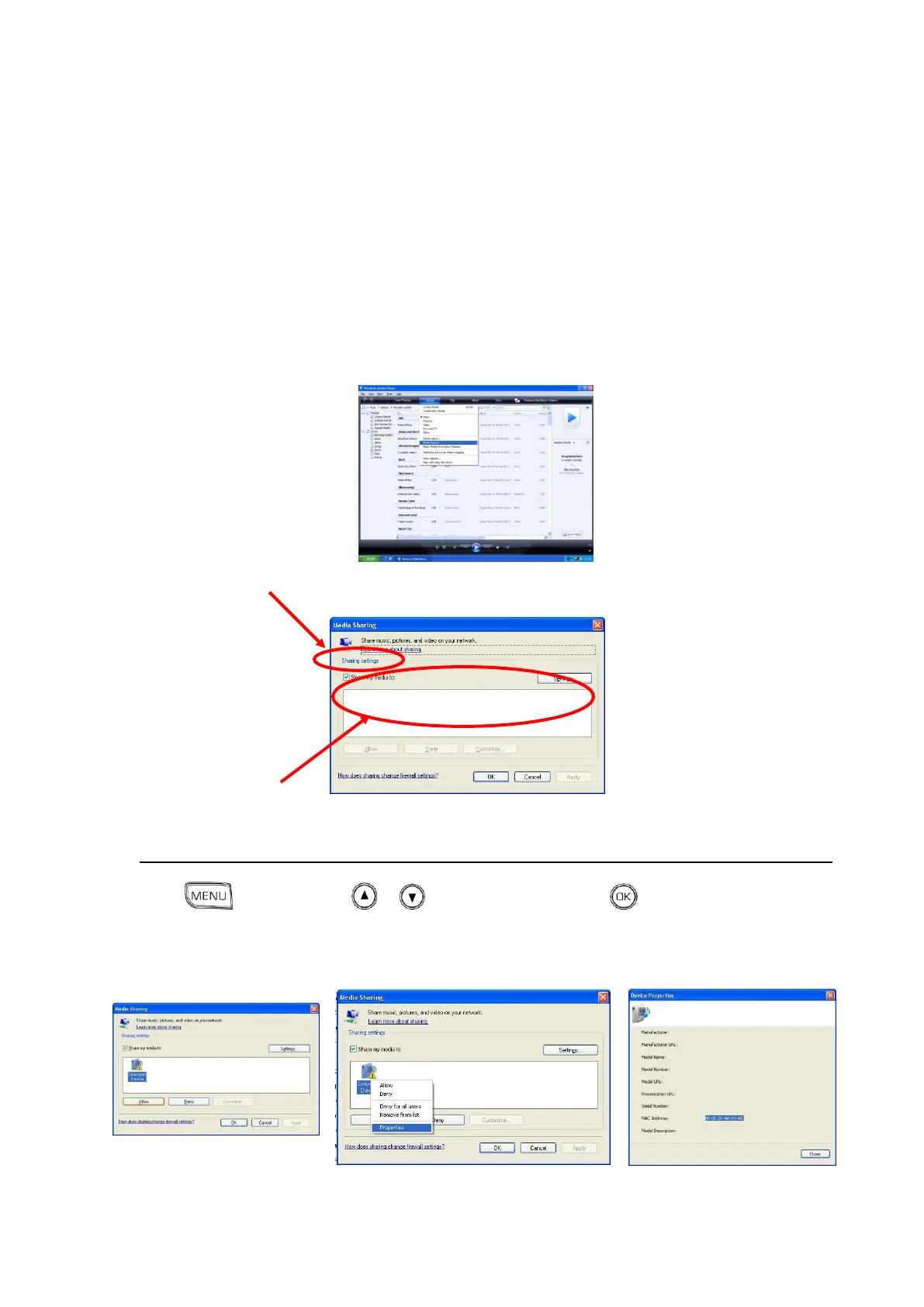
1. In Windows Media Player 11, click the small arrow below the Library tab, and then click Media
Sharing.
2. In the Media Sharing dialogue box, select the Share my media check box.
Check the “share my media to” box. In the list, click your Radio *, click Allow, the selected device will
show a green tick and then click OK.
* If your device does not appear in the list of devices, perform the following steps on your radio;
Press , and then press or to <Media Center>, press to confirm, a list of available
computers will appearSelect the required computer.
Your device will appear in your WMP11 list. If you want to check that this is your Radio, right click on
the device and select “Properties”: your Radio's MAC address will be shown.



 To Next Page