8
Choosing a Station
Note: If a wrong operation being conducted, you always can have it move back by pressing .
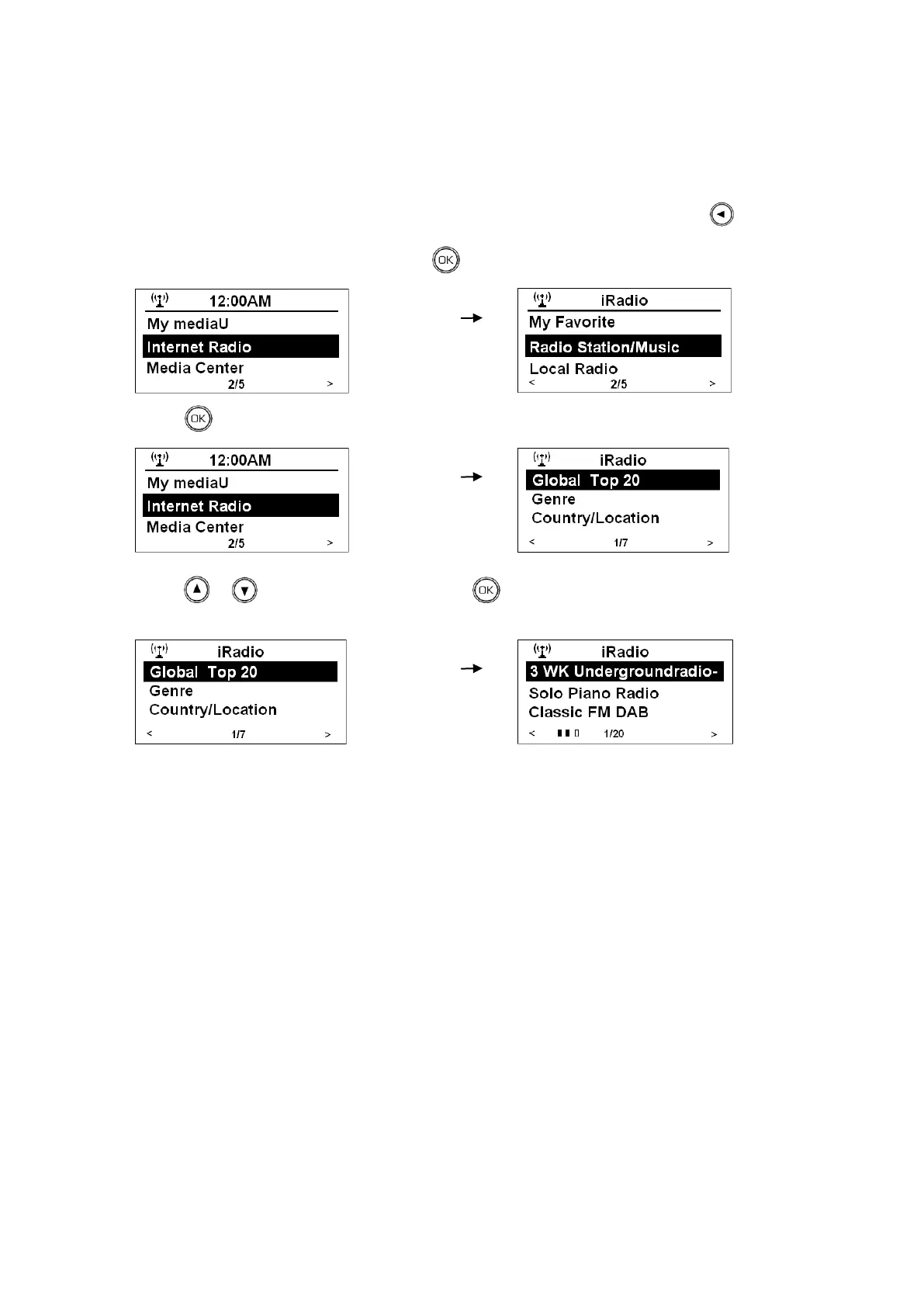
1. After your radio connect to network, press to enter while cursor point to <Internet Radio>.
2. Press to enter while cursor point to <Radio station/Music>.
3. Press or to your selecting option, press to confirm, and then step by step to your favor
program.
Note: a. There are seven options available for selecting a station: Global Top 20, Genre, Country/Location,
Australia, Canada, United Kingdom and USA.
b. „GENRE‟ enables you to choose radio stations according to their content, for example Classic Rock,
Sport, News, etc.
c. „COUNTRY/LOCATION‟ enables you to choose from the radio stations provided by any country which
you choose from a list.
d. Some radio stations do not broadcast 24 hours per day, and some stations are not always on-line.
e. If this station has on-demand content (that is, it gives the option of listening to programs which have
already been broadcasted.



 To Next Page