15
Configuration
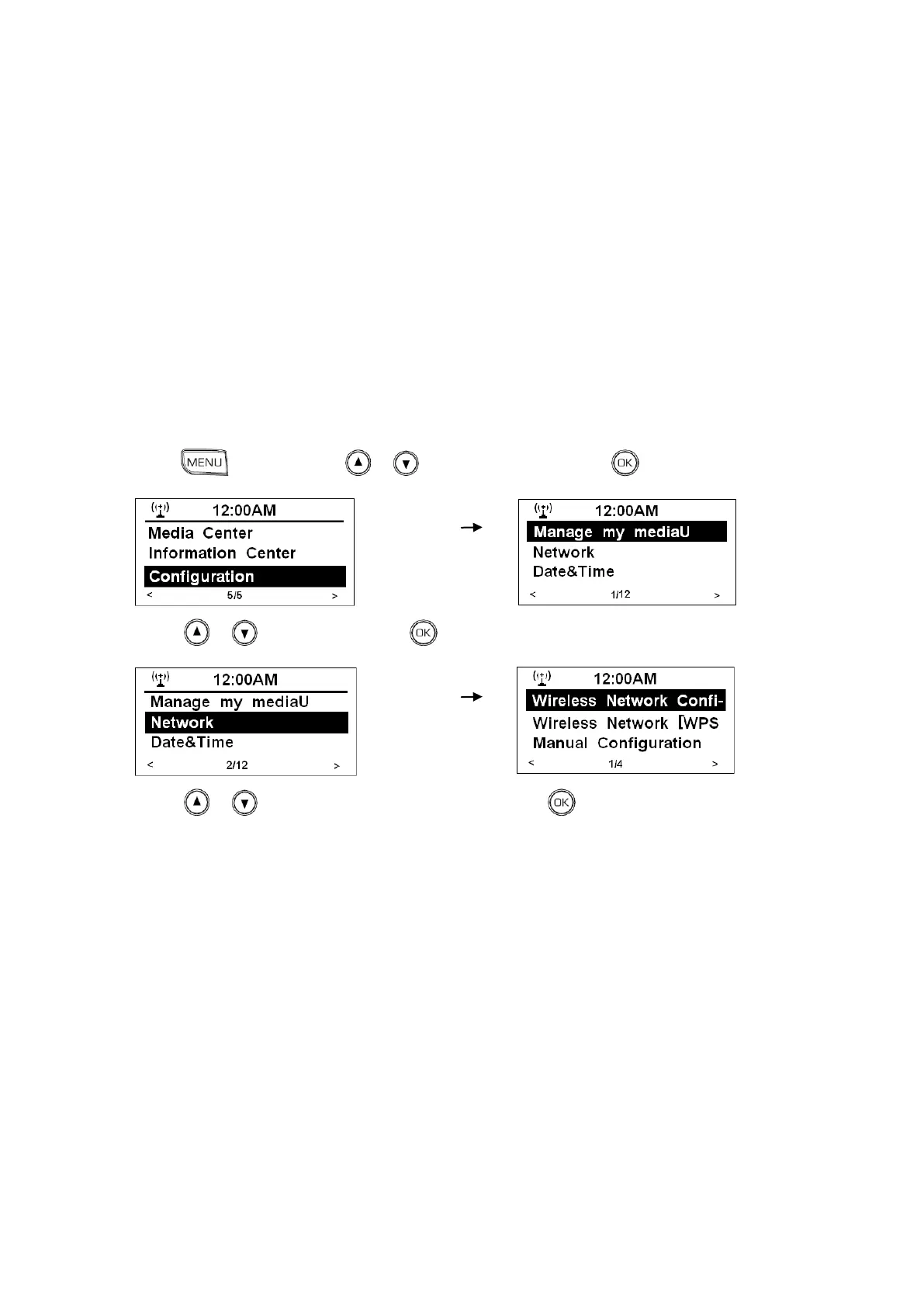
Network Settings
Note: Doing this order will allow you:
a. Wireless Network Configuration
choose Router
b. Wireless Network [WPS PBC]
it will suggest you: “Please press the WPS button on your router within 120
Secs.”
c. Manual Configuration
Setting wireless parameters, such as DHCP, Enter SSID and Manage.
d. Check Network when Power ON
Enable/Disable
1. Press , and then press or to <Configuration>, press to confirm.
2. Press or to <Network>, press to confirm.
3. Press or to the selecting option you wanted, press to confirm, and then step by step to
set it.



 To Next Page