14
General Operations
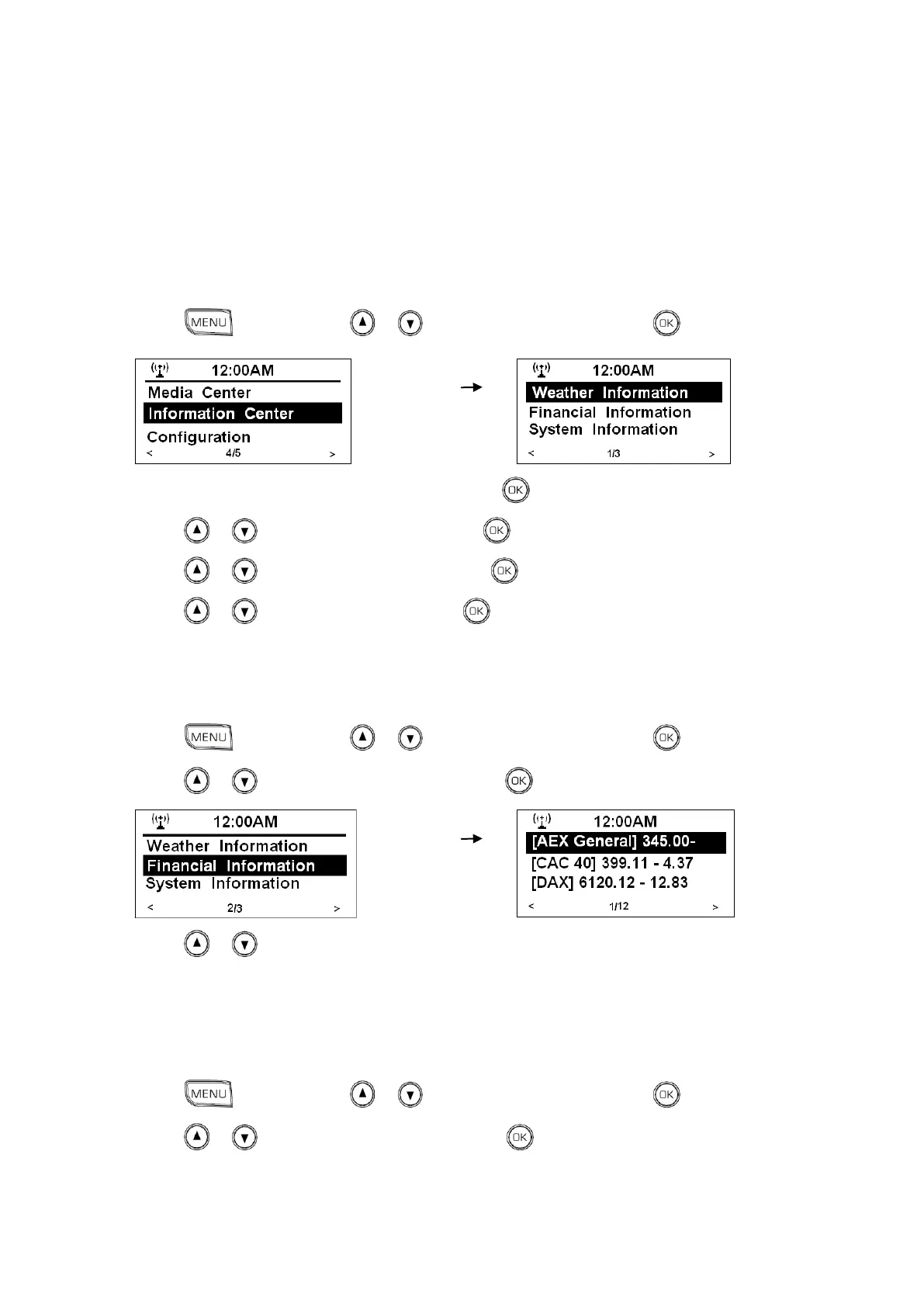
Browse Weather Information
1. Press , and then press or to <Information Center>, press to confirm.
2. While cursor point to <Weather Information>, press to confirm.
3. Press or to the region you wanted, press to confirm.
4. Press or to the country you wanted, press to confirm.
5. Press or to the city you wanted, press to confirm, and it is done!
Browse Financial Information
1. Press , and then press or to <Information Center>, press to confirm.
2. Press or to <Financial Information>, press to confirm.
3. Press or to browse, surely you will get it.
Get Radio Version and Mac/IP Address
1. Press , and then press or to <Information Center>, press to confirm.
2. Press or to o <System Information>, press to confirm, and it is done!



 To Next Page