6 DNP IMS America Corp.
Install from the Add Printer Wizard Software Update Procedure
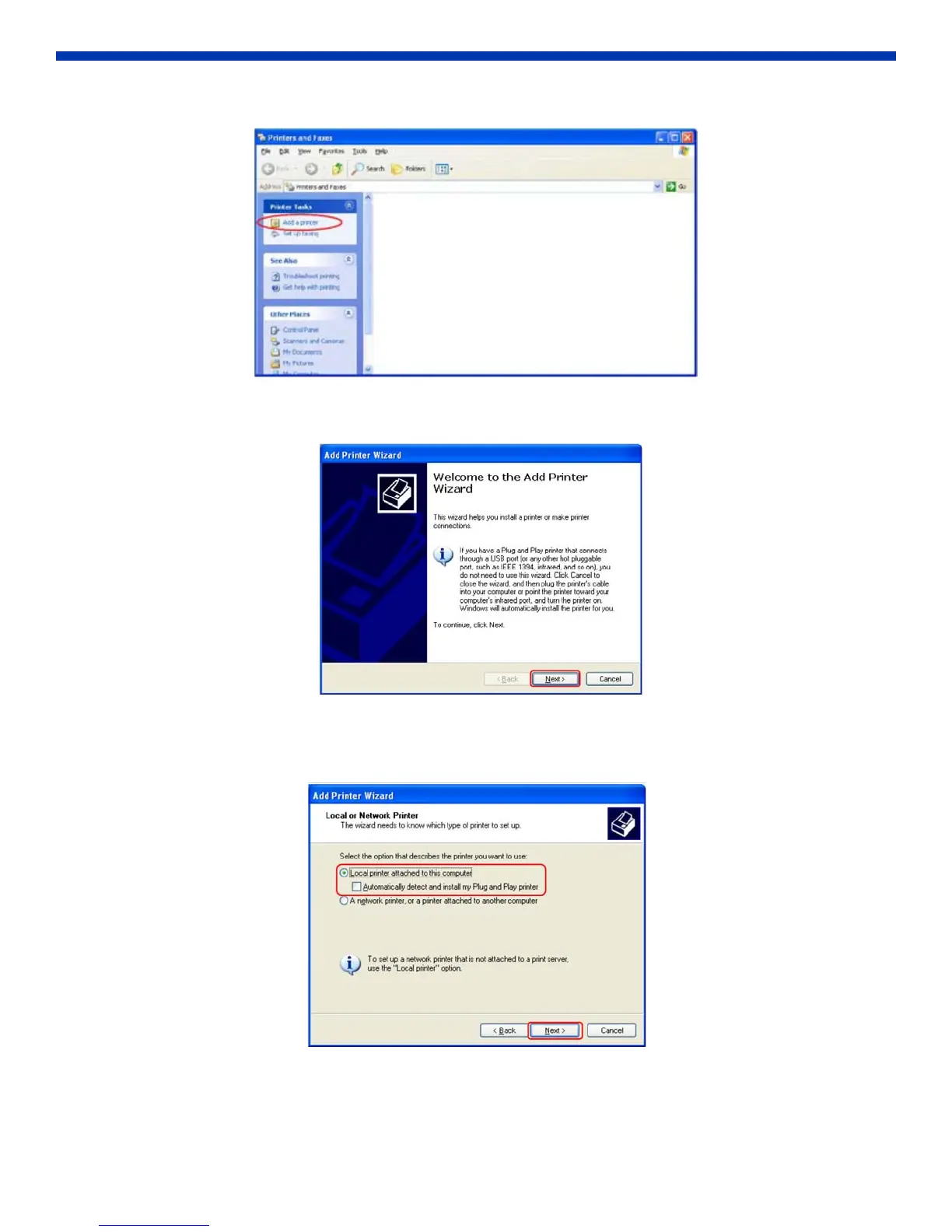
2. Click Add Printer.
Figure 11. Add Printer
3. When the Add Printer Wizard window opens, click Next.
Figure 12. Add Printer Wizard
4. Select “Local printer attached to this computer”, and deselect “Automatically detect and install my Plug and Play
printer”. Click Next.
Figure 13. Local or Network Printer



 To Next Page