DNP IMS America Corp. 7
Install from the Add Printer Wizard Software Update Procedure
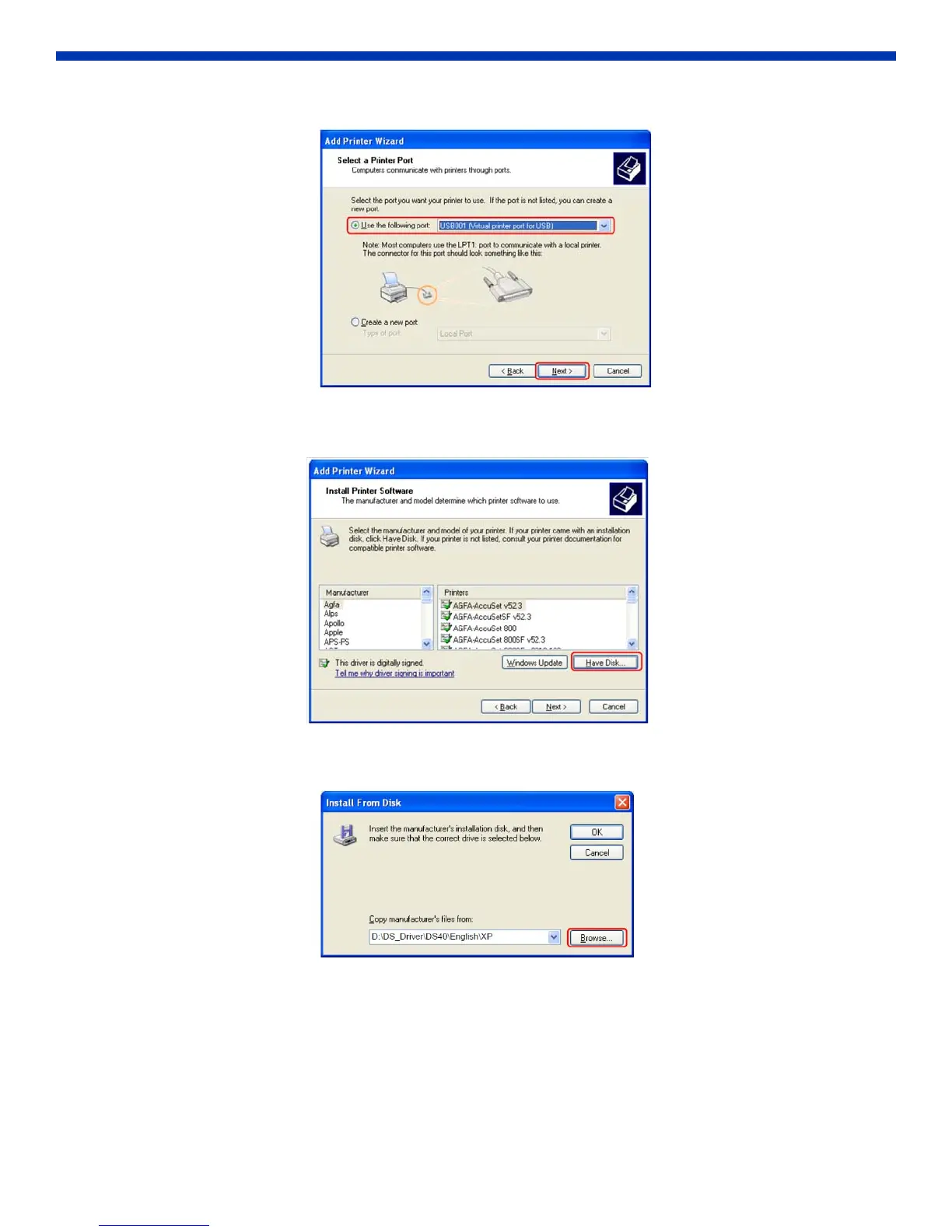
5. Select “Use the following port” and assign a USB port (USB001 and so on) from the drop-down list. Click Next.
Figure 14. Select a Printer Port
6. Click Have Disk.
Figure 15. Install Printer Software
7. Click the Browse button to select the location of the installation disc.
Figure 16. Install from Disc



 To Next Page