1835-065-N-1-21
13
1.3.3 Self-Standing Lighted Kiosk Dimensions and Installation
10
”
18
.5
”
60”
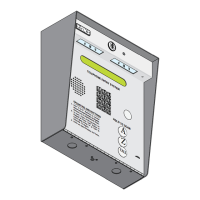
The flush mount kit (Sold separately) is installed into the self-standing
kiosk (P/N 1200-170) to secure the flush mounts units ONLY in place.
Secure the rough-in box in the kiosk. Run all necessary wires to rough-in
box. Slide the trim ring into the rough-in box. Slide the enclosure in the
trim ring and secure them all together with hardware included in the kit.
Flush Mount
Enclosure
Plastic Spacer
Locknut
Knock-outs
Rough-In
Box
Trim
Ring
WARNING! If this entry
system is used to control a
vehicular gate with an
automatic gate operator, the
entry system must be
mounted a minimum of six
(6) feet away from the gate
and gate operator, or in
such a way that a person
cannot operate the entry
system and touch the gate
or gate operator at the same
time.


 To Next Page