1835-065-N-1-21
29
3.2 Set-up Telephone Entry System for Programming
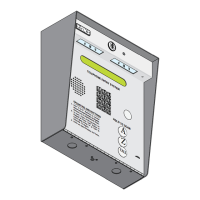
System Keypad
Prior to programming this Telephone Entry System with the DoorKing Remote Account Manager for Windows software or DKS
Cloud, the programming steps in section 3.2.1 through 3.2.12 factory settings MUST be reviewed or re-programmed if neces-
sary (most factory settings are typically desired). There is no need to re-program these settings unless you want to change
them. For easy reference, refer to the chart on page 34 that list the various programming functions and their factory default
settings. Section 3.2 can ONLY be programmed from the System Keypad. There is NO programming sequence in the
Remote Account Manager Software or DKS Cloud to program these features with.
This programming step sets the system MASTER CODE. The master code is the four-digit number REQUIRED to gain access to
the system memory. You need to know the master code prior to programming the system with the PC, or to perform ANY of
the programming functions on the following pages. It MUST be programmed in from the system keypad.
NO Factory setting - Each entry system’s master code MUST be unique.
See section 4.4 for more information about the master code switch.
Important Note: If you make a mistake while programming, press keys at the same time
to escape from programming no matter how much has been completed, then begin again at step 1.
1. Open the cabinet of the telephone entry system and turn the master code switch ON.
2. Enter a four-digit master code then press (beep).
3. Turn the master code switch OFF and close the cabinet.
3.2.1 Master Code
NC
NO
NO
RING
NC C
ON
SPK
VOL
FEED
BACK
RS 232
ELEVATOR
12345 67 891011121314
1
2
3
MIC
VOL
OFF
KEYPAD
321
321
321
MASTER
CODE
16AC16ACBAT1NO1NC1C2RY2CAZIMC
5VDCIMDSPKRCOMMICPSWCGNDPHONE
ON
OFF
MASTER
CODE
?
?
?
?
Important Note: There is no way of retrieving the master code after it has been programmed in. If you forget it, you will have to
program in a new one but all other previously programmed information will remain intact.
7
8
9
4
5
6
1
2
3
0
OPER
WXYZ
TUV
PQRS
MNO
JKL
GHI
DEF
ABC
SP
CALL
Z
A
0
OPER
TONE ON
TONE OFF
ACT
Program from System Keypad ONLY


 To Next Page