D439E Service Manual 5. Service Tool
317
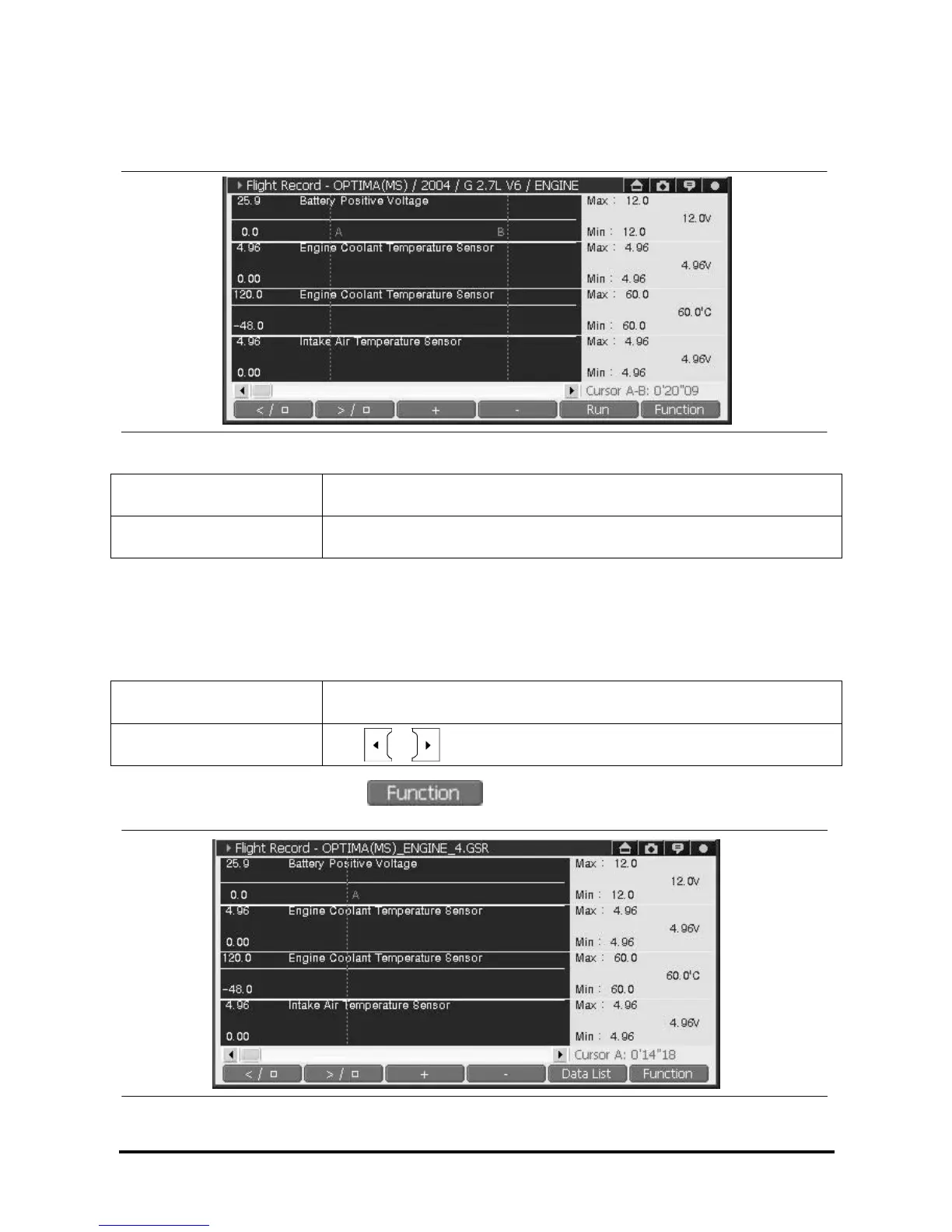
3) Check the Min/Max using “Two Cursor” function
“Maximum” and “Minimum” value can be checked by using “Two cursor function”
<Figure 19: Data analysis using “Two cursor” function>
Cursor “A” Red
Cursor “B” Green
Note: “Two cursor function is only enabled in graph mode. Convert text mode to graph mode
<Repositioning “A” cursor location>
Use Stylus pen or H/W button to reposition cursor “A”.
Touch Screen Use stylus pen to position cursor “A”.
Arrow Key
Use , button when cursor “A” is activated
Note: If cursor “B” is activated, select to retrieve list, then select cursor “A” to activate and
position cursor “A”
<Figure 20: Positioning Cursor “A” >



 To Next Page