D439E Service Manual 5. Service Tool
318
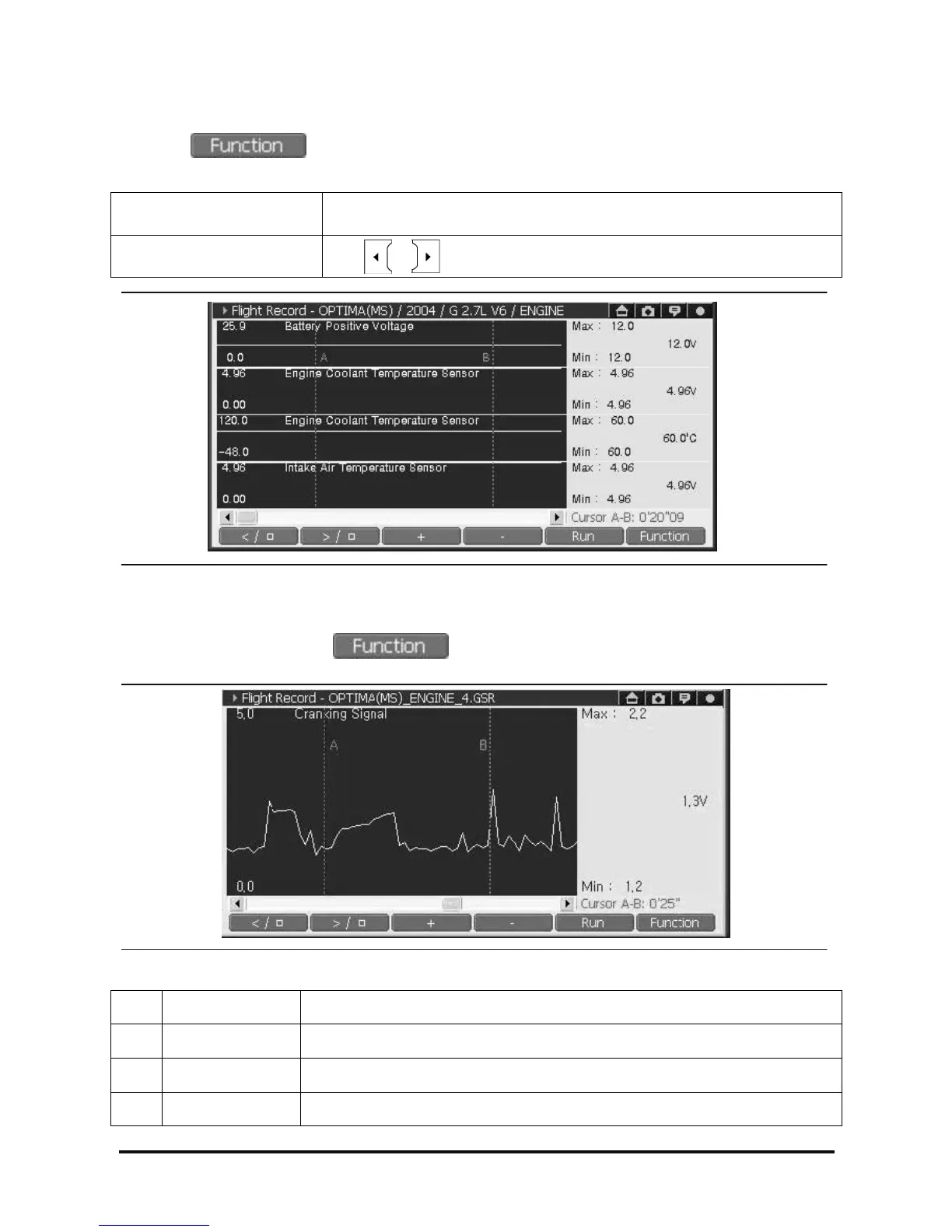
<Repositioning “B” cursor location>
① Select to retrieve list then select “ Two Cursor B”
② Use stylus pen or H/W button to reposition “B” Cursor.
Touch Screen Use stylus pen to position cursor “B”.
Arrow Key
Use , button when cursor “B” is activated
<Figure 21: Repositioning Cursor “B” >
<Deactivating two cursor function>
With cursor “B” activated, select , then select “Two cursor B” to deactivate cursor “B”.
Note: The mean of data displayed on the right side section(or screen) under Two Cursor mode.
<Figure 22: Data value at two cursor mode>
① Max Maximum value of Data detected in the region between cursor “A” and cursor “B”
② Current Value Data value detected at Cursor “A” position
③ Min Minimum value of Data detected in the region between cursor “A” and cursor “B”
④ Time The time differences between Cursor “A” and Cursor “B”



 To Next Page