D439E Service Manual 5. Service Tool
322
How to use the Data Review function
This is the function to review for analysis of recorded data in Flight Record function.
Retrieving of the recorded data
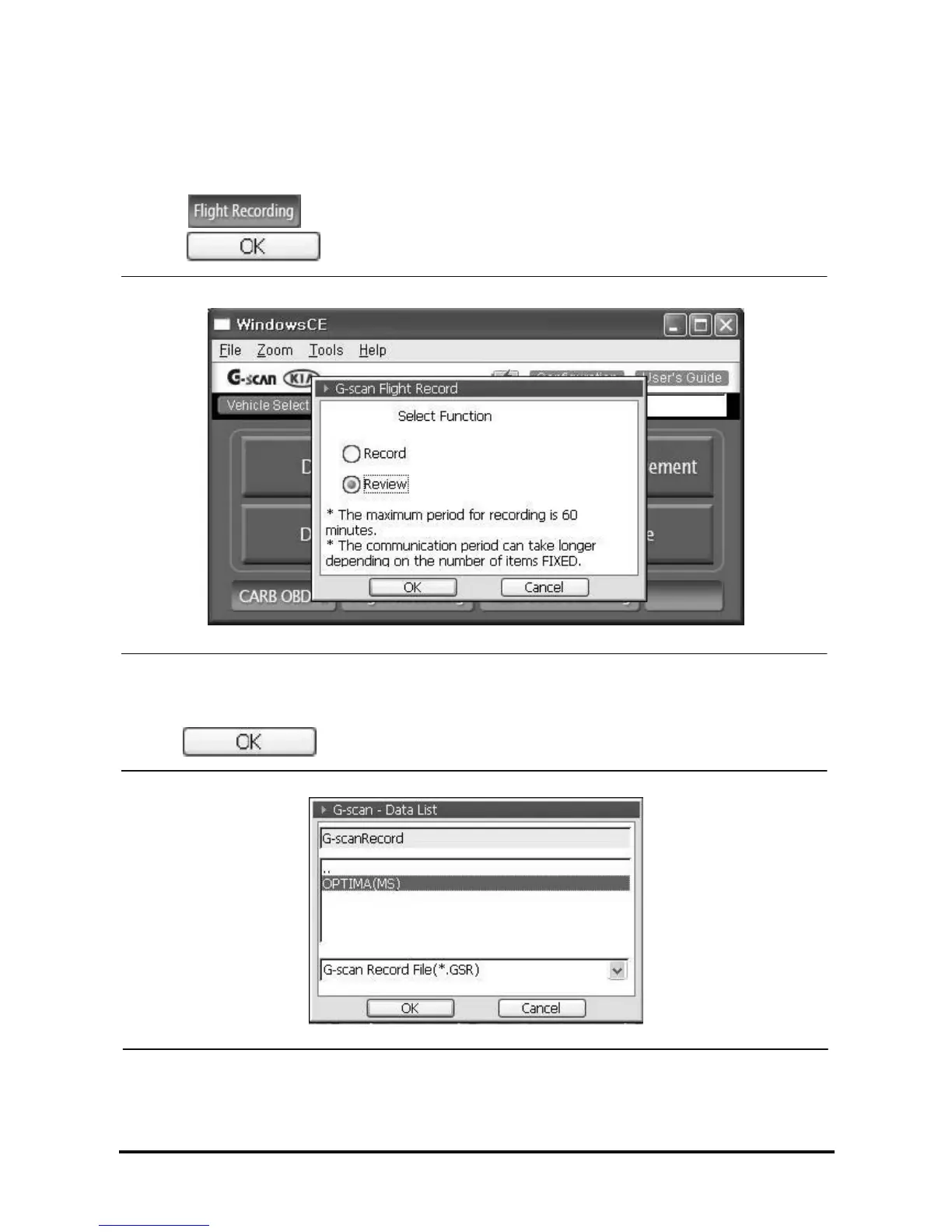
1. Select on the main screen and select “Review” in the pop-up window as <Figure 27>.
select .
<Figure 27: Record/Review Selection Box>
2. In the pop-up window as <Figure 28>, select the Flight Record data file which you want to see and
select .
<Figure 28: Select the Record File in Pop-up Window>
Note: The Data recorded by Flight Record is saved with the extension of “.GSR”.



 To Next Page