38
2
Entering and Searching for information
2.1 Using the Hardware
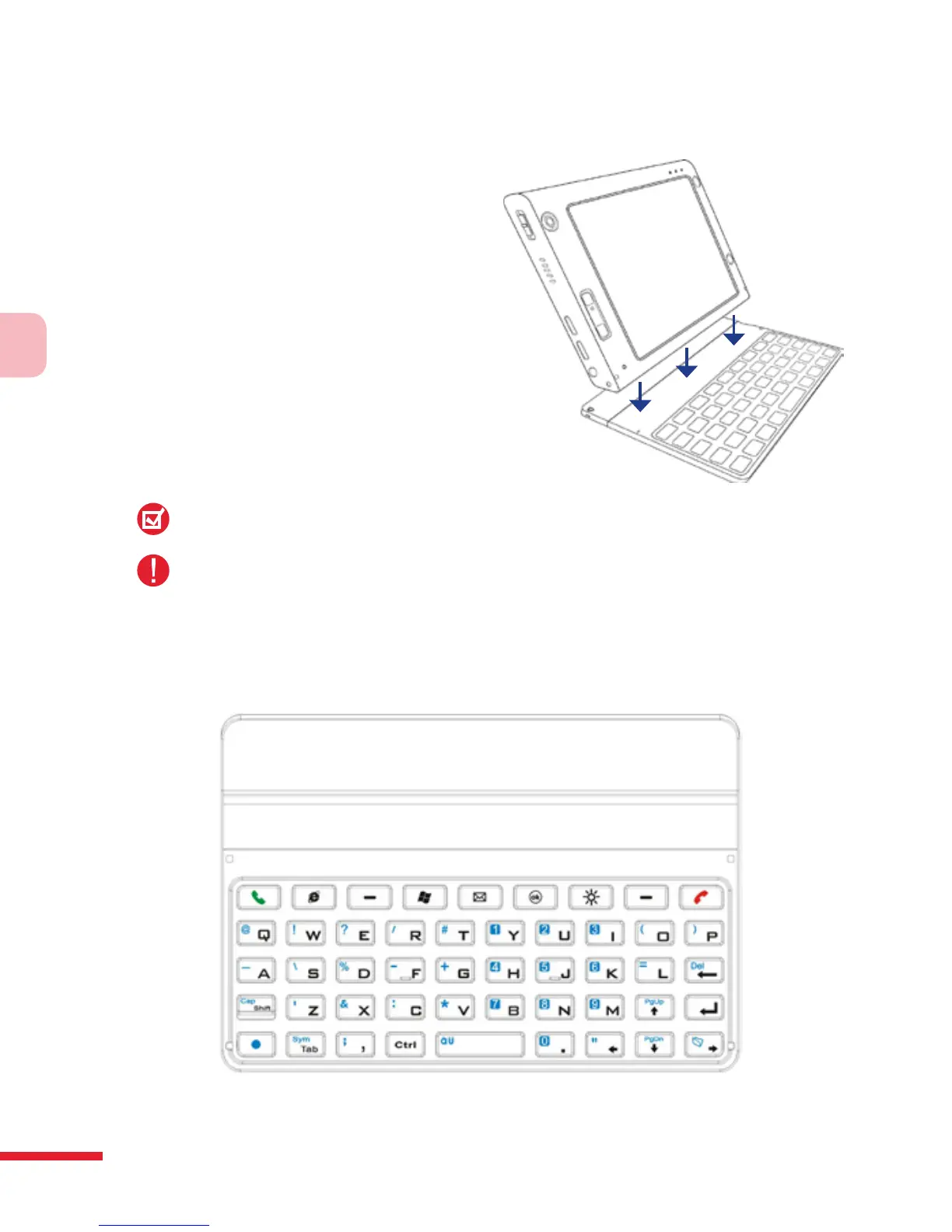
Your device provides you with
a QWERTY keyboard, which is
similar to a standard keyboard
on your PC. To use the QWERTY
keyboard, attach the main unit
to the keyboard (as shown in the
image). The main unit securely
attaches itself to the keyboard
through a magnet.
To separate the main unit from the
keyboard, simply pull them apart.
Note:
When separating the keyboard from the main unit, please do so in a gentle way.
Warning!
Please avoid placing credit cards, diskettes, audio or video cassettes or any other
form of magnetic data carriers near the device or the keyboard as this could
otherwise lead to loss of data stored on such objects. Other magnetic sensitive
devices like a mechanical wristwatch should also not be placed near the device or
keyboard.



 To Next Page