DORAN MFG. LLC 2851 Massachusetts Ave Cincinnati, OH 45225 866-816-7233
Doranmfg.com
22
Figure 5-2
the car or truck when trips are required without the trailer. The operator of an HD can
drop the tow car if it is not required. The process is as follows:
1) Press the front and rear arrow buttons together
for 3 seconds.
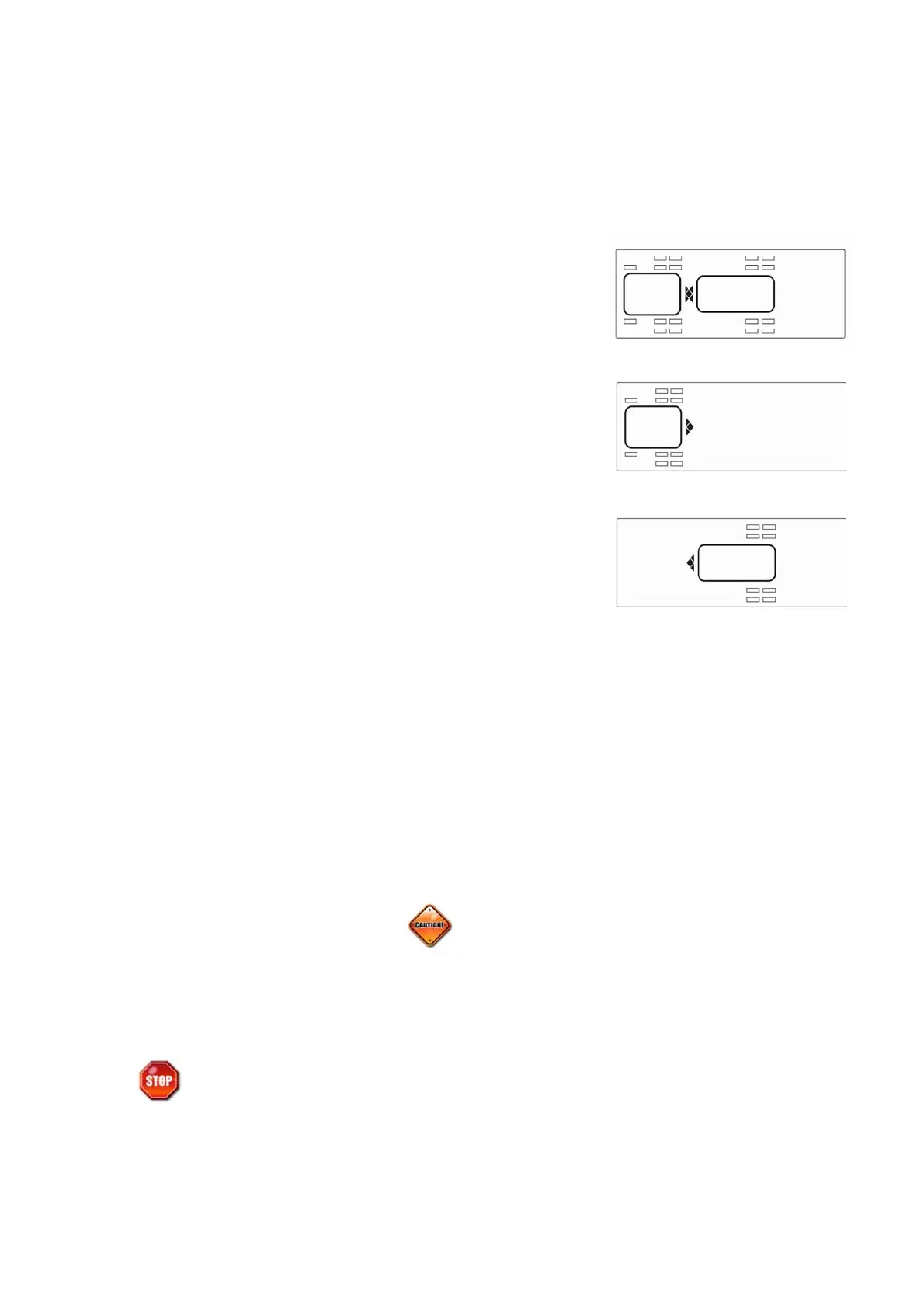
2) All of the programmed wheel positions will be
displayed (see Figure 5-1).
3) Press the front or rear button to select the front,
back or both sections for the system to monitor.
The section that is not selected will drop from the
screen (see Figure 5-2 and 5-3).
4) When your selection is made, press both the
front and rear arrow buttons for 5 seconds. This
will lock your selection into the monitor. You will
be able to monitor the selected wheel positions
as you did when the system was fully
operational. The monitor will go into the normal
operation mode displaying “ON” and the green light illuminated if the signals
have been received and pressures are within programmed ranges. (Black box
products don’t illuminate green light).
5) To change or return to the fully operational monitor method repeat the previous
instructions in this section. When you change or add a section to the monitor it
can take up to 8 minutes for the monitor to capture all of the signals that were
not previously being monitored. The monitor will return to the normal mode
when all selected sensors have reported in and there are no faults.
2. System Reset Function
The monitor can be reset to the factory defaults in one easy step. This will erase all of the
serial numbers from the memory of the monitor and will then need to be re-programmed
in order for the monitor to read the sensor signals.
Be sure this is what you want to do before you proceed.
Figure 5-1
Figure 5-3


 To Next Page