DORAN MFG. LLC 2851 Massachusetts Ave Cincinnati, OH 45225 866-816-7233
Doranmfg.com
7
2. Programming the Monitor
For monitor to function effortlessly, the user must install the correct data. The information input
to the monitor will allow the monitor to recognize the sensors and wheel positions as well as the
baseline pressures for all tires. This is done in the following steps.
Do not
install sensors until all programming is completed and you have returned to the normal
operation mode.
A. Programming the Sensor location
1) Be sure that the power is on. The first time the monitor is switched on the display
should show “
nSP”. This will signify that no sensor is programmed, or the monitor
has not received a new sensor signal yet. If this is the case it could take up to 8
minutes for the sensor to report in if it is already attached to the valve stem. You will
now need to enter into the programming mode if you need to add sensors to the
monitor. If you are entering new sensors into the monitor be sure to leave the sensors
off the valve stems until the programming is completed.
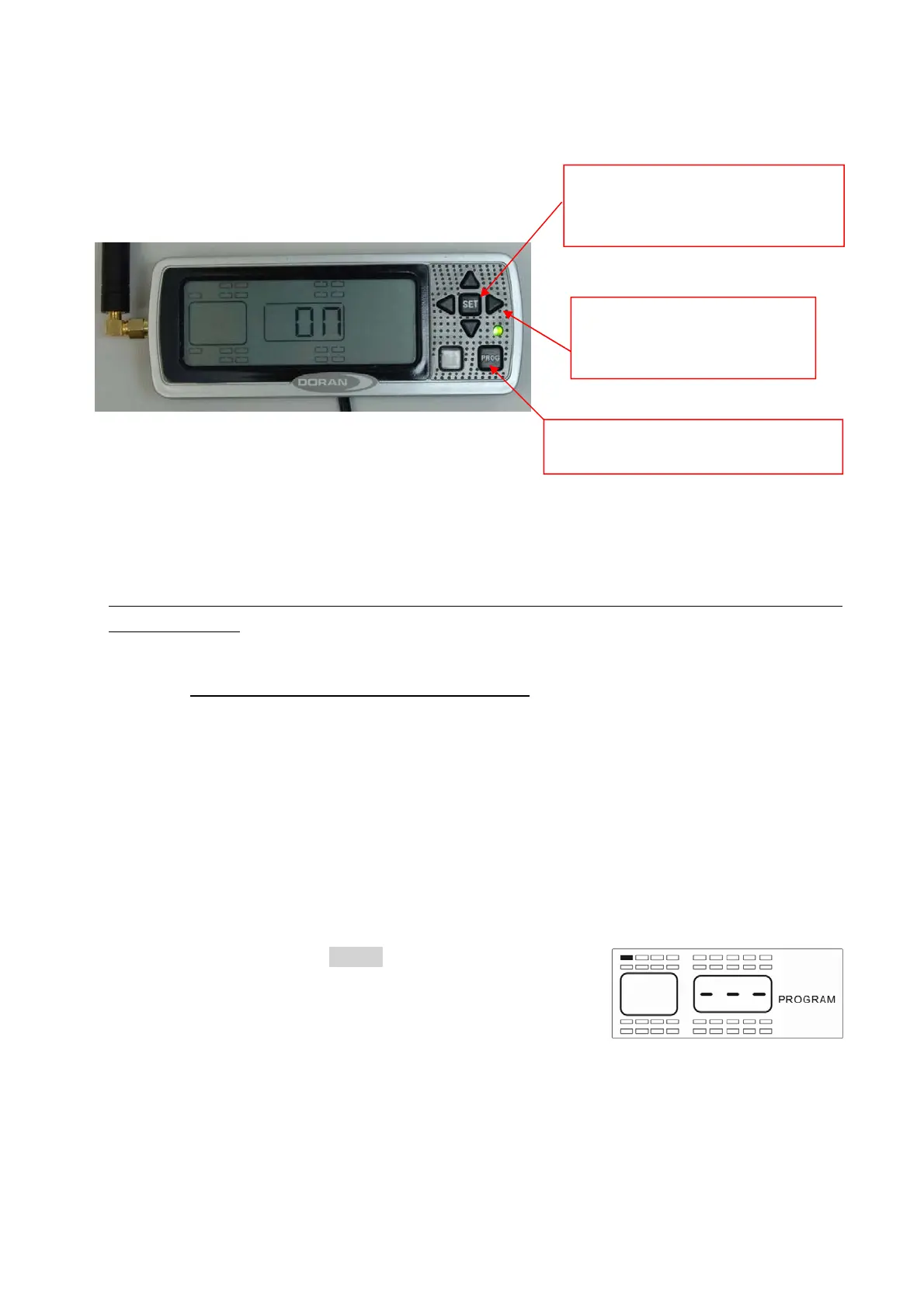
2) Press and hold the PROG button for approximately 5
seconds. The monitor screen will automatically
change over to the program mode, and then you can
release the button. When you have entered this
mode the monitor will display all of the tire positions
and the word “PROGRAM” will be displayed (see Figure 2-1). As you will see by
“PROG” is used to enter the program
modes. Also used to silence alarms.
“SET” is used to lock in selections
during programming. Used to turn
on and off the backlight.
(4) Arrow buttons are used to
navigate the screen and select
values in the program mode
Fi
ure 2-1


 To Next Page