DORAN MFG. LLC 2851 Massachusetts Ave Cincinnati, OH 45225 866-816-7233
Doranmfg.com
4
bulges on the tire! If any of these symptoms occur, have the tires checked immediately by a
professional!
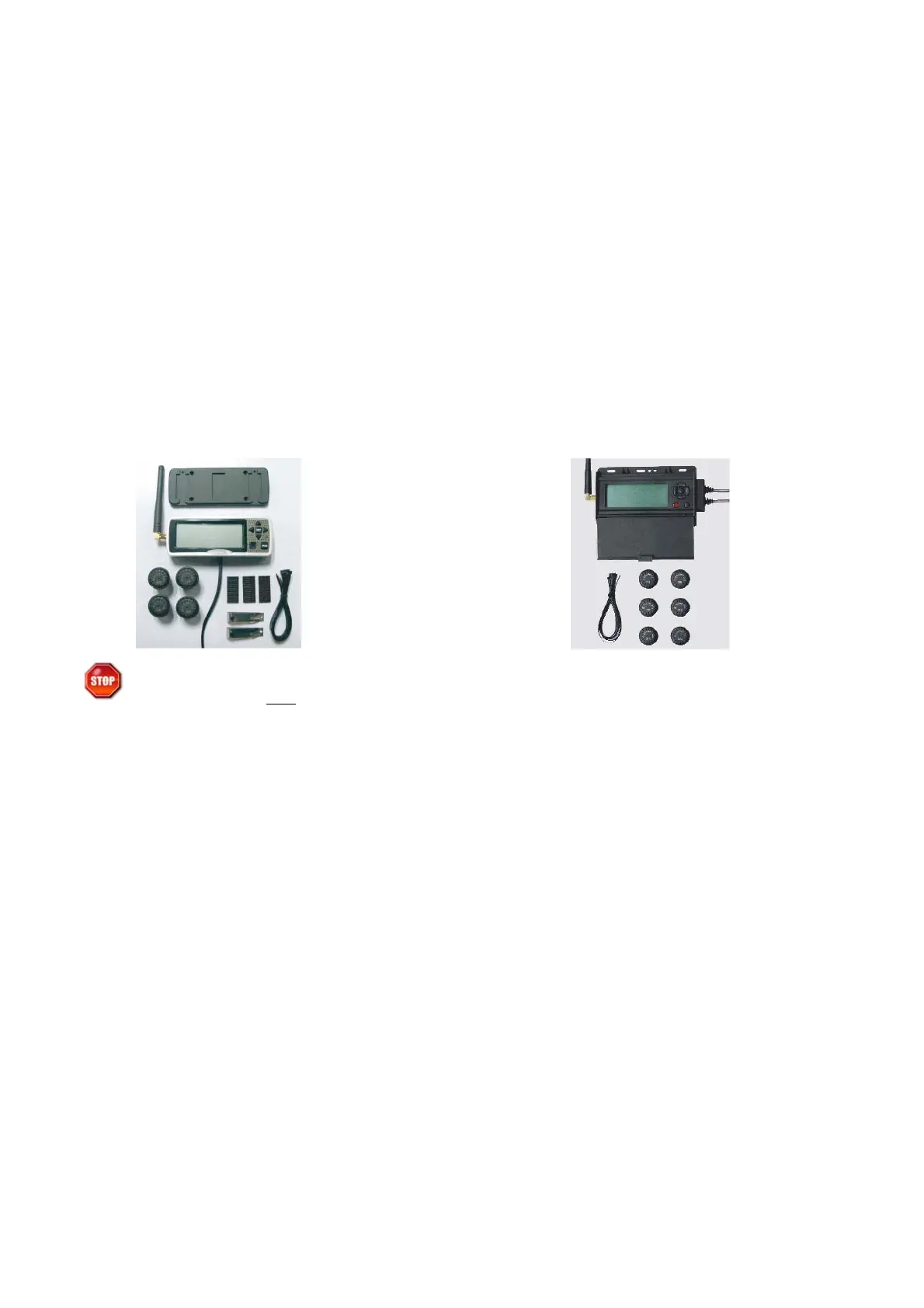
SYSTEM COMPONENTS
If you are missing any of these components, DO NOT proceed with the installation. Contact
the manufacturer for any missing or replacement parts.
GLOSSARY OF TERMS
Normal Mode
: When the monitor is monitoring all programmed sensors and there are not
any faults, the monitor will display a green light and the display will show “on”.
Alert Mode: When the monitor has received a signal that is outside of the parameters of the
“Normal Operation” an alert will be displayed with icons describing the fault along with an
audible beeping sound. Pressing the Set or Program buttons can turn off the audible alarm.
Baseline Air Pressure: This is the pressure that is programmed into the monitor to identify
what the pressure is to be in each tire position. The monitor will calculate all alarms from this
setting. The baseline pressure should ALWAYS be set when tires are at ambient temperature.
Ambient Temperature: This is the temperature of the outside air. Tires can heat up
significantly which will change the pressure in a tire. If pressures in the tires are set when the
tire temperature is elevated, it can cause the monitor to give alerts because when the tires cool
the pressure will drop and sometimes this will fall 12.5% below the baseline pressure.
(For Standard Display version: HD/HDR/HDJ)
(1) Display Monitor W/ power cord.
(1) Sensor for each tire purchased
(1) Hook & Loop pads for installing Monitor
(1) Nylon wire tie kit
(For Black Box Display version: HDRB/HDJB)
(1) Display Monitor W/ power cord.
(1) Sensor for each tire purchased
(1) Nylon wire tie kit


 To Next Page