DORAN MFG. LLC 2851 Massachusetts Ave Cincinnati, OH 45225 866-816-7233
Doranmfg.com
8
Figure 2-1, the monitor can be set up to display a motor home pulling a car or trailer,
or a car / truck pulling a trailer.
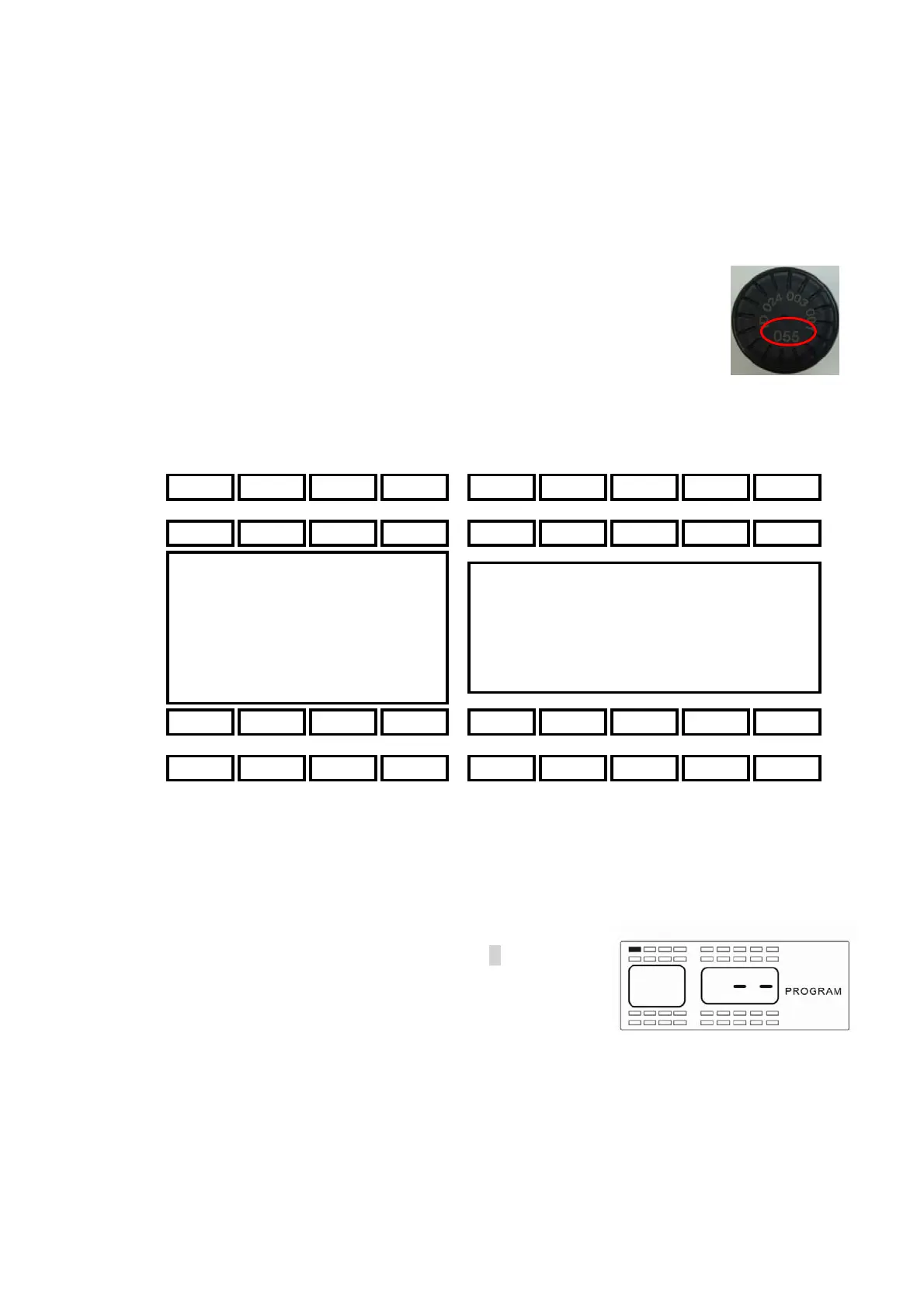
3) Select a tire position using the arrow buttons and input the 3-digit serial number
located on the sensor into the monitor (see Figure 2-2 for the three-
digit number). The monitor will automatically capture the serial
number and information when air pressure is supplied to the sensor
for that wheel position and lock it into the monitor. Be sure to identify
sensors to their programmed positions. The sensors will identify the
programmed location and be identified for future reference. Use the
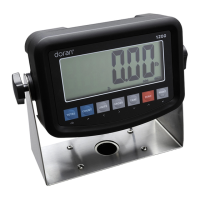
diagram in Figure 2-3 to record the 3 digit numbers for the wheel locations that you
will be selecting.
4) Using the arrow keys select the first tire position that you want to program. The
selected wheel location will be solid. The other wheel positions will only be an outline.
If sensors have already been programmed to the monitor, the only sensor locations
that will be displayed will be the ones that do not have a sensor already programmed
to it. When you have selected the position that you
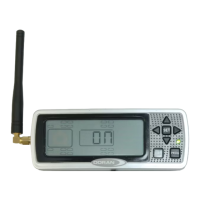
want to program a sensor to, press the S button for 3
seconds. This will cause the first dash (see Figure 2-
4) of a three-digit sensor number to blink that will need
to be entered.
Figure 2-2
Figure 2-3
Fi
ure 2-4


 To Next Page