DORM
ED400 In Floor
Controller Manual
12
DORMA AUTOMATICS, Inc. 924 Sherwood Drive Toll-Free: 877-367-6211
DL3128-010
Lake Bluff, IL 60044 Fax: 877-423-7999 10/1/2007
E-mail: automatics@dorma-usa.com Subject to change without notice
Run menu
Usually, the "Run" menu displays a code for the State of the opener. See the Program State section, later.
However, if there is an exception, the Run menu flashes a code for the exception; it does so from the moment
when it occurs, until the next opening cycle starts. You can also stop the flashing code by turning the Dial knob.
See the "Events" section, later, for description of the Exception codes.
Type menu
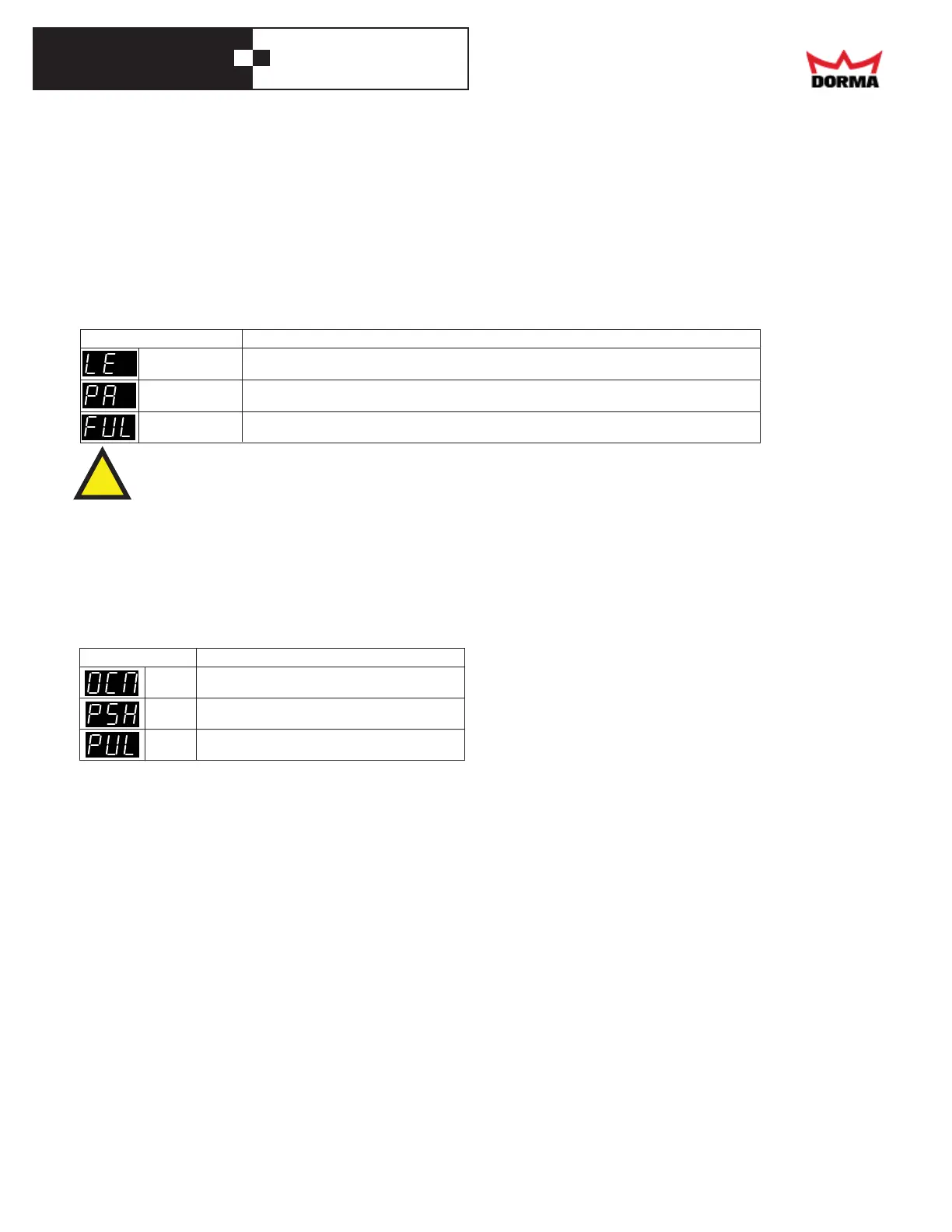
This menu displays a code for the mount of the door and lets you select it. If you change this, you must do a full
learn afterwards.
Itisuptoyou, the installer, to makesure that the door doesn't violate A.N.S.I. standards! The opener
does not ensure that the door moves within A.N.S.I. limits:
• Nothing keeps the installer from selecting the wrong setting in this menu.
• Nothing keeps the installer from setting the operating parameters in such way that the door
moves faster than what the applicable BHMA/ANSI Standards allows.
Mount menu
This menu displays a code for the mount of the door and lets you select it. Use “OCM” setting for “IN FLOOR”
mounting.
Open Speed menu
This menu displays and lets you set the opening speed of the door during a Power Opening, up to Back-Check
(in °/s). Use this adjustment to ensure that the opening time is lower than what A.N.S.I. specifies (lower values
in Low Energy openers). If you change this, you must do just a cycle learn afterwards.
Back-Check menu
This menu displays and lets you set the Back-Check angle (in °). During a Power Opening, after this angle the
door will slow down. The rate of deceleration is set by the "Deceleration" menu,described later. If you change
this, you must do just a cycle learn afterwards.
End-Speed submenu
This submenu is used to display and set the minimum speed (after it slows down ) at which the door reaches the
Back-Stop, in °/sec.
!
Mount
Low Energy
The “Low Energy” switch must be On for this option to be available
Power Assist
Full Power
Mount
OCM
Overhead concealed (direct drive)
Push
Push (scissor arm) surface mount
Pull
Pull (track) surface mount



 To Next Page