DORM
ED400 In Floor
Controller Manual
15
DORMA AUTOMATICS, Inc. 924 Sherwood Drive Toll-Free: 877-367-6211 DL3128-010
Lake Bluff, IL 60044 Fax: 877-423-7999 10/1/2007
E-mail: automatics@dorma-usa.com Subject to change without notice
Monitor Select and Monitor Value menus
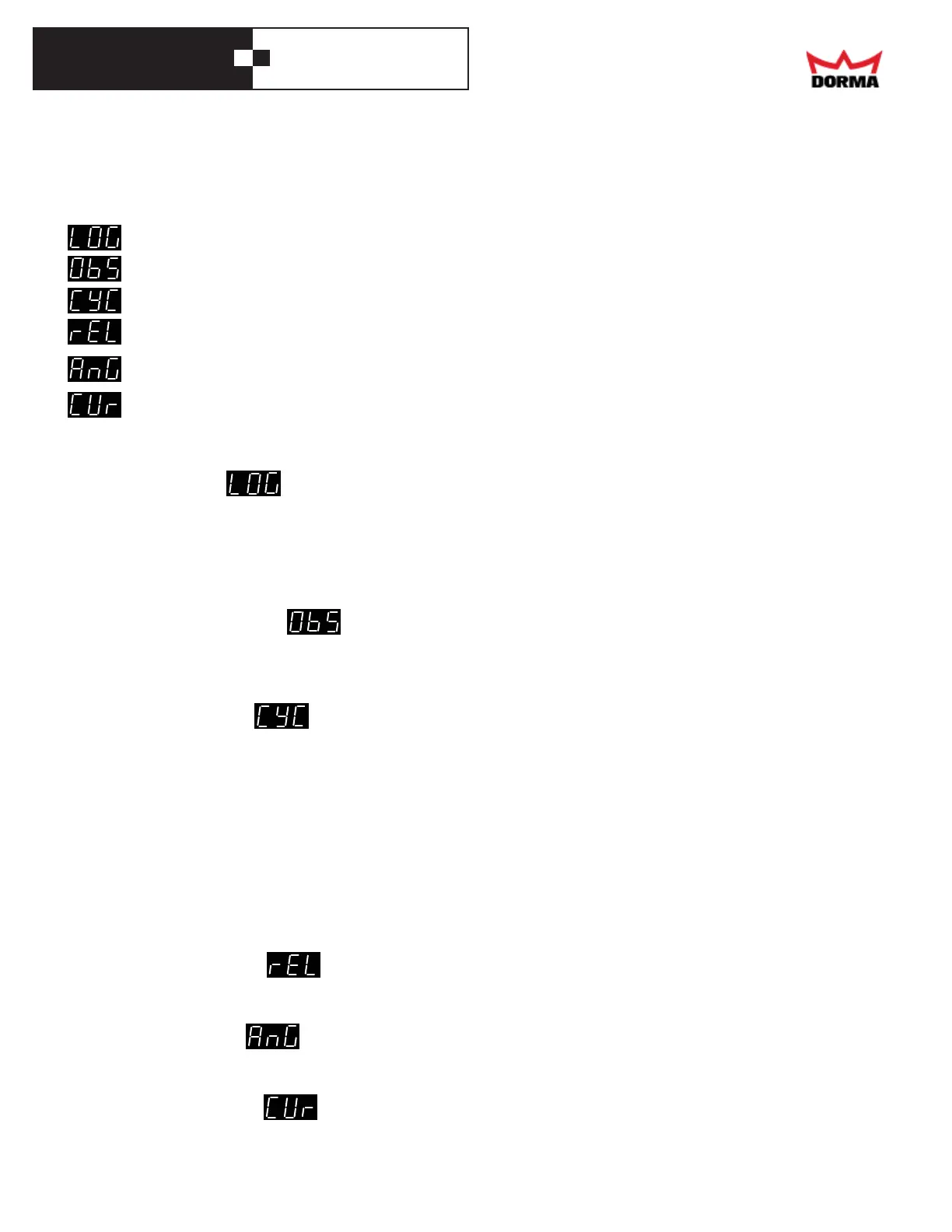
These 2 menus work together to display the valueof many minor items. The first one is used to select an item,
and the second one to display its value.
Misc. submenu item Function of Display Units,
"Dial" knob notes
- Log Select one of the 16 Code for the event -
events in the log
- Obstacles Clear it Number of obstacles since the last cleared -
- Cycles Scroll the display Number of openings cycles since the -
controller was manufactured
- Release - Software release level -
- Angle - Angle of door °
- Current - Motor current (absolute value) A
Items that use a list show a code for their value.
Log submenu -
The controller logs the last 16 unusual events. This submenu is used to display the log of events. Normally it
shows the most recent event. Turning the Dial know counter-clockwise (back in time) selects the previous
events; and vice-versa. Once one end of the log is reached, turning the Dial knob further in the same direction
will have no effect. The codes for the events are described later in the Event Codes section.
Obstacles submenu -
Each time the door meets an obstacle, the controller increments a counts, up to 255. This submenu is used to
display that count. Turning the Dial know counter-clockwise clears that count.
Cycles submenu -
This submenu is used to display the number of full opening and closing cycles that the controllerdid, up to
9,999,999. This is not necessarily the number of cycles that the operator did, as the controller may have been
mated to another operator at some other time. If the door is reopened while closing, this doesn't count as an
additional cycle. If the controller is powered down, it resets the units digit (for example, if the count was 123
cycles, upon restoring power to the controller, it will show 120 cycles). As the display has only 3 digits, the
Dial knob may be used to scroll the number of cycles, so that the rest of the number maybe viewed (for example,
if the number of cycles is 12345, initially the number ".345" will be shown; turning the Dial knob one step
clockwise will scroll the number to the right, and "2.34" will be shown; turning the know further will show
"12.3", "012." and "001".
Release submenu -
This submenu is used to display the software release in the controller.
Angle submenu -
This submenu is used to display the approximate door angle, in degrees.
Current submenu -
This submenu is used to display the motor current, in amps.



 To Next Page