DORM
ED400 In Floor
Controller Manual
11
DORMA AUTOMATICS, Inc. 924 Sherwood Drive Toll-Free: 877-367-6211 DL3128-010
Lake Bluff, IL 60044 Fax: 877-423-7999 10/1/2007
E-mail: automatics@dorma-usa.com Subject to change without notice
Presence
The opener may detect people or objects in the proximity of the door. In that case, the opener modifies its behavior to avoid hitting
anyone or anything in its path.
Before a Power Opening - The opener waits for the swing area to be clear.
During a Power Opening - The opener stops the door before moving again.
Before closing - The opener restarts the Closing Delay.
While closing, Auto Mode - The opener stops the door before moving again.
While closing, Off Mode - The door keeps on closing.
Obstacle
The opener detects if someone or somebody slows down or even stops the door. This includes the situation of the door being locked,
or propped open with a door stop.
During a Full Speed Power Opening - The door stops, waits for a bit, then usually it creeps open.
While creeping open - The door immediately re-closes.
While closing, Auto Mode - The door stops, waits for a bit, then usually it creeps open.
While closing, Off Mode - The door just rests against the obstacle.
Alarm
If the opener detects certain alarm conditions, it stops running. Users maystill use the door manually. The controller flashes a code for
the Alarm (the Selector knob must be in the RUN position). The code is also added to the log (Mon Sel / Log; Mon Val) Alarms are
cleared by turning the Program Switch to Off and back to Auto.
MENU REFERENCE
The controller offers a menu of 15 items. The Selector knob is used to select one of them. Two of those items offer dozens of additional
submenus.
Position of Function of
"Selector" knob "Dial" knob Display Units
Type Opener Type “L.E.”: Low Energy, “P.A.”: Power Type
Assist; “Ful”: full power
Help - Why the door won’t move
Mount Select door mount Use “OCN” Setting
Open Speed increment/decrement Opening speed to Back-Check °/s
Back-Check increment/decrement Back-Check angle °
Back-Speed increment/decrement Speed reaching Back-Check °/s
Back-Stop increment/decrement Back-Stop angle °
Close delay increment/decrement (a.k.a.: "Hold Open Time") s
Time at Back-Stop
Colse speed increment/decrement Max closing speed to Latch-Check °/s
Latch-Check increment/decrement Latch-Check able °
Misc-select Select a miscellaneous Code for the selected setting 2
setting to be adjusted
Misc-adjust Adjust the selected Value of the selected setting 2
miscellaneous setting
Monitor-Select Select variable to be Code for variable monitored 3
monitored
Monitor Value Depends on variable Value of selected variable 3, T
Learn Downgrade the Learn The Learn State 4
State
Notes:
1) Leave in this position during normal operation
2) See Misc. Settings table
3) See Monitor table
4) Place here to do a learn cycle. At next power-up, does learn the appropriate learn
T) In this position the trigger input is enabled
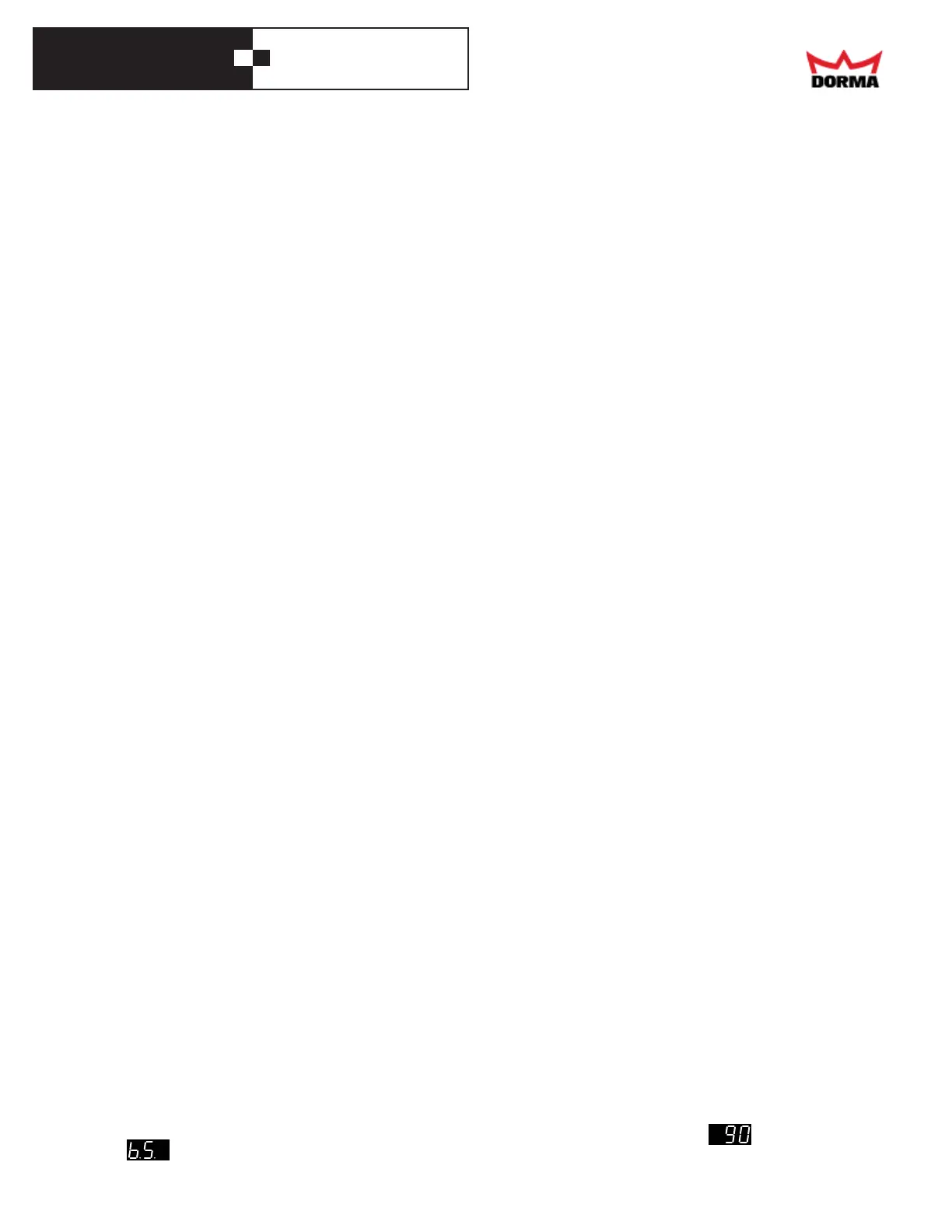
When selecting an item with the Selector knob, the display shows a code for that item, dimmed, for 1/2 second, then it shows the value
for that item. For example, if you turn the Selector Knob to the Back-Stop position, the display shows dimly for 1/2 second,
and then , the selected Back-Stop angle.



 To Next Page