DORM
ED400 In Floor
Controller Manual
14
DORMA AUTOMATICS, Inc. 924 Sherwood Drive Toll-Free: 877-367-6211 DL3128-010
Lake Bluff, IL 60044 Fax: 877-423-7999 10/1/2007
E-mail: automatics@dorma-usa.com Subject to change without notice
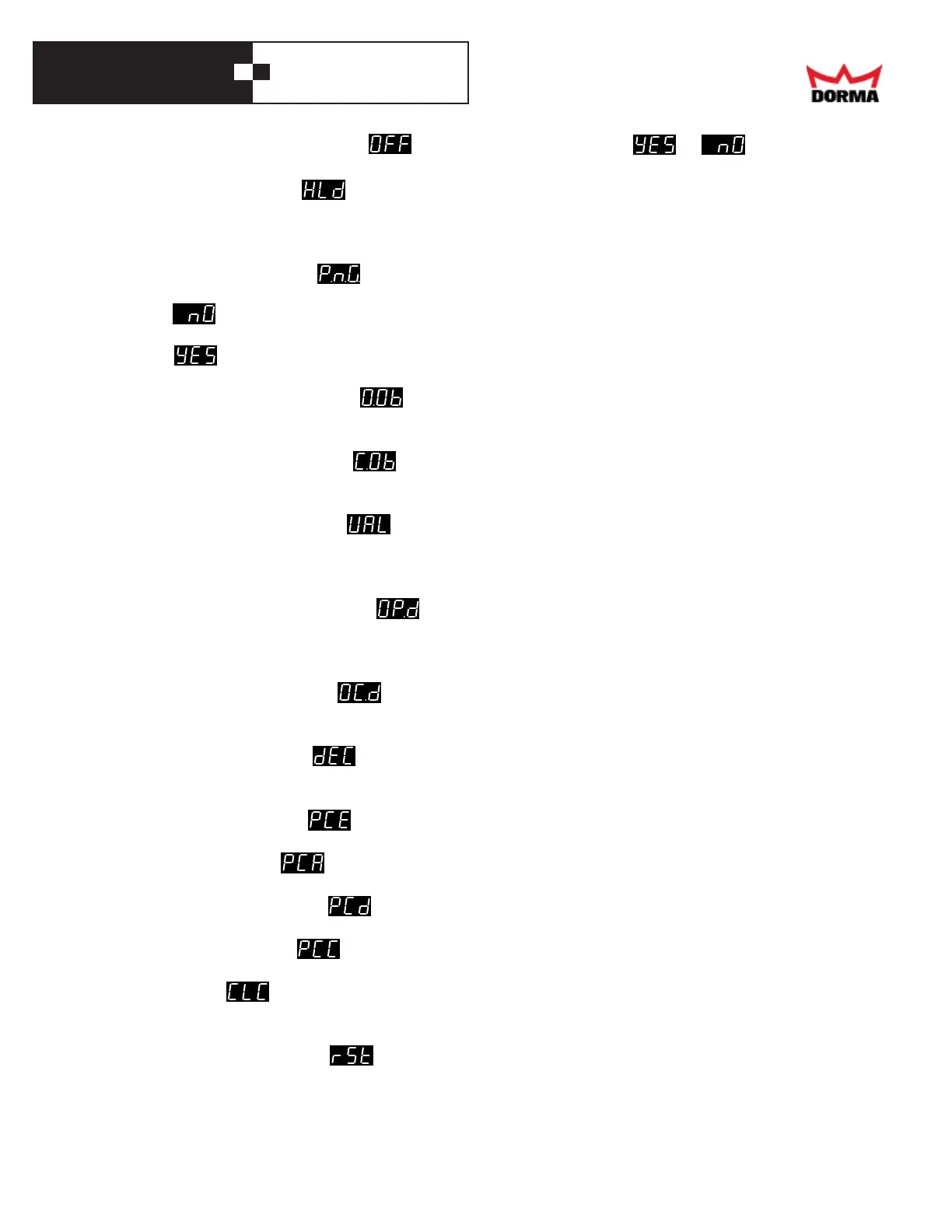
Items that use a numeric value show instead of '0'. Features show or .
Power Hold submenu -
If the door has a hard-stop at Latch-Stop, the opener may use additional force to press the door against the stop.
This submenu is used to select the amount of that force, in terms of motor current (in Amps). At its minimum,
this current is 0 (the door is held against the hard stop just by the return spring), and the display shows "OFF".
Push-and-Go submenu -
This submenu is used to turn on or off the Push-and-Go feature, and to display the present selection.
o If the user opens the door by hand, or reopens a closing door, the opener lets him/her do so,
working against the return spring.
o If the user opens the door by hand, the opener opens the door. If the user reopens a closing
door by hand, the opener reopens the door.
Opening Obstacle submenu -
This submenu is used to display and set the Opening Obstacle threshold (in Amps). Higher values mean less
sensitivity to obstacles.
Closing Obstacle submenu -
This submenu is used to display and set the Closing Obstacle threshold (in Amps). Higher values mean less
sensitivity to obstacles.
Wall Mask Angle submenu -
When opening, beyond a certain angle, a door-mounted, swing-side sensor may see a wall and give a false
reading. This submenu is used to display and set the door angle (in degrees) beyond which that sensor
is ignored.
Lock Opening delay submenu -
If an electric strike plate (electric lock) is used, it may be necessary to wait for it to retract,before opening the
door. This submenu is used to display and set that delay, in seconds. If that delay is zero, the display
shows "OFF".
Occupied delay submenu -
This submenu is used to display and set how long (in seconds) a door stops after it encounters an obstacle or
presence, before it resumes moving.
Deceleration submenu -
This submenu is used to display and set how quickly the door slows down after Back-Check, in °/sec^2.
(A higher number means faster slowing down). If you change this, you must do just a cycle learn afterwards.
Power Close Engaged -
This adjustment turns the Power Close On or Off
Power Close Angle -
When power boost closing is needed only in the last 30° of door closing, this is used to set angle desired.
Power Close Time Delay -
This adjusts the time delay before the operator starts pawer boost after encountering an obstruction.
Power Close Current -
This adjusts the closing force during the swing path of “PCA”.
Power Boost -
When power boost closing is needed throughout the entire closing swing of the door the closing force is
adjusted here.
Reset / restore submenu -
This submenu is used to restore the factory defaults (including clearing the password) oTurn the Dial knob
clockwise. The controller will reload the factory defaults; the program will restart from the beginning; the
display will show the start-up logo. (Just to force a new learn cycle, use the "Learn" menu instead.)



 To Next Page