11
ED50/ED100/ED250 09-2021DL4617-003
dormakaba ED50/ED100/ED250 OHC Header
Setup and Troubleshooting Instructions
Chapter 6
. Operator status LEDs
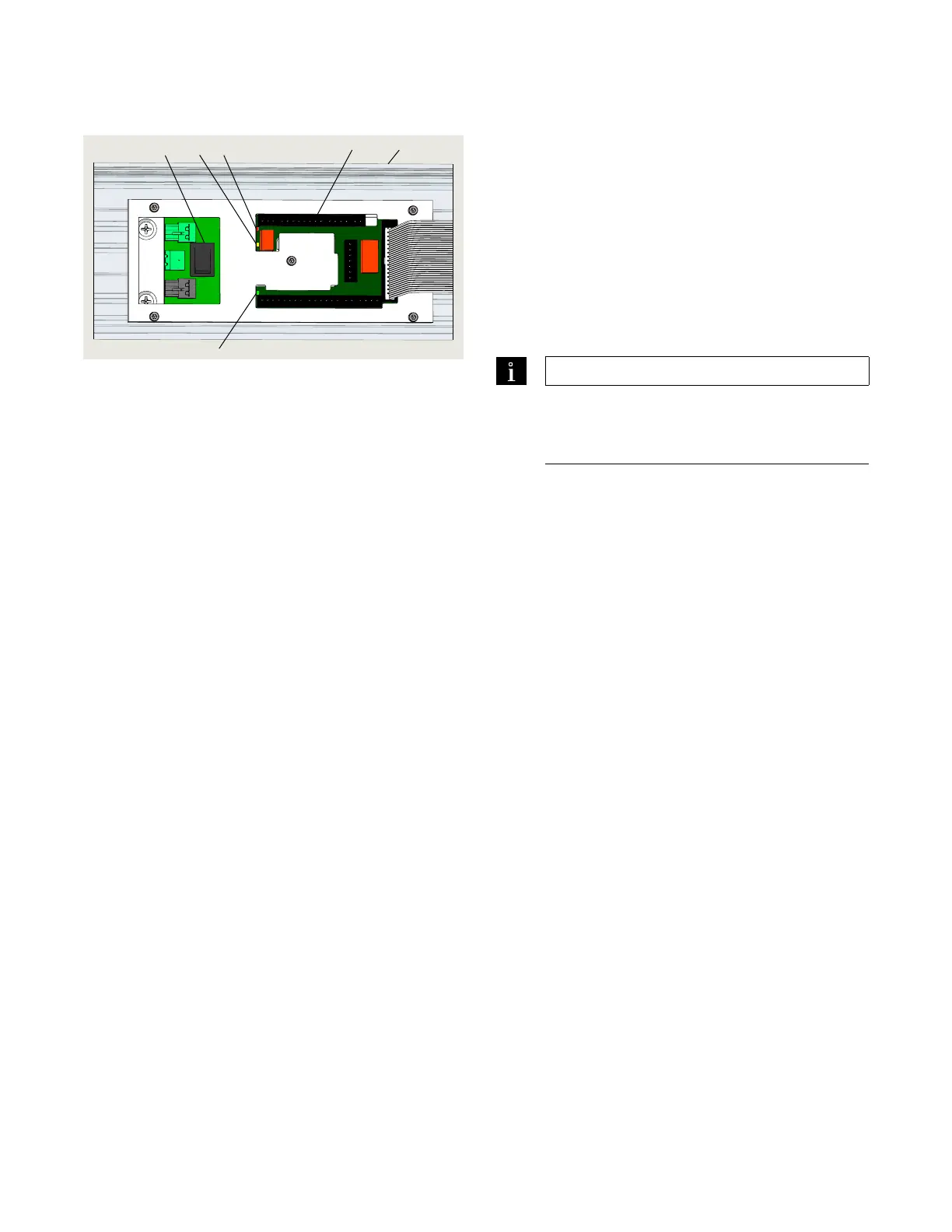
Fig. 6.3.1 Operator status LEDs, header cover removed
.. Operator status LEDs.
. Red LED
Blinking codes are used to indicate "ln__" information
(system status or operating conditions) or certain
error codes "E__".
. Yellow LED
Maintenance interval indicator. When illuminated, an
indication the operator system has to be serviced.
. Green LED
• On, internal Vdc power is On.
• Off, internal Vdc power is Off.
TIPS AND RECOMMENDATIONS
Details on LED status codes and maintenance
intervals can be found in Appendix B –
Troubleshooting.
1 Red LED
2 Yellow LED
3 Green LED
1
2
3
4
5
6
4 Accessory terminal
board
5 OHC header
6 Power Off/On
switch












 To Next Page