48
ED50/ED100/ED250 09-2021DL4617-003
dormakaba ED50/ED100/ED250 OHC Header
Setup and Troubleshooting Instructions
Chapter 20
. Upgrade cards
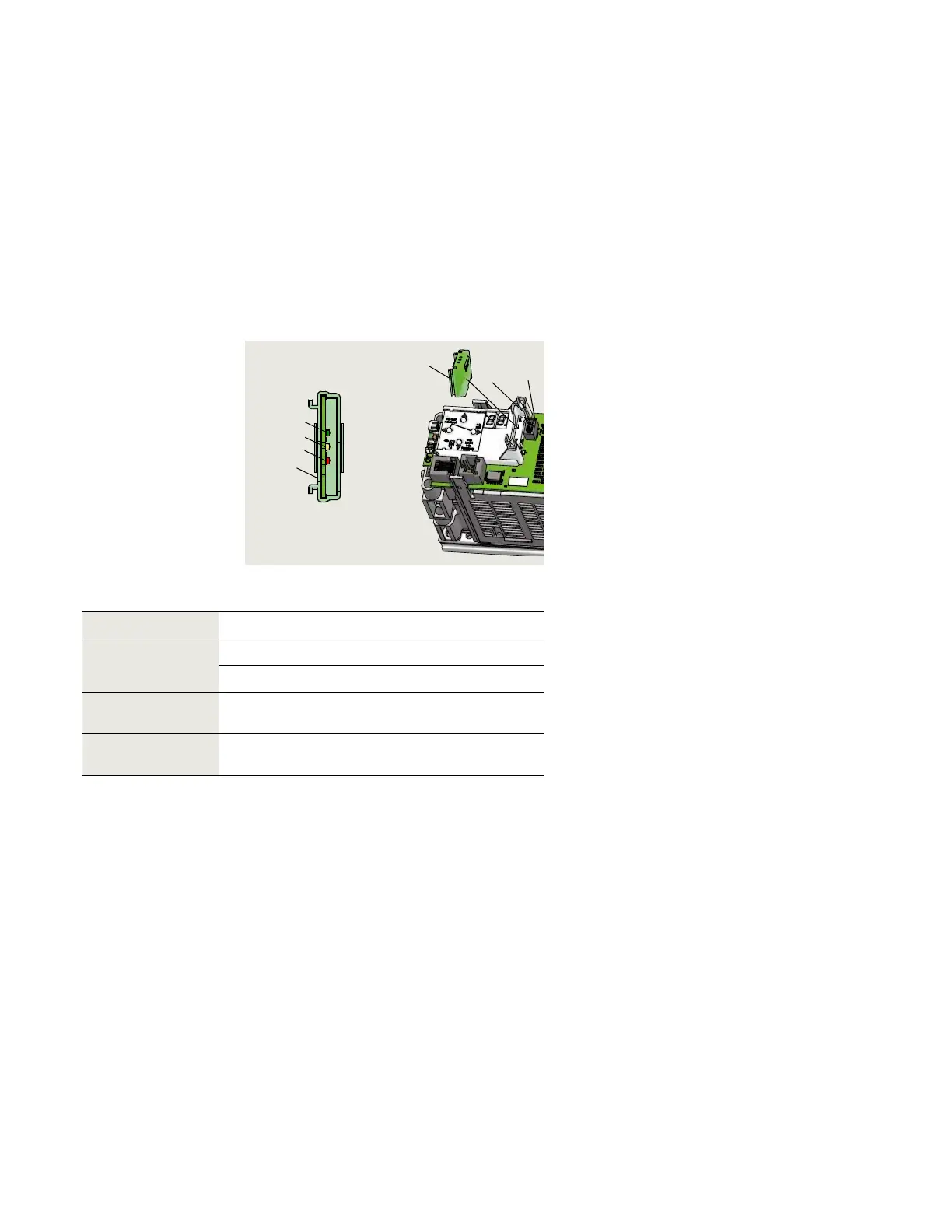
1 Upgrade card slot
2 Upgrade card
socket
Status LEDs
3 Green LED
4 Yellow LED
5 Red LED
6 Upgrade card
Fig. 20.1.1 Upgrade card slot
.. Upgrade card installation.
dormakaba upgrade cards can be used to expand the range of
functions of ED/ED operators.
When upgrade cards are installed, information is exchanged
between and permanently allocated to both the operator control
unit and the upgrade card.
. Container module
.. Container module
• The first upgrade card installed becomes
the container module.
• Every operator control unit has only one
container module.
• Functions of upgrade cards installed
after the first upgrade card are saved in
the container module.
.. Container module removal.
• If the container module is removed, all
previously enabled functions will be
deactivated after a certain time.
.. Operator control unit replacement.
• If the control unit is replaced, the
container module is removed from the
old control unit and inserted into the new
control unit.
• The new control unit synchronizes with
the container module and all upgrade
card functions are available.
.. Inserting an upgrade card that has
already been activated.
• Rapidly flashing yellow LED on upgrade
card indicates card is rejected.
• Card's functions in operator control unit
are still valid.
.. Inserted a container module from
third party control unit.
• Rapidly flashing yellow and green LEDs
on container module indicates module is
rejected.
• Container module can only be
synchronized with one control unit.
.. Container module defective.
• Upgrade cards that were installed after
the container module must be
reinstalled.
.. Upgrade cards
Upgrade cards
1
2
6
3
4
5
6
Upgrade card Part number EDxxx Upgrade card color
Fire protection
DX- ED Red
DX- ED Transparent red
DCW DX-
ED/
ED
Yellow
Barrier free toilet DX-
ED/
ED
Grey












 To Next Page