50
ED50/ED100/ED250 09-2021DL4617-003
dormakaba ED50/ED100/ED250 OHC Header
Setup and Troubleshooting Instructions
Chapter 21
. ED/ED/ED environment and cleaning
.. ED/ED/ED environmental
requirements.
ED/ED/ED overhead concealed header
assembly is designed to operate on an interior building
surface under the specifications shown in Table ...
.. Areas around door(s) and door swing radius.
Areas around doors and door swing radius must be kept
clear of all obstacles.
.. Cleaning
WARNING
Cleaning of header surfaces must be done with
program switch in Close position!
External surfaces of the header can be cleaned with a
damp cloth and commercial cleaning agents.
TIPS AND RECOMMENDATIONS
Abrasive (scouring) agents should not be used
as they may damage external header surfaces.
.. Water and other liquids.
CAUTION
No water or other liquids must be sprayed or
spilled on ED50/ED100/ED250 OHC header!
Table .. Operator environmental requirements
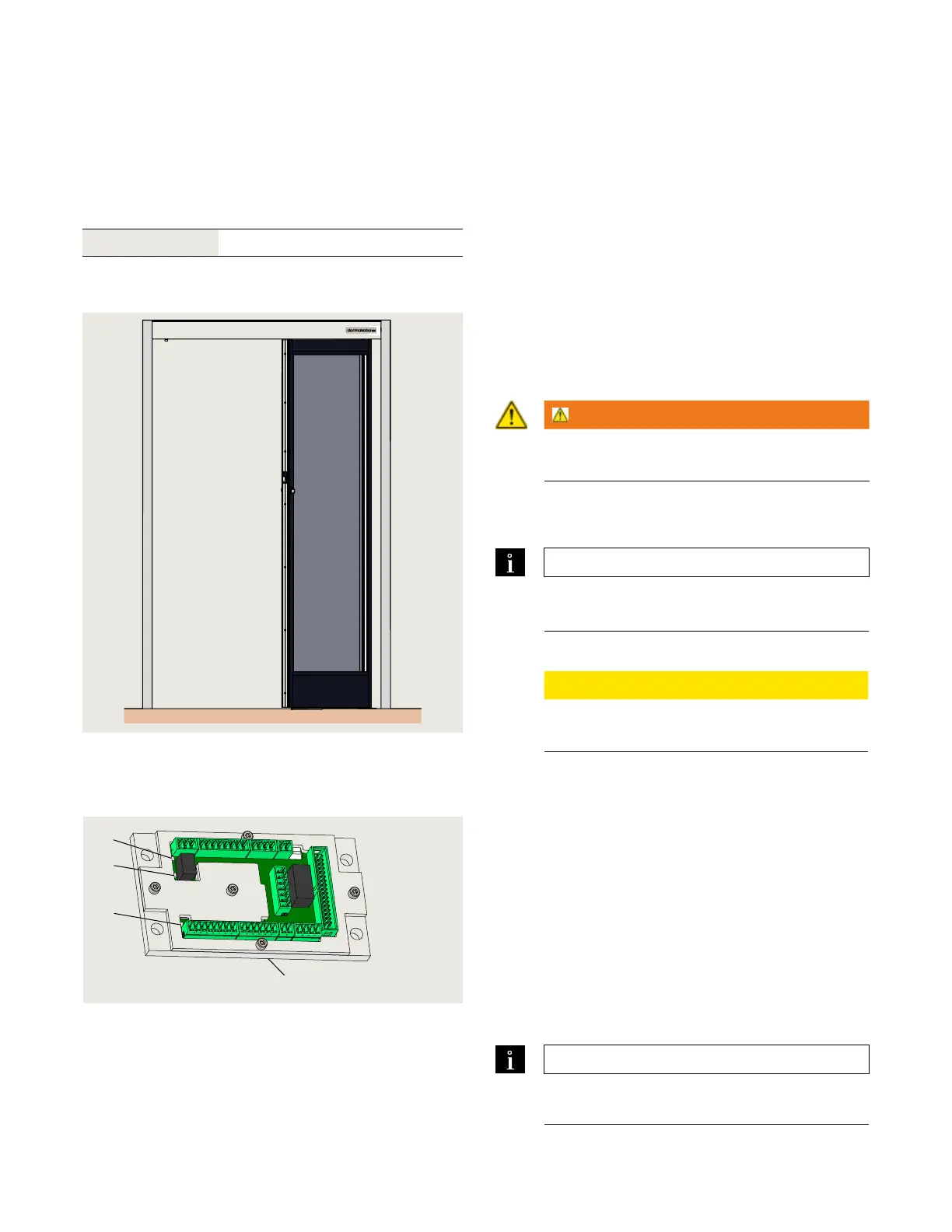
Fig. 21.1.1 ED50/ED100/ED250 OHC header and
LH door
Ambient temperature to °F
21.2 Operator status LEDs, maintenance interval
Fig. 21.2.1 Operator status LEDs
.. Operator status LEDs, maintenance interval.
Header cover must be opened to view LEDs, located on
accessory wiring terminal board.
. Red LED
Blinking codes are used to indicate "ln__" information
(system status or operating conditions) or certain
error codes "E__".
. Yellow LED
Maintenance interval indicator. When illuminated, an
indication the operator system has to be serviced.
. Green LED
• On, internal Vdc power is On.
• Off, internal Vdc power is Off.
TIPS AND RECOMMENDATIONS
Details on LED status codes: Appendix B.2;
Troubleshooting.
1 Red LED
2 Yellow LED
3 Green LED
4 PCB assembly
5 Accessory terminal
board
5
3
2
1
Maintenance












 To Next Page