73
ED50/ED100/ED250 09-2021DL4617-003
dormakaba ED50/ED100/ED250 OHC Header
Setup and Troubleshooting Instructions
Appendix C
. Press F to select UpDoLd.
1 ENTER button
2 F2 button
3 Up/down arrows
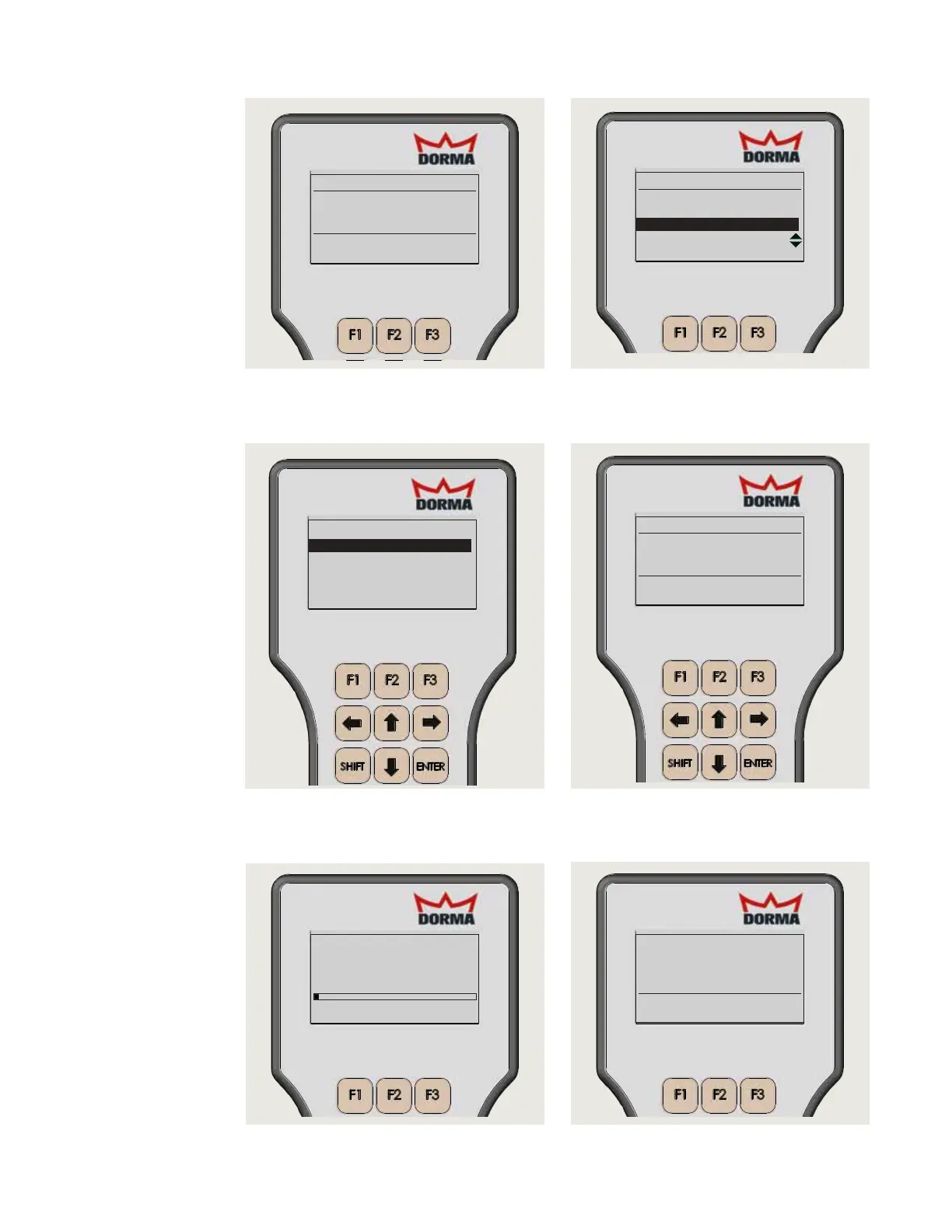
Fig. C.3.4 Select UpDoLd
Fig. C.3.5 Select Firmware upload
. Use Up and Down arrows to select
Firmware upload and press ENTER.
Fig. C.3.6 Select Firmware version
. Use Up and Down arrows to select
firmware version and press ENTER.
Fig. C.3.7 Start transmission
. Press any key to start firmware
transmission.
DOWN/UPLOAD
Upload file
Download data
Firmware upload
Door
Connected with:
FW-Version: 02.30
Revision: 000
ED100_US
Again UpDoLd Door
Connected with:
FW-Version: 02.30
Revision: 000
ED100_US
Again UpDoLd Door
Operator Vers Rev
Top
Down
ED100_US V02.20 000
ED100_US V02.00 000
ED100_US V02.30 000
Fig. C.3.8 Firmware uploading
. Firmware uploading to controller. Wait
time of to minutes to upload.
Fig. C.3.9 Complete firmware update
FuseInfo: 25,01h,0ch,94h
press any key !
Transmission complete !
OK
. Press any key to complete firmware
update.












 To Next Page