EasyManua.ls Logo

Dräger Primus - Page 18

Dräger Primus
100 pages
Print Icon
To Next Page IconTo Next Page
To Previous Page IconTo Previous Page
Loading...
Operating
concept
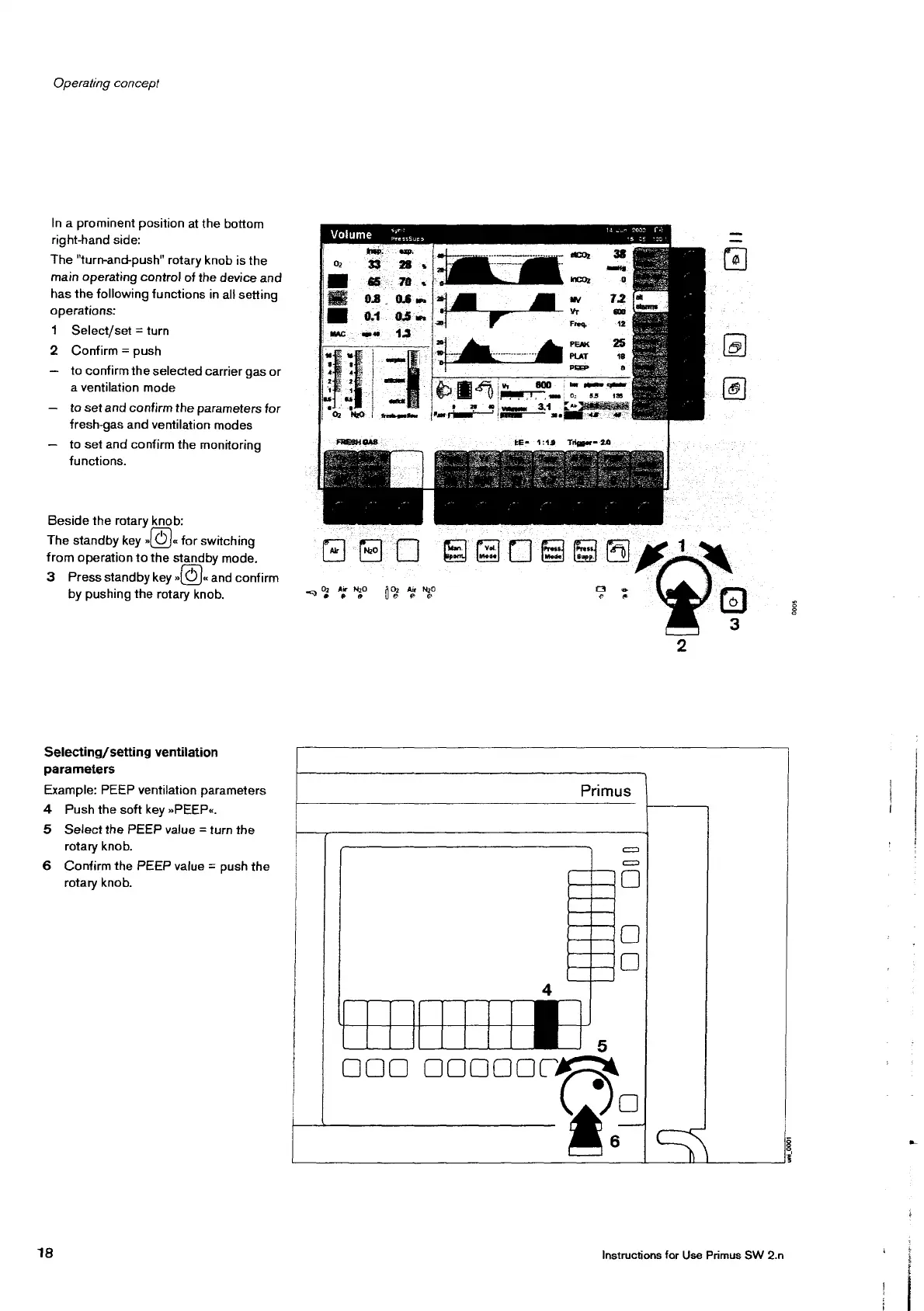
In
a
prominent
position
at
the
bottom
right-hand
side:
The
"turn-and-push"
rotary
knob
is
the
main
operating
control
of
the
device
and
has
the
following
functions
in
all
setting
operations:
1
Select/set
=
turn
2
Confirm
=
push
to
confirm
the
selected
carrier
gas
or
a
ventilation
mode
tosetand
confirm
the
parameters
for
fresh-gas
and
ventilation
modes
to
set
and
confirm
the
monitoring
functions.
Beside
the
rotary
knob:
The
standby
key
(©).
for
switching
from
operation
to
the
standby
mode.
3
Press
standby
key
Ol
and
confirm
by
pushing
the
rotary
knob.
Selecting/
setting
ventilation
parameters
Example:
PEEP
ventilation
parameters
4
Push
the
soft
key
»PEEP«.
5
Select
the
PEEP
value
=
turn
the
rotary
knob.
6
Confirm
the
PEEP
value
=
push
the
rotary
knob.
18
Volume
FERN:
ofan
net
|
LE
PressSue?
ЕО
д
°
i
(5)
e
e
3
Primus
|
5
OOO
os
DO
00
0005
Ty
|
Instructions
for
Use
Primus
SW
2.n
uni,
0001
ee

Other manuals for Dräger Primus

Related product manuals