EasyManua.ls Logo

Dräger Primus - Page 19

Dräger Primus
100 pages
Print Icon
To Next Page IconTo Next Page
To Previous Page IconTo Previous Page
Loading...
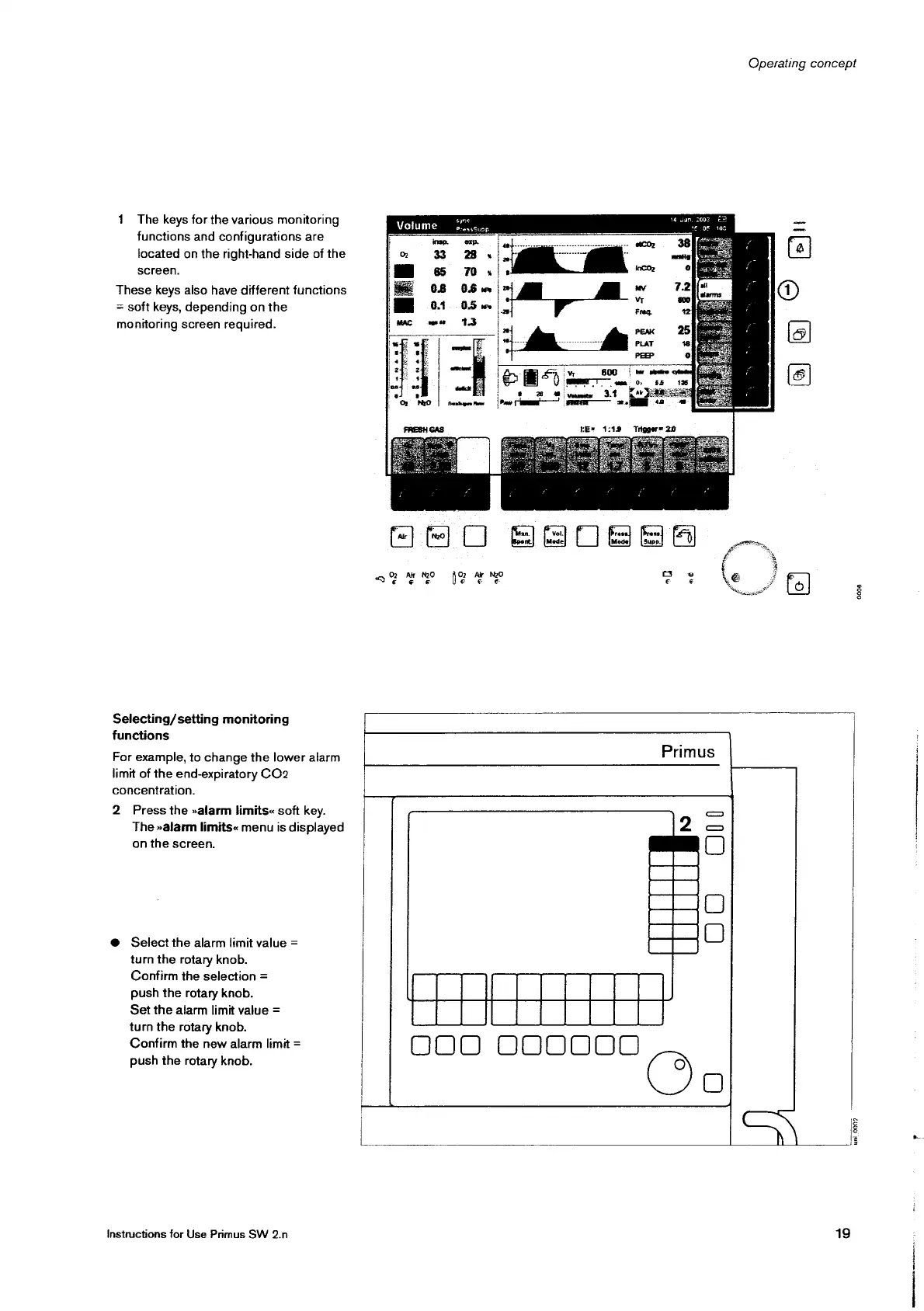
1
The
keys
for
the
various
monitoring
functions
and
configurations
are
located
on
the
right-hand
side
of
the
screen.
These
keys
also
have
different
functions
=
soft
keys,
depending
on
the
monitoring
screen
required.
Selecting/
setting
monitoring
functions
For
example,
to
change
the
lower
alarm
limit
of
the
end-expiratory
CO2
concentration.
2
Press
the
»alarm
limits«
soft
key.
The
»alarm
limits«
menu
is
displayed
on
the
screen.
©
Select
the
alarm
limit
value
=
turn the
rotary
knob.
Confirm
the
selection
=
push
the
rotary
knob.
Set
the
alarm
limit
value
=
turn
the
rotary
knob.
Confirm
the
new
alarm
limit
=
push
the
rotary
knob.
Instructions
for
Use
Primus
SW
2.n
Operating
concept
syne
NEE
O
izi
Volume
presscupp
ο.
90
6808984
O
Ak
NO
>
Ar
NzO
3
ο
>
Primus
DO
00
ODO
400000
0008
19
uni
0007

Other manuals for Dräger Primus

Related product manuals