PROPRIETARY AND CONFIDENTIAL DRAFT 5 Feb 04
5 - 2
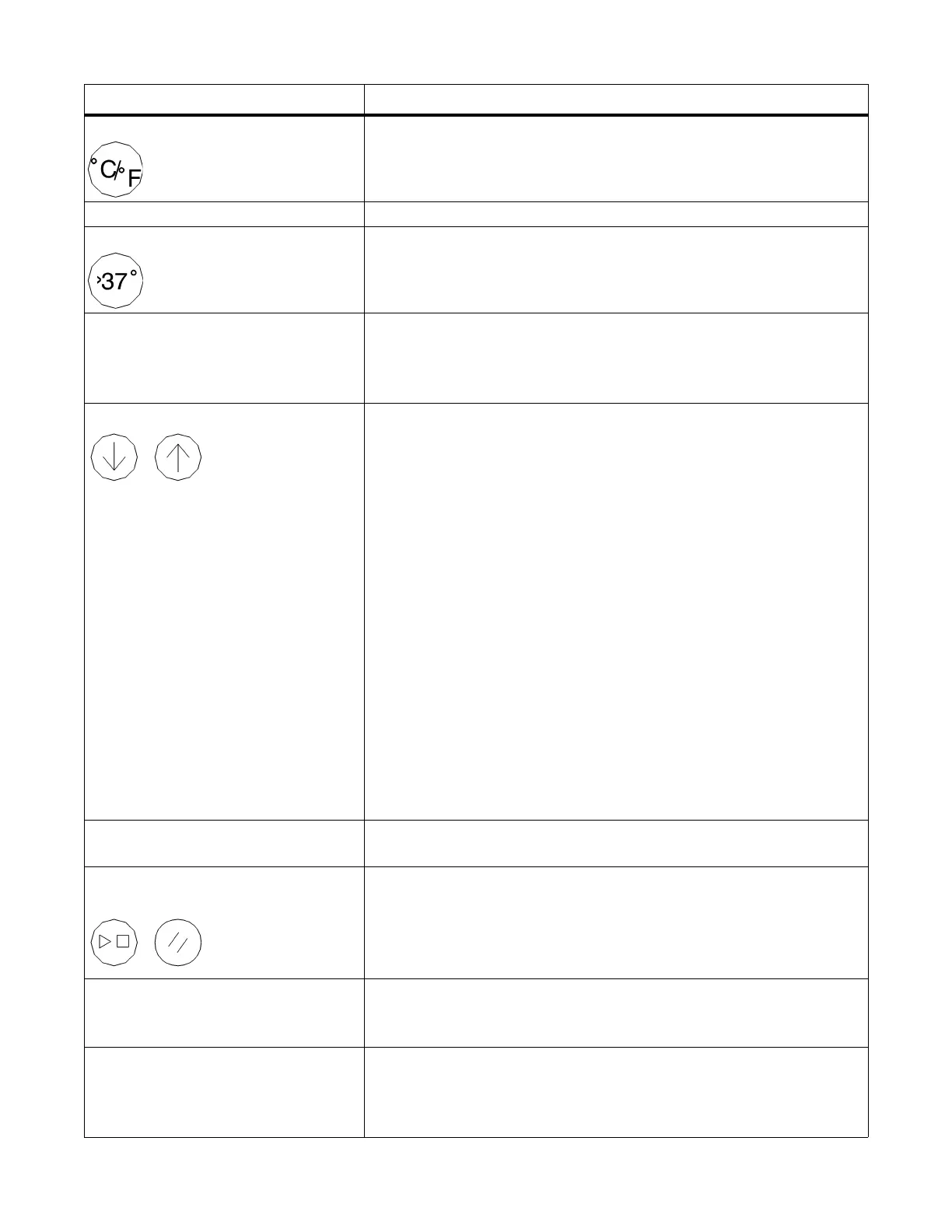
°C/°F key Press to select °C or °F for the Baby Temperature and Set Tem-
perature displays.
>37 °C indicator Lights to indicate that the Temperature Override Mode is selected.
>37 °C key Press to place the Set Temperature display in Temperature
Override Mode. This key is inactive until the set temperature has
been set to 37.0°C (98.6°F).
Set Temperature display In Baby Mode, it displays the set temperature as selected by the
Up and Down arrow keys, in °C or °F as selected by the °C/°F
key. In Pre-Warm and Manual Modes, the display is blank if the
skin probe is not connected.
Up and Down arrow keys Serves two functions to regulate temperature:
• In Manual Mode, adjusts heat output.
Press the Up arrow key to raise the heater power from 0% to
100% in 10% increments. Press the Down arrow key to lower the
relative heater power from 100% to 0% in 10% increments.
• In Baby Mode, adjusts chosen temperature setpoint.
Press the Up arrow key to raise the set temperature from 34.0°C
(93.2°F) to 37.0°C (98.6°F). Press once to raise the set tempera-
ture in 0.1-° increments. Press and hold to raise the set tempera-
ture rapidly. Press the Down arrow key to lower the set
temperature from 37.0°C (98.6°F) to 34.0°C (93.2°F). Press once
to lower the set temperature in 0.1-° increments. Press and hold to
lower the set temperature rapidly.
In Temperature Override Mode, press the Up arrow key to raise
the set temperature from 37.0°C (98.6°F) to 38.0°C (100.4°F).
Press the Down arrow key to lower the set temperature from
38.0°C (100.4°F) to 37.0°C (98.6°F).
When illuminated, the Keypad Lock key locks the Up and Down
arrow keys.
Heater Power display Displays the relative heater power in 10% increments from 0% to
100%.
APGAR Timer Stop/Start and
Reset keys
Press the Stop/Start key to start or stop the APGAR Timer. When
the timer in progress, press the Reset key to reset the timer to 0
and restart the APGAR count. When the timer is stopped, press to
switch off the APGAR Timer. You can reset the APGAR Timer
anytime.
APGAR Timer display When the APGAR Timer is in progress, the APGAR Timer dis-
play shows the elapsed minutes and seconds, and the notification
tone sounds at 1, 5, and 10-min APGAR time intervals.
Baby Temp alarm indicator
(located in the upper right section
of the controller panel)
Flashes with a three-level acoustic alarm signal to indicate that the
infant skin temperature is more than 1 °C above or below the set
temperature. To silence the alarm for 10 min, press the
Silence/Reset key.
Name Description












 To Next Page