PROPRIETARY AND CONFIDENTIAL DRAFT 5 Feb 04
5 - 2
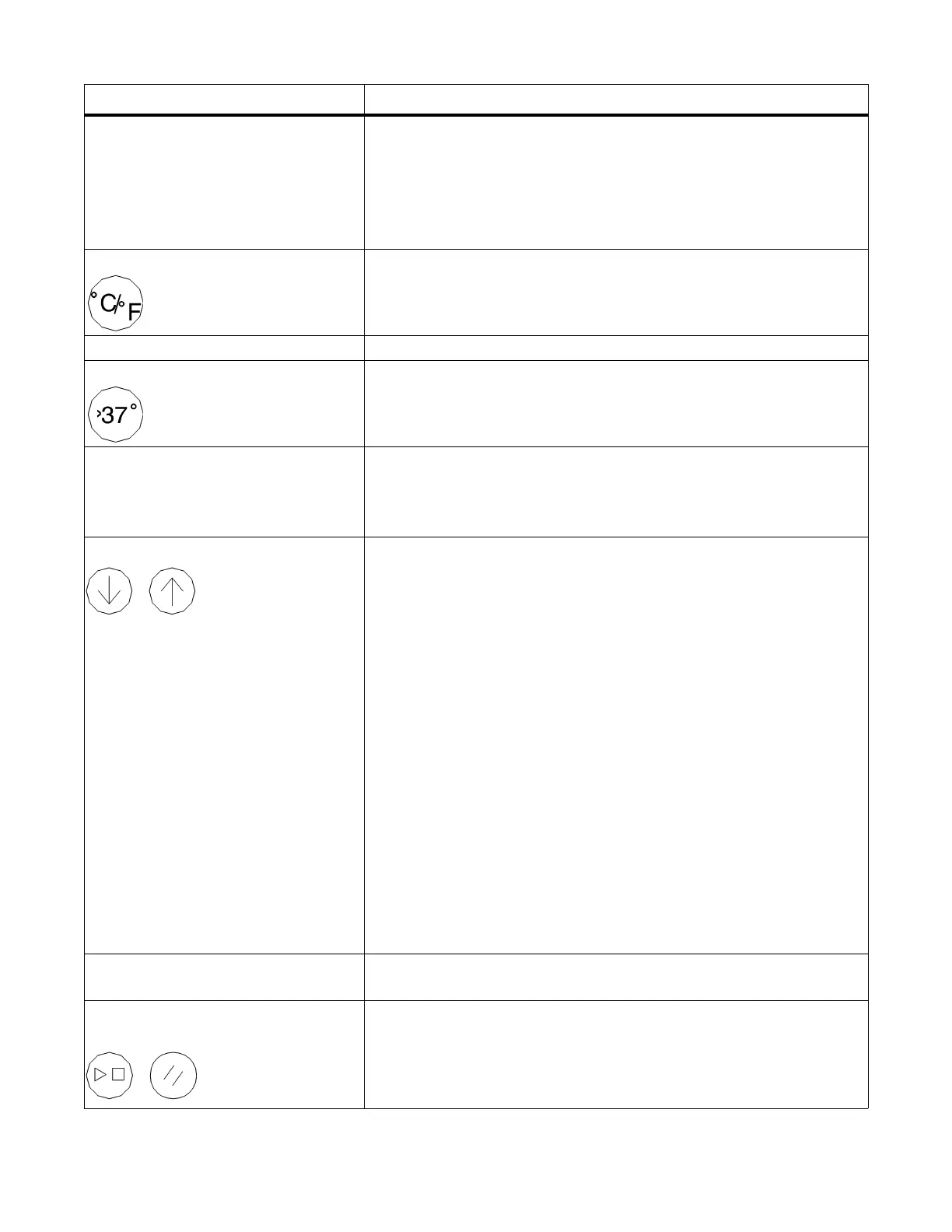
Baby Temperature display Digital display of the infant’s temperature in °C or °F, whether in
Manual or Baby Mode. If the skin temperature probe is discon-
nected from the controller, the display is blank in Manual and
Baby Mode. When in Pre-Warm Mode for software versions 1.08
or greater, the display indicates “PrE” regardless of whether or not
the probe is connected.
°C/°F key Press to alternately select °C or °F for the Baby Temperature and
Set Temperature displays.
>37°C indicator Lights to indicate that the Temperature Override Mode is selected.
>37°C key Press to place the Set Temperature display in Temperature
Override Mode. This key is inactive until the set temperature has
been set to 37.0°C (98.6°F).
Set Temperature display In Baby Mode, it displays the set temperature as selected by the
Up and Down arrow keys in °C or °F as selected by the °C/°F key.
In Pre-Warm and Manual Modes, the display is blank if the skin
probe is not connected.
Up and Down arrow keys Serves 2 functions to regulate temperature:
• In Manual Mode, adjusts heat output.
Press the Up arrow key to raise the heater power from 0% to
100% in 10% increments. Press the Down arrow key to lower the
relative heater power from 100% to 0% in 10% increments.
• In Baby Mode, adjusts chosen temperature setpoint.
Press the Up arrow key to raise the set temperature from 34.0°C
(93.2°F) to 37.0°C (98.6°F). Press once to raise the set tempera-
ture in 0.1° increments. Press and hold to raise the set temperature
rapidly. Press the Down arrow key to lower the set temperature
from 37.0°C (98.6°F) to 34.0°C (93.2°F). Press once to lower the
set temperature in 0.1° increments. Press and hold to lower the set
temperature rapidly.
In Temperature Override Mode, press the Up arrow key to raise
the set temperature from 37.0°C (98.6°F) to 38.0°C (100.4°F).
Press the Down arrow key to lower the set temperature from
38.0°C (100.4°F) to 37.0°C (98.6°F).
When illuminated, the Keypad Lock key locks the Up and Down
arrow keys.
Heater Power display Displays the relative heater power in 10% increments from 0% to
100%.
Apgar Timer Stop/Start and Reset
keys
Press the Stop/Start key to start or stop the Apgar Timer. When
the timer is running, press the Reset key to reset the timer to 0 and
restart the Apgar count. When the timer is stopped, press to turn
the Apgar Timer off. You can reset the Apgar Timer anytime.
Name Description












 To Next Page