Vigor2820 Series User’s Guide
105
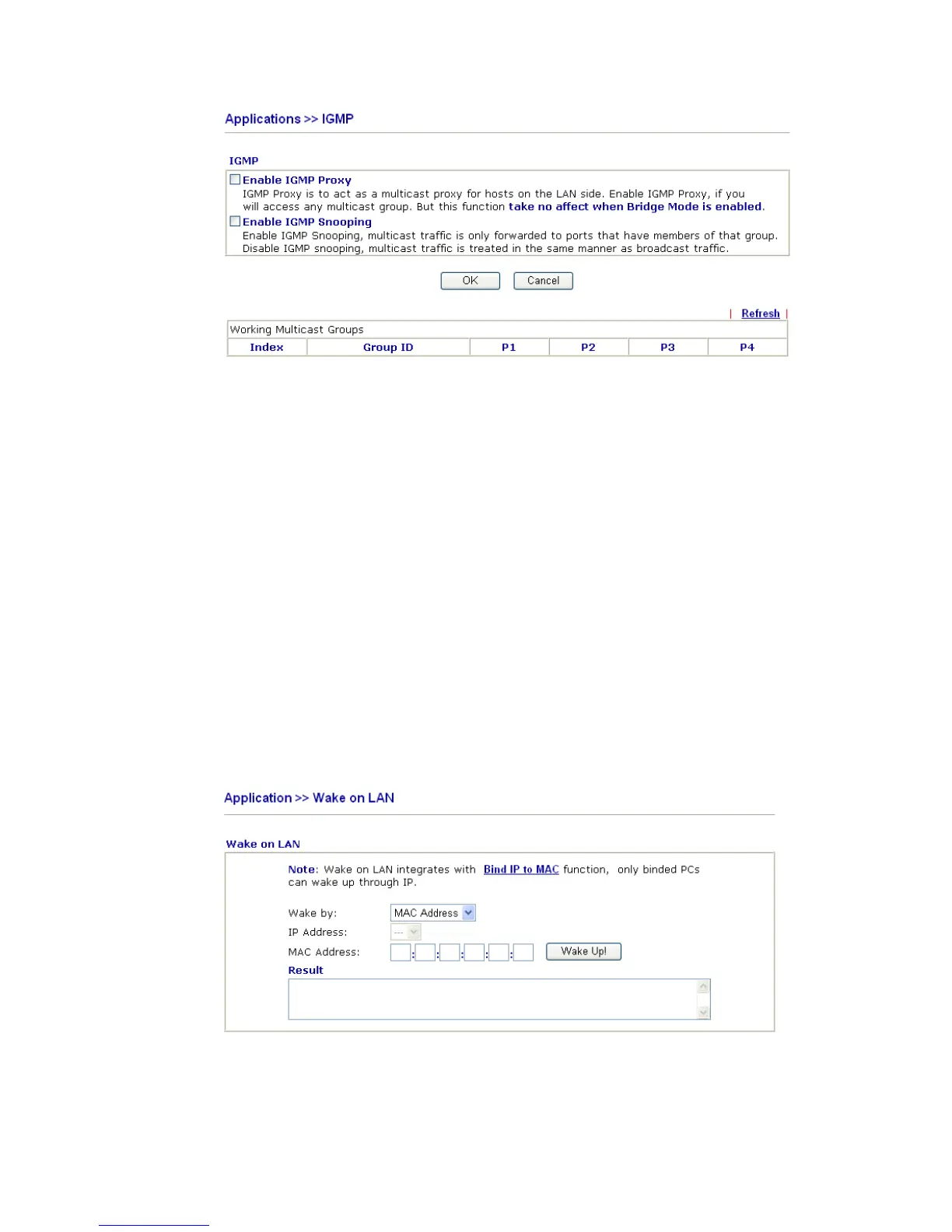
Enable IGMP Proxy Check this box to enable this function. The application of
multicast will be executed through WAN port.
Enable IGMP Snooping Check this box to enable this function. The application of
multicast will be executed for the clients in LAN.
Group ID This field displays the ID port for the multicast group. The
available range for IGMP starts from 224.0.0.0 to
239.255.255.254.
P1 to P4 It indicates the LAN port used for the multicast group.
Refresh Click this link to renew the working multicast group status.
If you check Enable IGMP Proxy, you will get the following page. All the multicast groups
will be listed and all the LAN ports (P1 to P4) are available for use.
3
3
.
.
7
7
.
.
6
6
W
W
a
a
k
k
e
e
o
o
n
n
L
L
A
A
N
N
A PC client on LAN can be woken up by the router it connects. When a user wants to wake
up a specified PC through the router, he/she must type correct MAC address of the specified
PC on this web page of Wake on LAN of this router.
In addition, such PC must have installed a network card supporting WOL function. By the
way, WOL function must be set as “Enable” on the BIOS setting.
Wake by Two types provide for you to wake up the binded IP. If you
choose Wake by MAC Address, you have to type the correct
MAC address of the host in MAC Address boxes. If you













 To Next Page