Vigor2820 Series User’s Guide
62
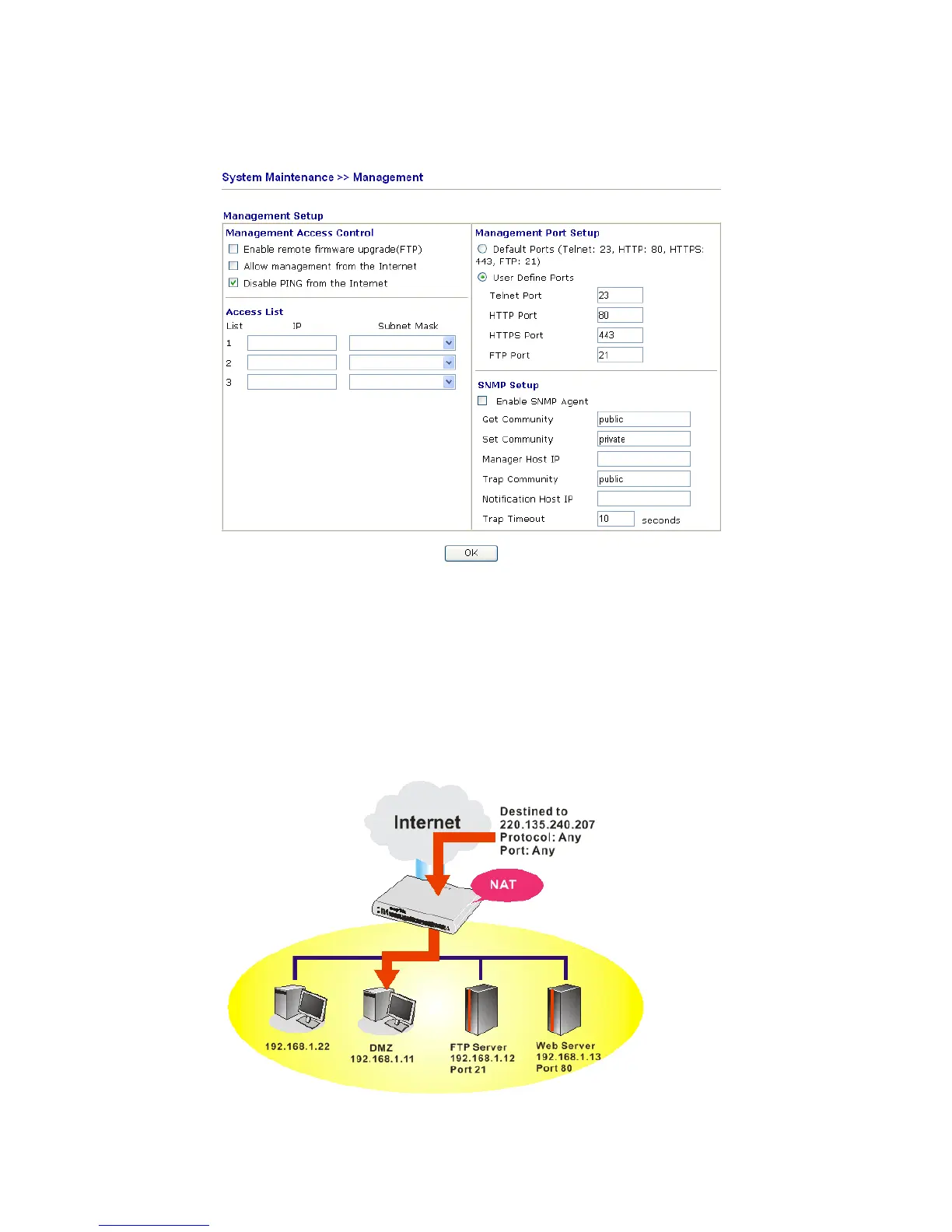
conflict, such as 8080. This can be set in the System Maintenance >>Management Setup.
You then will access the admin screen of by suffixing the IP address with 8080, e.g.,
http://192.168.1.1:8080 instead of port 80.
3
3
.
.
3
3
.
.
2
2
D
D
M
M
Z
Z
H
H
o
o
s
s
t
t
As mentioned above, Port Redirection can redirect incoming TCP/UDP or other traffic on
particular ports to the specific private IP address/port of host in the LAN. However, other IP
protocols, for example Protocols 50 (ESP) and 51 (AH), do not travel on a fixed port. Vigor
router provides a facility DMZ Host that maps ALL unsolicited data on any protocol to a
single host in the LAN. Regular web surfing and other such Internet activities from other
clients will continue to work without inappropriate interruption. DMZ Host allows a defined
internal user to be totally exposed to the Internet, which usually helps some special
applications such as Netmeeting or Internet Games etc.













 To Next Page