Vigor2820 Series User’s Guide
3
1
1
.
.
2
2
.
.
1
1
F
F
o
o
r
r
V
V
i
i
g
g
o
o
r
r
2
2
8
8
2
2
0
0
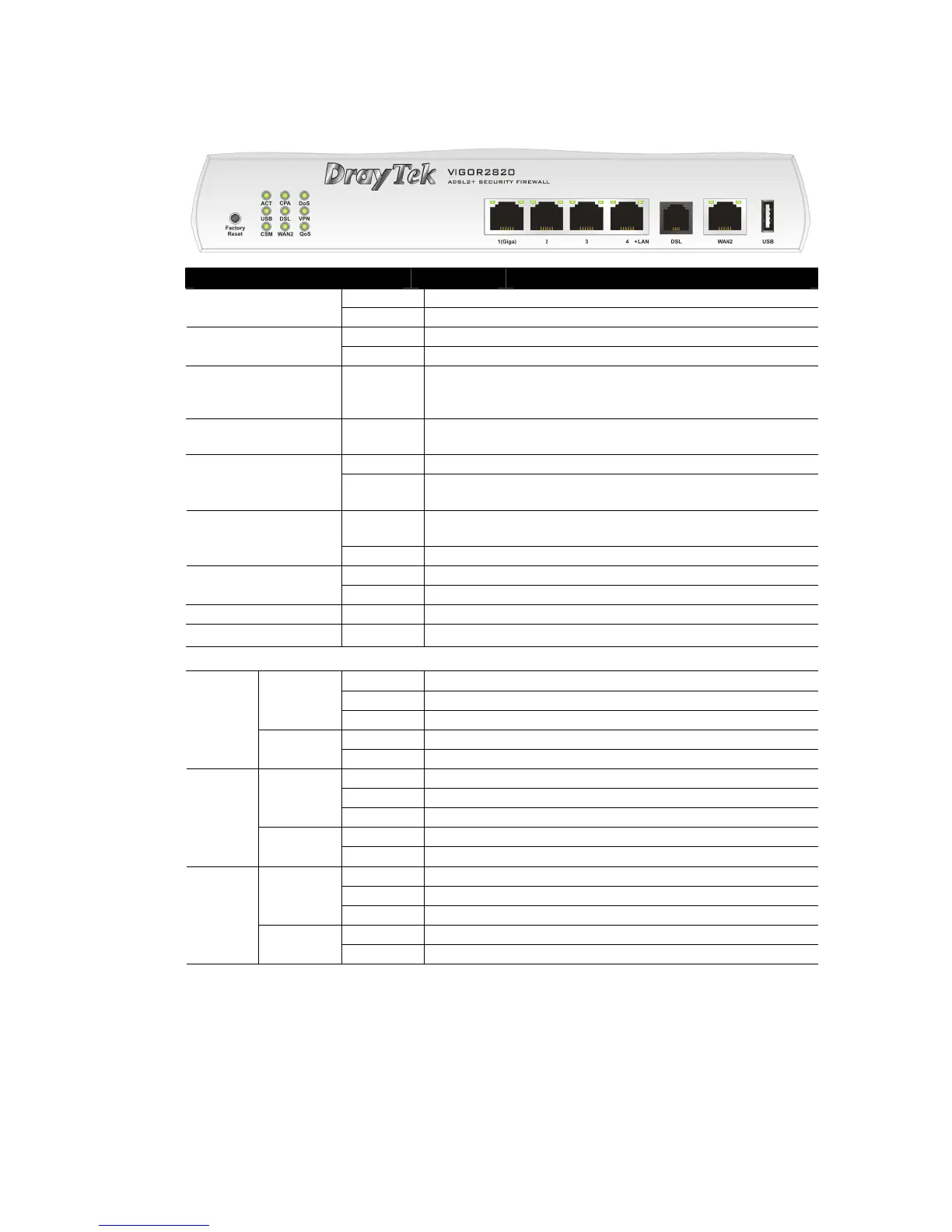
LED Status Explanation
Blinking The router is powered on and running normally. ACT (Activity)
Off The router is powered off.
On A USB device is connected and active. USB
Blinking The data is transmitting.
CSM On The profile of CSM (Content Security Management) for
IM/P2P application is active. (It is enabled from Objects
Setting >> CSM Profile).
CPA (Content Portal
Authority)
On The Web Content Filter is active. (It is enabled from Firewall
>> Web Content Filter Setup)
On The router is ready to access Internet through DSL link. DSL
Blinking Slowly: The DSL connection is ready.
Quickly: The connection is tranning.
On The router is ready to access Internet through WAN
connection.
WAN2
Blinking It will blink while transmitting data.
On The DoS/DDoS function is active. DoS
Blinking It will blink while deleting an attack.
VPN On The VPN tunnel is active.
QoS
On The QoS function is active.
LED on Connector
On The port is connected.
Off The port is disconnected.
Left LED
(Green)
Blinking The data is transmitting.
On The port is connected with 1000Mbps.
LAN
1(Giga)
Right LED
(Green)
Off The port is disconnected with 10/100Mbps.
On The port is connected.
Off The port is disconnected.
Left LED
(Green)
Blinking The data is transmitting.
On The port is connected with 100Mbps.
LAN
2/3/4
Right LED
(Green)
Off The port is disconnected with 10Mbps.
On The port is connected.
Off The port is disconnected.
Left LED
(Green)
Blinking The data is transmitting.
On The port is connected with 100Mbps.
WAN 2
Right LED
(Green)
Off The port is disconnected with 10Mbps.













 To Next Page