Vigor2820 Series User’s Guide
136
Call Waiting [Act] Dial the number typed in this field to make all the incoming
calls waiting for your answer.
Call Waiting [Deact] Dial the number typed in this field to release this function.
Block Anonymous[Act] Dial the number typed in this field to block all the incoming
calls with unknown ID.
Block Anonymous[Deact] Dial the number typed in this field to release this function.
Block Unknown Domain
[Act]
Dial the number typed in this field to block all the incoming
calls from unknown domain.
Block Unknown Domain
[Deact]
Dial the number typed in this field to release this function.
Block IP Calls [Act] Dial the number typed in this filed to block all the incoming
calls from IP address.
Block IP Calls [Deact] Dial the number typed in this field to release this function.
Block Last Calls [Act] Dial the number typed in this field to block the last incoming
phone call.
P
P
S
S
T
T
N
N
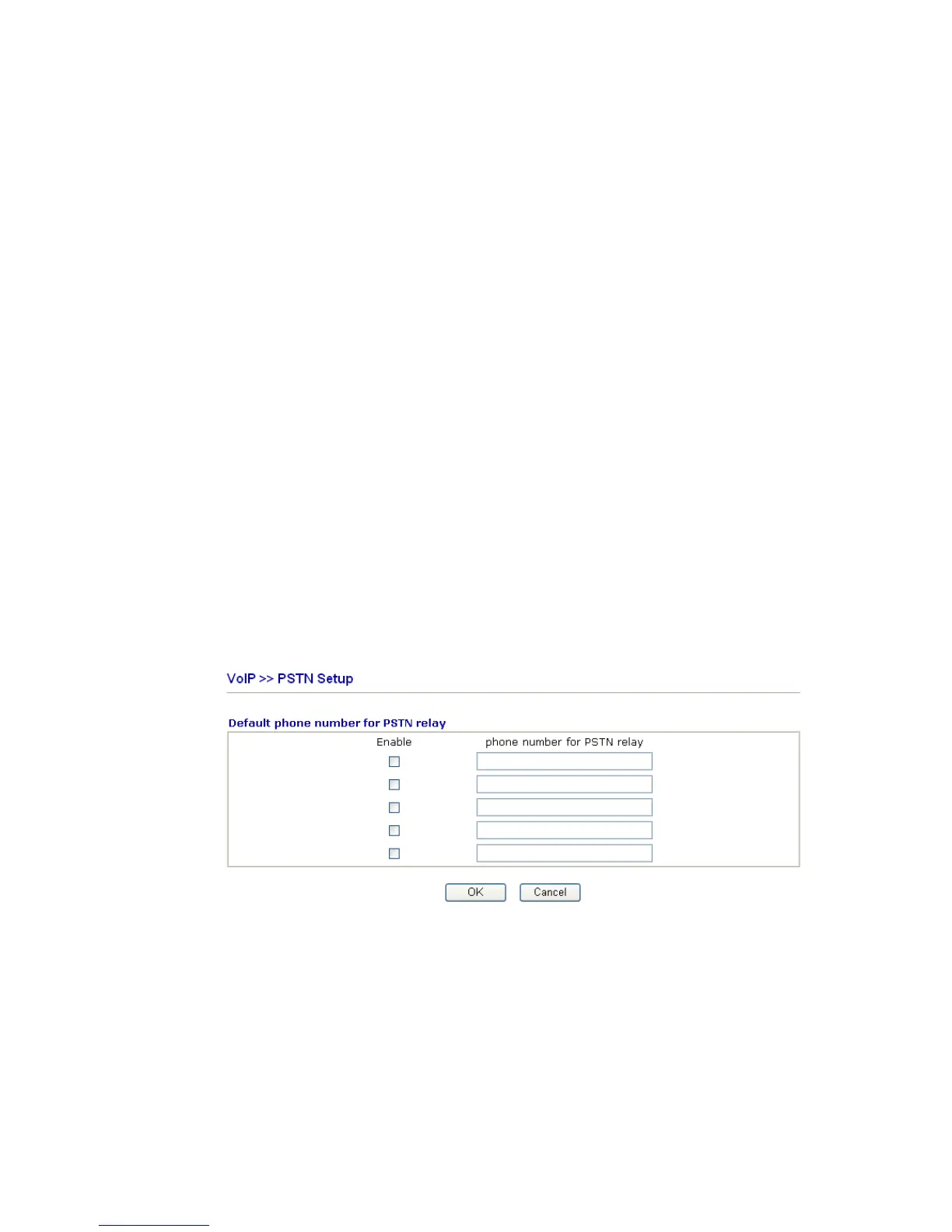
Some emergency phone (e.g., 911) or special phone cannot be dialed out by using VoIP and
can be called out through PSTN line only. To solve this problem, this page allows you to set
five sets of PSTN number for dialing without passing through Internet. Please type the
number in the field of phone number for PSTN relay.
Then, check the Enable box to make the PSTN number available for dial whenever you
need.
3
3
.
.
1
1
0
0
.
.
2
2
S
S
I
I
P
P
A
A
c
c
c
c
o
o
u
u
n
n
t
t
s
s
In this section, you set up your own SIP settings. When you apply for an account, your SIP
service provider will give you an Account Name or user name, SIP Registrar, Proxy, and
Domain name. (The last three might be the same in some case). Then you can tell your folks
your SIP Address as in Account Name@ Domain name













 To Next Page