Vigor2820 Series User’s Guide
144
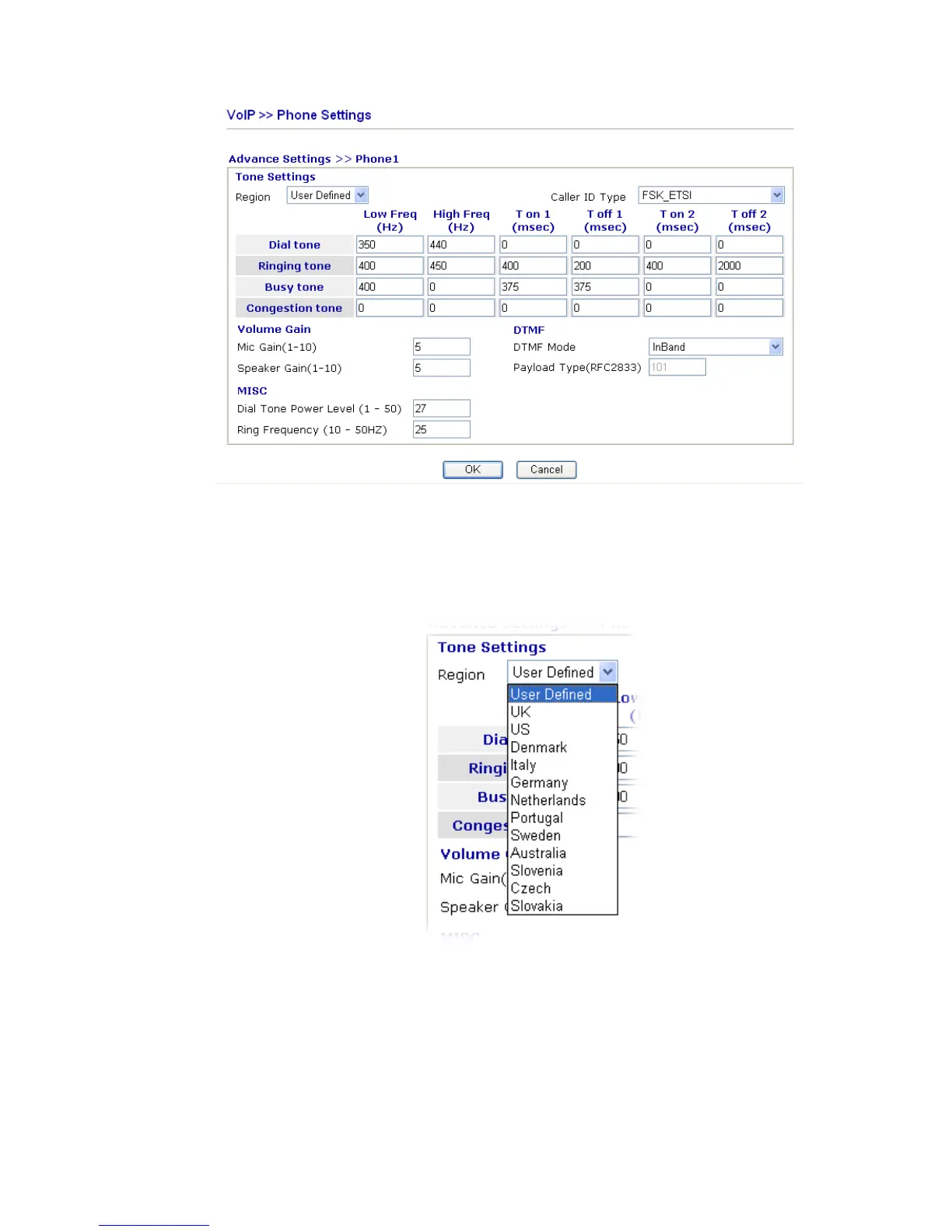
Region Select the proper region which you are located. The common
settings of Caller ID Type, Dial tone, Ringing tone, Busy
tone and Congestion tone will be shown automatically on the
page. If you cannot find out a suitable one, please choose
User Defined and fill out the corresponding values for dial
tone, ringing tone, busy tone, congestion tone by yourself for
VoIP phone.
Also, you can specify each field for your necessity. It is
recommended for you to use the default settings for VoIP
communication.
Volume Gain Mic Gain (1-10)/Speaker Gain (1-10) - Adjust the volume of
microphone and speaker by entering number from 1- 10. The
larger of the number, the louder the volume is.
MISC Dial Tone Power Level - This setting is used to adjust the
loudness of the dial tone. The smaller the number is, the
louder the dial tone is. It is recommended for you to use the













 To Next Page