Vigor2820 Series User’s Guide
150
Long Preamble This option is to define the length of the sync field in an
802.11 packet. Most modern wireless network uses short
preamble with 56 bit sync filed instead of long preamble
with 128 bit sync field. However, some original 11b
wireless network devices only support long preamble.
Check it to use Long Preamble if needed to
communicate with this kind of devices.
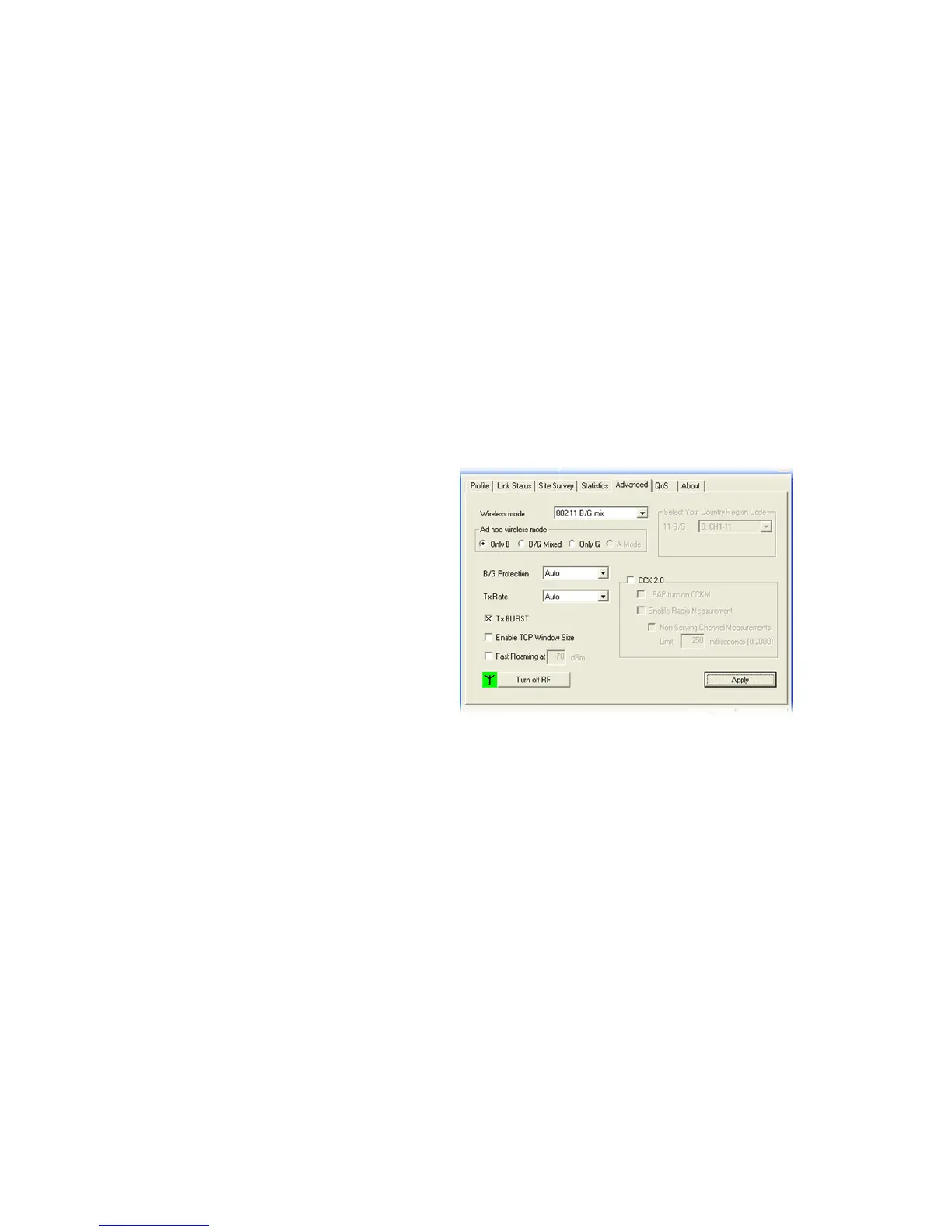
Packet-OVERDRIVE This feature can enhance the performance in data
transmission about 40%* more (by checking Tx Burst).
It is active only when both sides of Access Point and
Station (in wireless client) invoke this function at the
same time. That is, the wireless client must support this
feature and invoke the function, too.
Note: Vigor610 wireless adapter supports this function.
Therefore, you can use and install it into your PC for
matching with Packet-OVERDRIVE (refer to the
following picture of Vigor610 wireless utility window,
check TxBURST on the tab of Advanced).
Note: * means the real transmission rate depends on the
environment of the network.
Rate Control It controls the data transmission rate through wireless
connection.
Upload – Check Enable and type the transmitting rate for
data upload. Default value is 30,000 kbps.
Download – Type the transmitting rate for data
download. Default value is 30,000 kbps.













 To Next Page