Vigor2820 Series User’s Guide
161
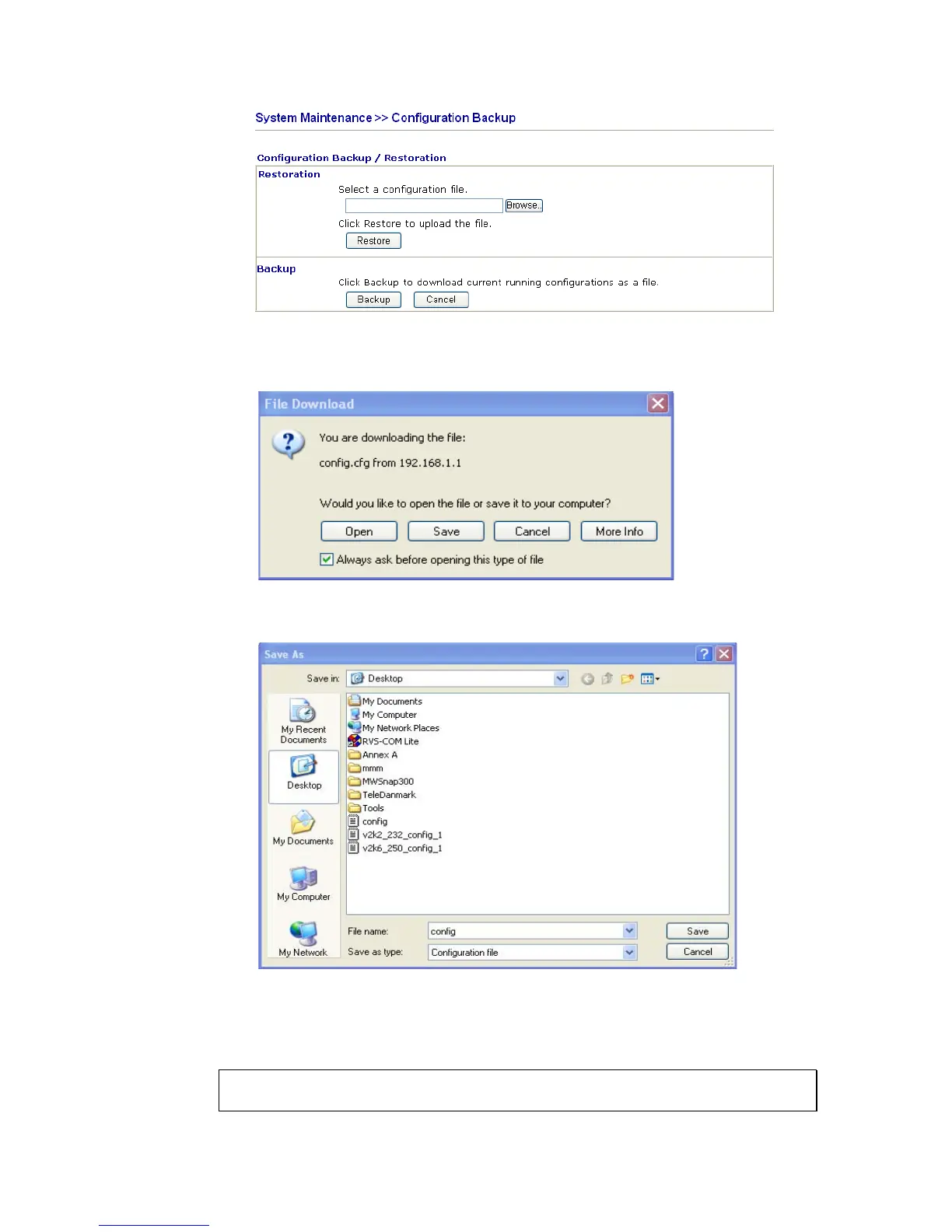
2. Click Backup button to get into the following dialog. Click Save button to open
another dialog for saving configuration as a file.
3. In Save As dialog, the default filename is config.cfg. You could give it another name
by yourself.
4. Click Save button, the configuration will download automatically to your computer as a
file named config.cfg.
The above example is using Windows platform for demonstrating examples. The Mac or
Linux platform will appear different windows, but the backup function is still available.
Note: Backup for Certification must be done independently. The Configuration Backup
does not include information of Certificate.













 To Next Page