Vigor2820 Series User’s Guide
185
3. In Step 2. Connect to VPN Server, click Insert button to add a new entry.
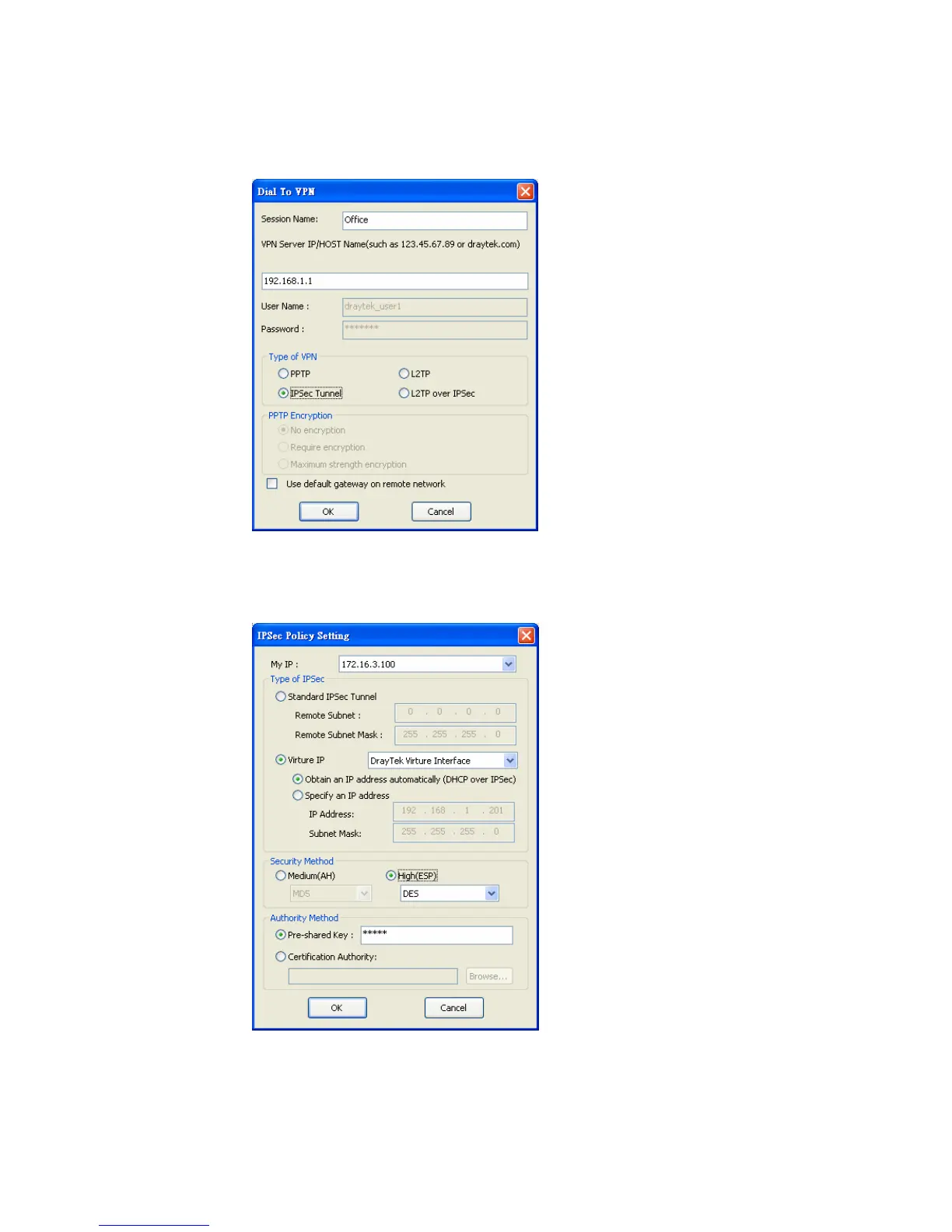
If an IPSec-based service is selected as shown below,
You may further specify the method you use to get IP, the security method, and
authentication method. If the Pre-Shared Key is selected, it should be consistent with
the one set in VPN router.
If a PPP-based service is selected, you should further specify the remote VPN server IP
address, Username, Password, and encryption method. The User Name and Password
should be consistent with the one set up in the VPN router. To use default gateway on
remote network means that all the packets of remote host will be directed to VPN













 To Next Page