Vigor2820 Series User’s Guide
199
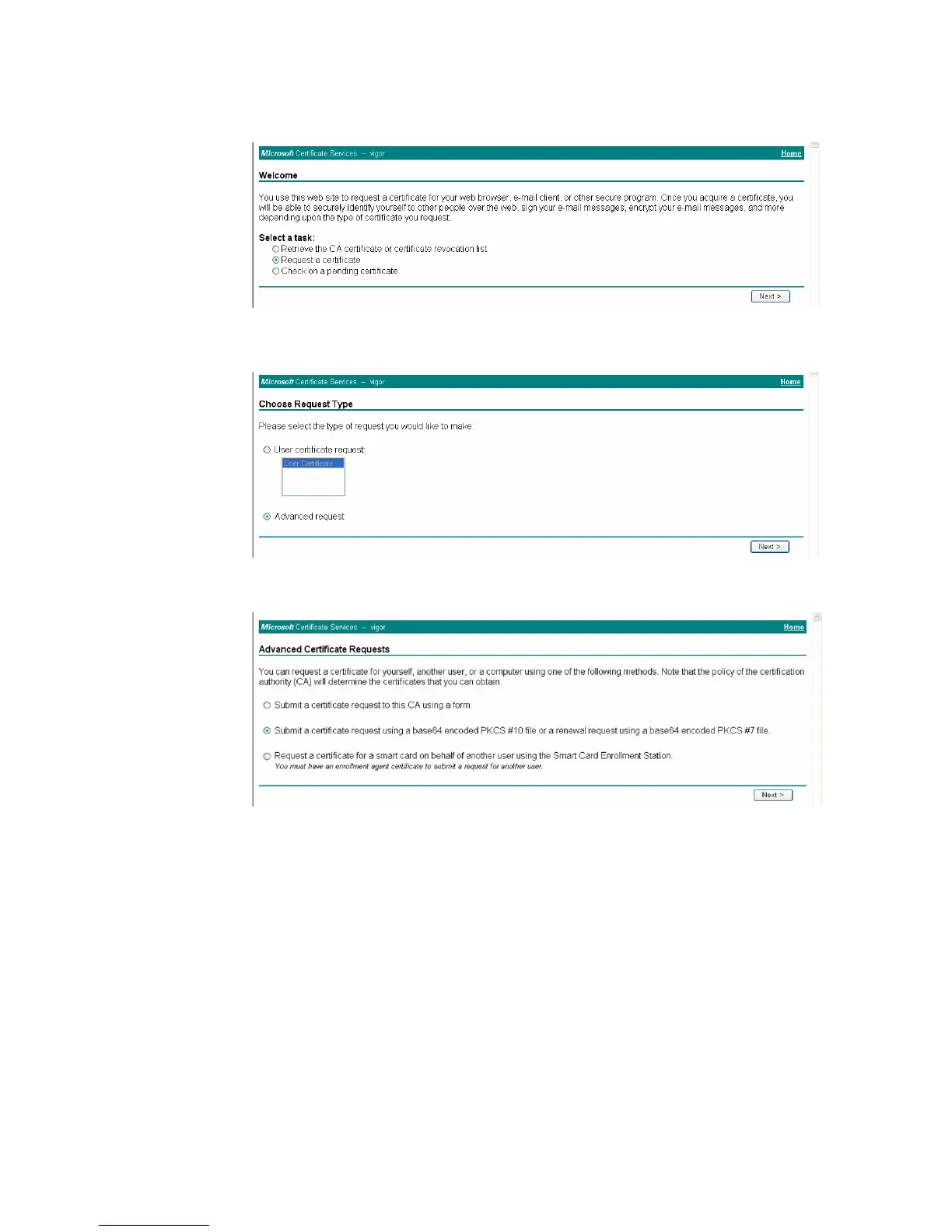
4. Connect to CA server via web browser. Follow the instruction to submit the request.
Below we take a Windows 2000 CA server for example. Select Request a Certificate.
Select Advanced request.
Select Submit a certificate request a base64 encoded PKCS #10 file or a renewal
request using a base64 encoded PKCS #7 file
Import the X509 Local Certificate Requet text file. Select Router (Offline request) or
IPSec (Offline request) below.













 To Next Page